User Manual Roth EnergyLogic Touchline/Wireless
Commissioning and operation
P100011294 E 73
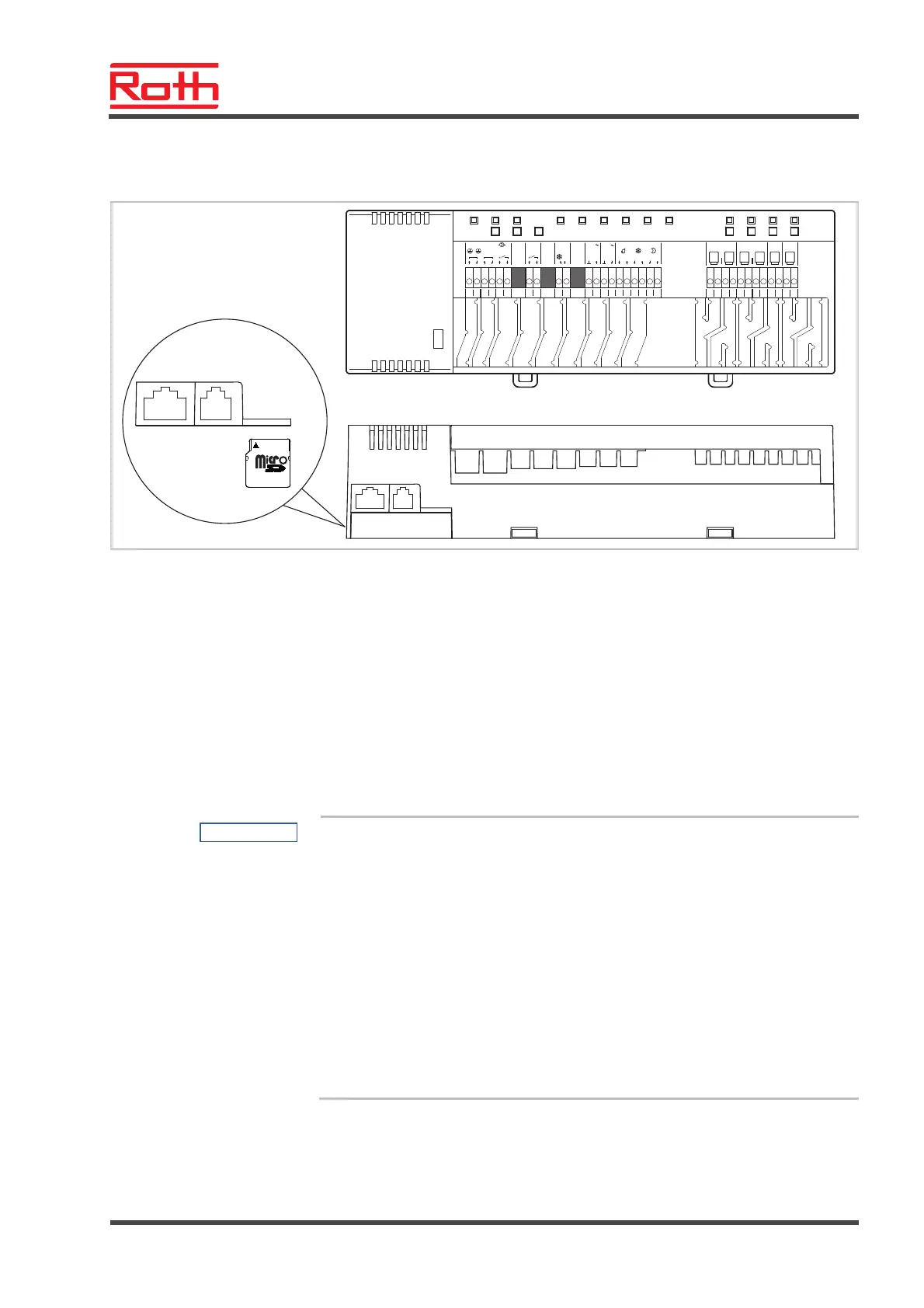
7.10 Software update with micro SD-card
B12259a
CH 1 CH 3
24V 24V
CH 2
24V
24V 24V 24V
25 26
27
28
29 30
31
32 35 3633 34
03
11
01
12
02
13
14
15 16
17
20
230 V
24 V
Trafo
Pump
230 V
in
eco
%H
c/o in
24 V
out
0604 05
c/o out
0807
18 19
1009
c/o in
230 V
/TB
N
L
NNL L
CH 4
RJ-45 RJ-12
microSD
Fig. 45: micro SD-Karte 2GB max. 4GB, min Class 4 bis Class 10
1 LAN connection, RJ-45
2 Active antenna connection, RJ-12
3 Slot for micro SD-card
► Disconnect power supply. Power LED off.
► Change SD-card.
► Reconnect power supply. Power LED on.
► The software update is automatically flashed into the micro controllers of
the wireless connection module with the integrated boot loader.
NOTE
For the proper function of the plant it is normally not necessary to update
the software.
However, if a plant extension is made some time after the installation and
commissioning of the first wireless connection module and for example a
second wireless connection module that should communicate with the
existing wireless connection module is added, then it is appropriate that
the software release of both wireless connection modules are the same.
As it is not possible to downgrade the software of the added wireless con-
nection module, the software of the already installed wireless connection
module should be updated with the software release of the added wireless
connection module. The latest software release can be obtained at any
time from the Roth webpage. Please read the accompanying instructions
before executing the software update.



 To Next Page