User Manual Roth EnergyLogic Touchline/Wireless
Design and function
26 P100011294 E
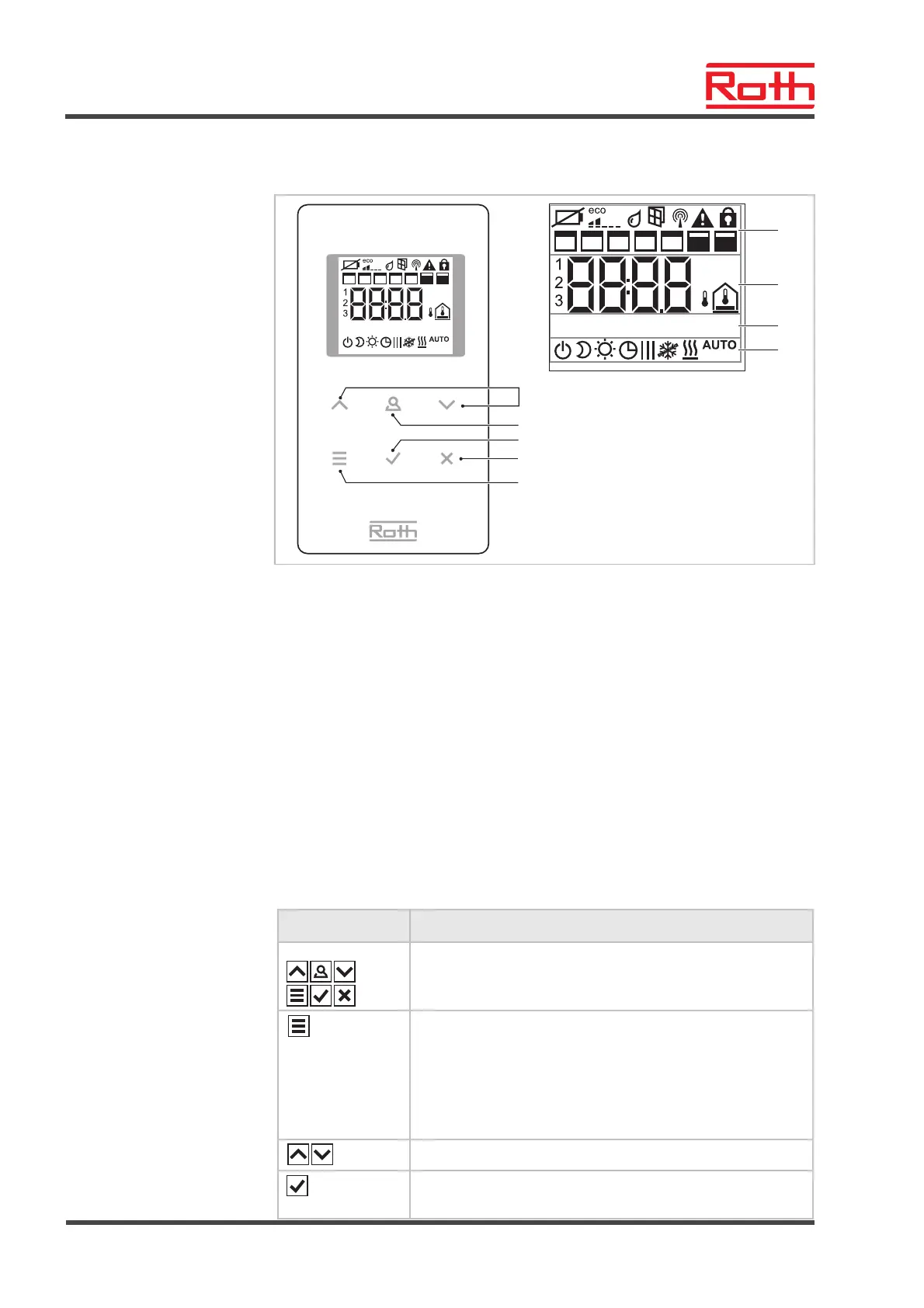
4.3.2 Wireless room thermostat with display
°C
1 64 52 3 7
°F
%
RESET TIMEDATETEMP SERV
°C
1 64 52 3 7
°F
RESET TIMEDATETEMP SERV
B12243a
5
6
7
8
1
2
3
4
9
Fig. 7: Overview display and sensor buttons wireless room thermostat
1 General information such as battery status, energy saving mode, alarms for
window contact and dew point, wireless connection, general alarm, key lock,
weekdays for time programs
2 Temperature setpoint and actual value, time, time program, outdoor and floor
temperature
3 Help text for configuration
4 Modes of operation
5 Select setpoints, time and date and other values change, time programs
6 Function button, adjustable via parameter P-10
7 Confirm changed value, confirm selection
8 Cancel: exit current parameter or menu
9 Select mode of operation, activate menu mode, select parameter
Sensor buttons
Sensor buttons Description
2 s:
Activate operation with any button.
Menu button:
● Activate menu mode.
● Select mode of operation. Possible modes of operation:
frost protection (off), reduced, normal, time program, heat-
ing or cooling.
● Select parameter (menu mode).
Change value.
● Save value
● Confirm selection.



 To Next Page