User Manual Roth EnergyLogic Touchline/Wireless
Commissioning and operation
P100011294 E 53
7.1.3 Address several wireless room thermostats to one radio channel
(sensor mode)
When several wireless room thermostats in sensor mode are addressed to
one channel, then all actual measured temperatures will be used to calculate
the average room temperature.
NOTE
Before addressing more than one wireless room thermostats to one radio
channel, the additional wireless room thermostats have to be set into sen-
sor mode.
In addition to one wireless room thermostat it is possible to add up to five
wireless room thermostats in sensor mode.
When a wireless room thermostat will be addressed to a radio channel that
is addressed already with another wireless room thermostat, then the ad-
dress of the firstly addressed wireless room thermostat will be overwritten.
With parameter P-24 it is possible to put a wireless room thermostat back
to factory settings.
See parameter description P-24, Option "4",
page 83.
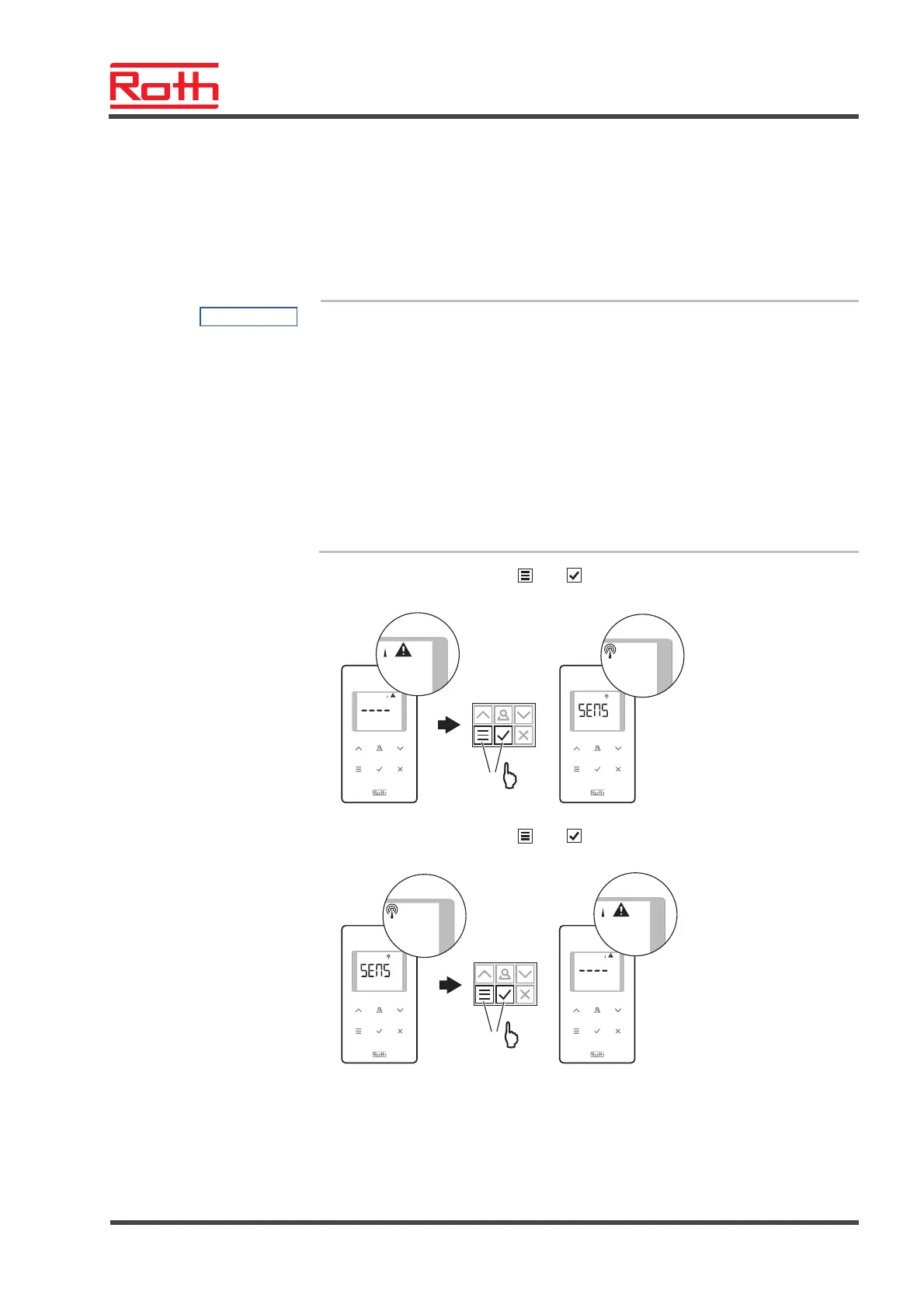
Activate sensor mode
► Press the sensor buttons
und of the wireless room thermostat for
10 seconds simultaneously.
B12709a
+
10 s
Deactivate sensor mode
► Press the sensor buttons
und of the wireless room thermostat for
10 seconds simultaneously.
B12710a
+
10 s
Example
Assign several wireless room thermostats to radio channel CH 1 for average
temperature building.
Address the first wireless
room thermostat
► Assign the first wireless room thermostat to a radio channel in accordance
with chapter 7.1.1. See page 52, chapter 7.1.1.



 To Next Page