User Manual Roth EnergyLogic Touchline/Wireless
Commissioning and operation
P100011294 E 65
7.6 Time programs
7.6.1 Overview of the three time programs
The wireless connection module has three different types of time programs
that can be changed. The time programs are the same for all room thermo-
stats.
● I: One profile for all weekdays (one profile)
Profile symbol:
1
2
3
4
5
6
7
Time program I has just one profile with three switched-on periods that are
the same for every day.
● II: One profile for working days and one profile for the weekend (2 profiles)
Profile symbols: working days:
1
2
3
4
5
, weekend:
6
7
With time program II one can distinguish between "working days" and
"weekends", each with three switched-on periods.
● III: One profile for each weekday (7 profiles)
Profile symbols: Monday
1
, Tuesday
2
, … Saturday
6
, Sunday
7
The most advanced time program can be made with time program III: it is
possible to create different profiles for every weekday, each with three
switched-on periods.
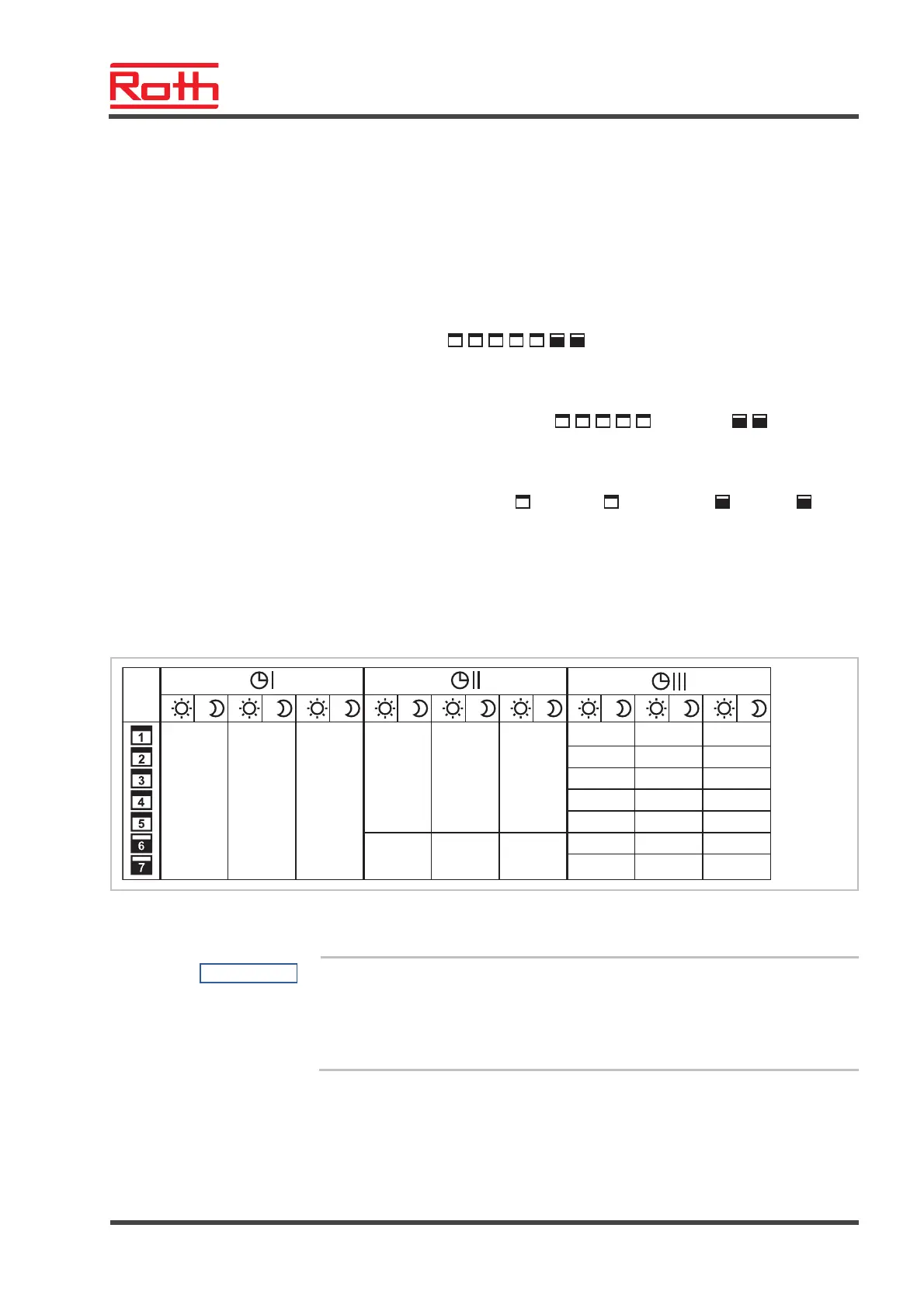
7.6.2 Factory settings time program
06:00...23:00 OFF —
112233
06:00...08:30 16:30...23:00
06:00...23:00 OFF
112233
OFF
—
B12257a
06:00...08:30 11:30...13:30
06:00...23:00 00:00...00:00
00:00...00:00
00:00...00:00
00:00...00:00
112233
16:30...23:00
06:00...08:30
06:00...08:30
06:00...08:30
06:00...08:30
06:00...23:00
11:30...13:30
11:30...13:30
11:30...13:30
11:30...13:30
16:30...23:00
16:30...23:00
16:30...23:00
16:30...23:00
Fig. 42: Factory settings time programs
NOTE
It is possible to enter one to three switched-on periods. If only one
switched-on period is entered, then during programming the second period
is shown at the display as "OFF" and the third is not shown at all. When a
second period is entered, then the third period will appear as "OFF", and
can be programmed too.



 To Next Page