User Manual Roth EnergyLogic Touchline/Wireless
Commissioning and operation
68 P100011294 E
Change an existing time
program
Time program Pro1 has to be changed.
The wireless room thermostat is in stand-by mode.
► Press any button on the wireless room thermostat for 2 seconds.
► The display changes into operation mode. The room temperature setpoint
blinks.
► Press sensor button
5 seconds to enter the user menu. The display
shows P01.
► Press sensor button
shortly 3 times until the display shows P04.
► Press sensor button
. The display shows message . The symbol
blinks and all weekdays
1
2
3
4
5
6
7
are shown.
► Press sensor button
or , to select time program 2 (Pro2) or time
program 3 (Pro3).
► Press sensor button
, to confirm the selection of the time program.
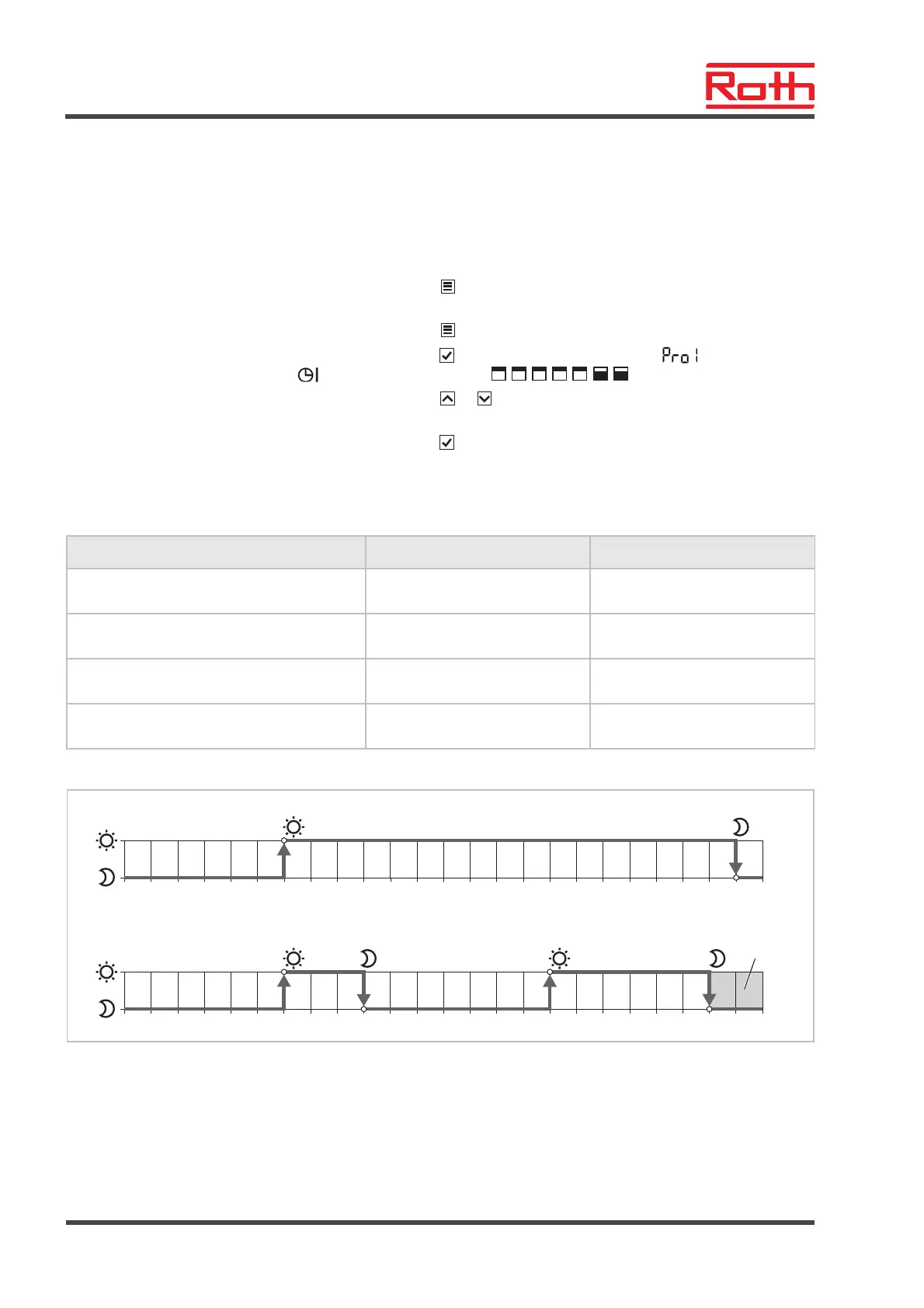
Example
The default value of the first time program has to be changed.
Switching points Factory settings Change
Switched-on period 1
"reduced" "normal"
06:00 06:00 (unchanged)
Switched-on period 1
"normal" "reduced"
23:00 09:00
Switched-on period 2
"reduced" "normal"
OFF 16:00
Switched-on period 2
"normal" "reduced"
OFF 22:00
Table 13: Example change of time program 1
02:00 04:00 06:00 08:00 12:0010:00 14:00 16:00 18:00 20:00 22:00
1
1
00:00 24:00
a
b
B12255a
c
02:00 04:00 06:00 08:00 12:0010:00 14:00 16:00 18:00 20:00 22:00
1 2
21
00:00 24:00
Fig. 44: Change of time program 1
Factory settings
B New settings according to example
C In this example a third switched-on period can only lie in the grey area.



 To Next Page