6-10
TSL-710 Operation Manual
The high-frequency modulation terminal is connected directly to the LD through
matching resistors and capacitors. Be careful of the input level since it is not
particularly protected. Bias to the LD is fed from the LD drive circuit through a coil.
When using high-frequency modulation, keep the following steps in mind:
(1) Make sure that the power of this device and the signal source are shut
off, and then connect the cable for modulation signal input.
(2) Turn ON the power of the body and the signal source.
(3) Turn the LD key ON to feed current to the LD.
(4)Set the power control mode to manual (refer to “6-3 Switching
the optical power control mode”).
(5) After current is fed to the LD, input the external signal.
(6) Stop the external signal before interrupting the injection current to the LD.
・Never apply voltage out of the input level range. Doing so may cause damage.
・Input the high-frequency modulation signal with the current being injected to the
LD. If no current is injected to the LD, it may cause damage the LD.
If high-frequency modulation is not used, make sure to connect the terminator to
the input terminal. Failure to do so may degrade the stability of the light intensity.
CAUTION
For your safety and to avoid damaging the device, be careful of the following
points when using this device.
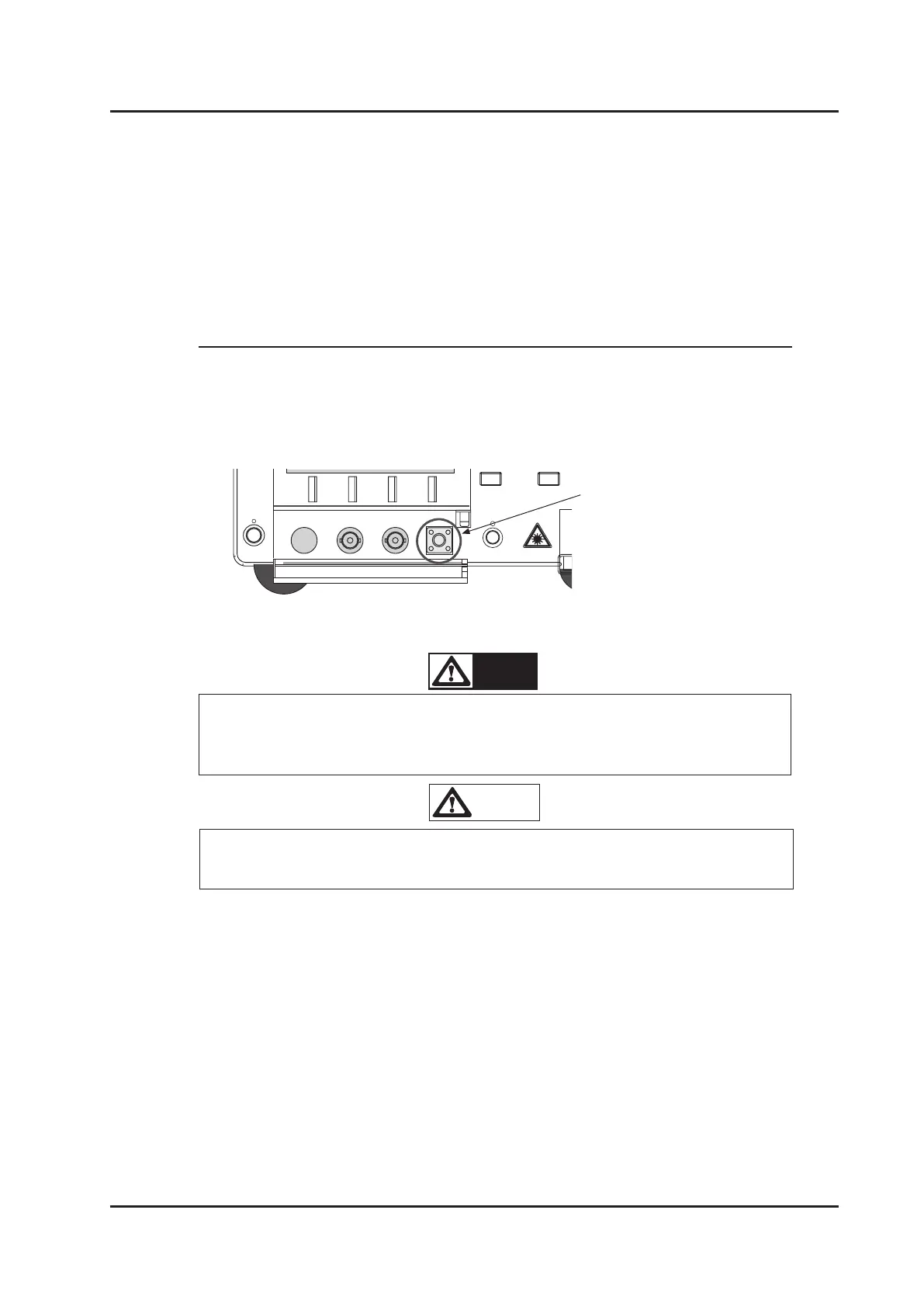
Analog Input LF Mod. RF Mod.
High-frequency modulation signal input
■
6-5-2 High-frequency Modulation (Option)
Modulating the intensity of optical power is performed at relatively high
frequency from 2 to 100 MHz.
Input the modulation signal into the SMA connector labeled ”RF Mod.” inside the
cover at the bottom of the front panel.



 To Next Page