Tunable Semiconductor Laser TSL-710
7-5
RS-232C
Power Monitor
USB
Trigger
Output
Trigger
Input
GPIB
~LINE
■
7-2-2.
Setting the Transmission Speed, and the Delimiter
1. Press Menu (F4 key) → Next (F4 key) → RS-232 (F2 key) soft keys from the
main screen. The RS-232 setting screen appears.
Speed: Set the transmission speed.
Select one from 2400, 4800, or 9600 bps, or 19.2 kbps. The default
is 9600 bps.
Delimiter: Select the delimiter of the command from “CR”, “LF” or
“CR+LF”.
At receiving time, the reception of commands is completed and
analysis begins after the delimiter is recognized. At sending time,
the delimiter is added to the end of the response string and then
sent.
2. Go back with the Back or Home key after setting.
■
7-2-3. Command
Only Command set 2 can be used. Refer to “7-4-2. TSL-710 Specic Command List
(Command set 2)”
■
7-3-1. Connection
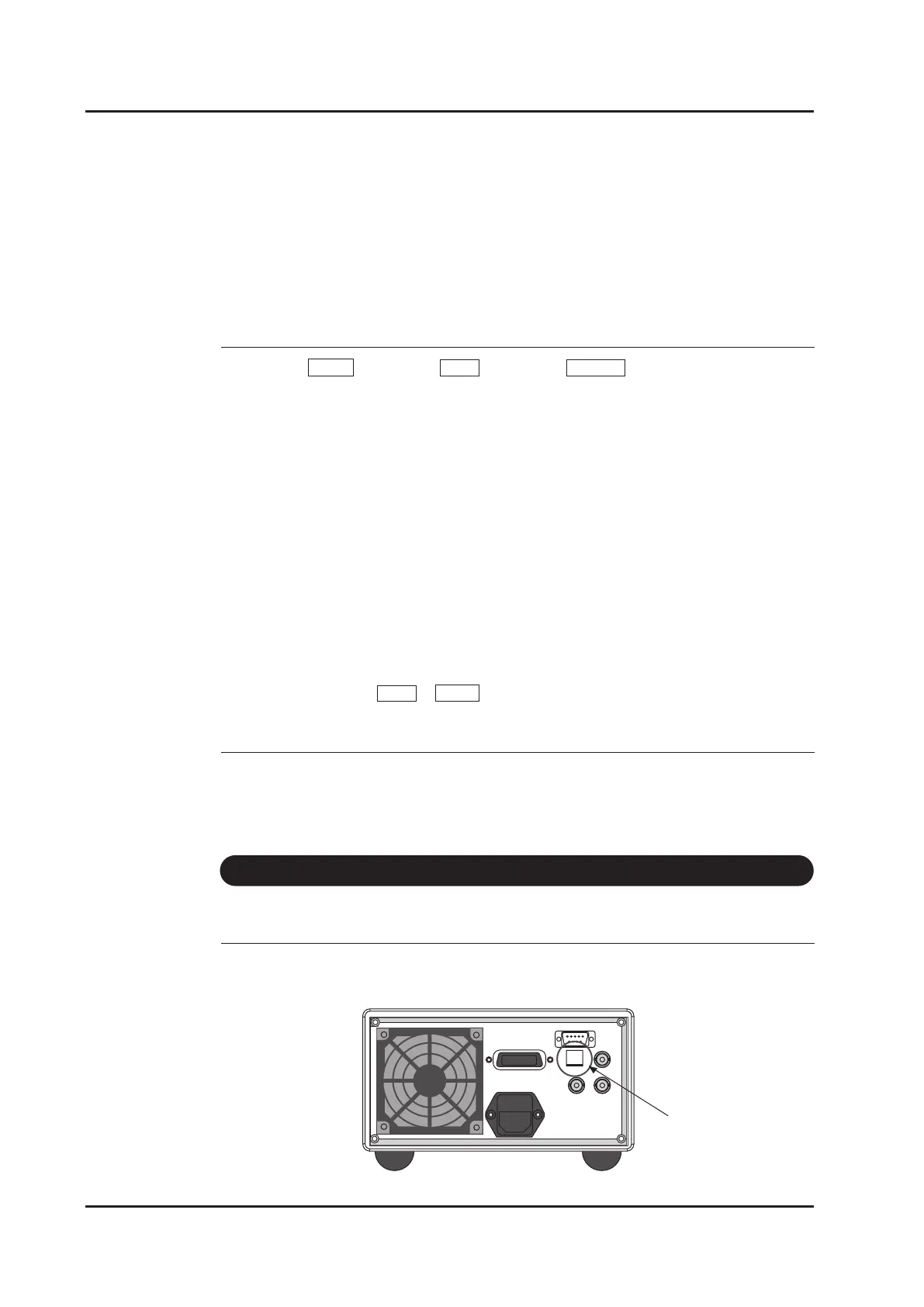
Connect the B-type connector cable to the USB connector on the rear panel.
7- 3 USB
USB connector



 To Next Page