Tunable Semiconductor Laser TSL- 710
5-5
5-3 Setting the Wavelength
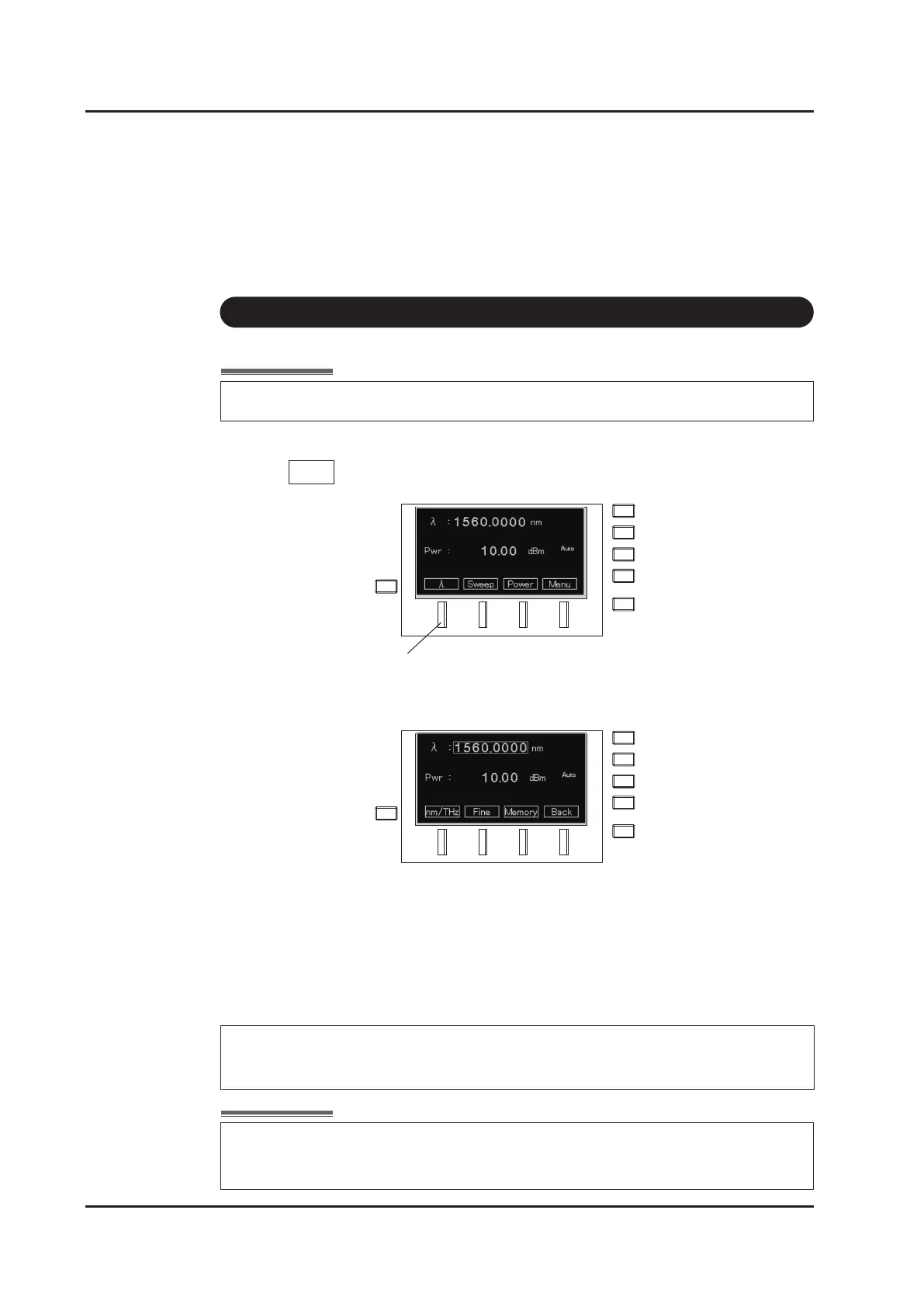
1.
Press
λ
(F1 key) on the main screen
2.
The wavelength setting screen appears, and the cursor blinks in the wavelength display
area.
3. Input values according to “How to input values” (Refer to next page.).
Range: Wavelength ranges specied in the specications
(Example: C+L band = 1480 to 1640 nm)
Unit: 0.0001 nm
Power can be set on the same screen by moving the cursor to the power display area with
the
▽
cursor key.
F1 Key
〈
Reference:
〉
Setting of the wavelength cannot be executed when LD output is OFF.
When the "WL.Err" status is displayed, closed-loop wavelength control using
the built-in wavelength monitor is not working properly. Please refer to "12
Troubleshooting“ (Page 12-1).



 To Next Page