Tunable Semiconductor Laser TSL-710
7-3
■
7-1-3.
Setting the Address, Delimiter, and Command set
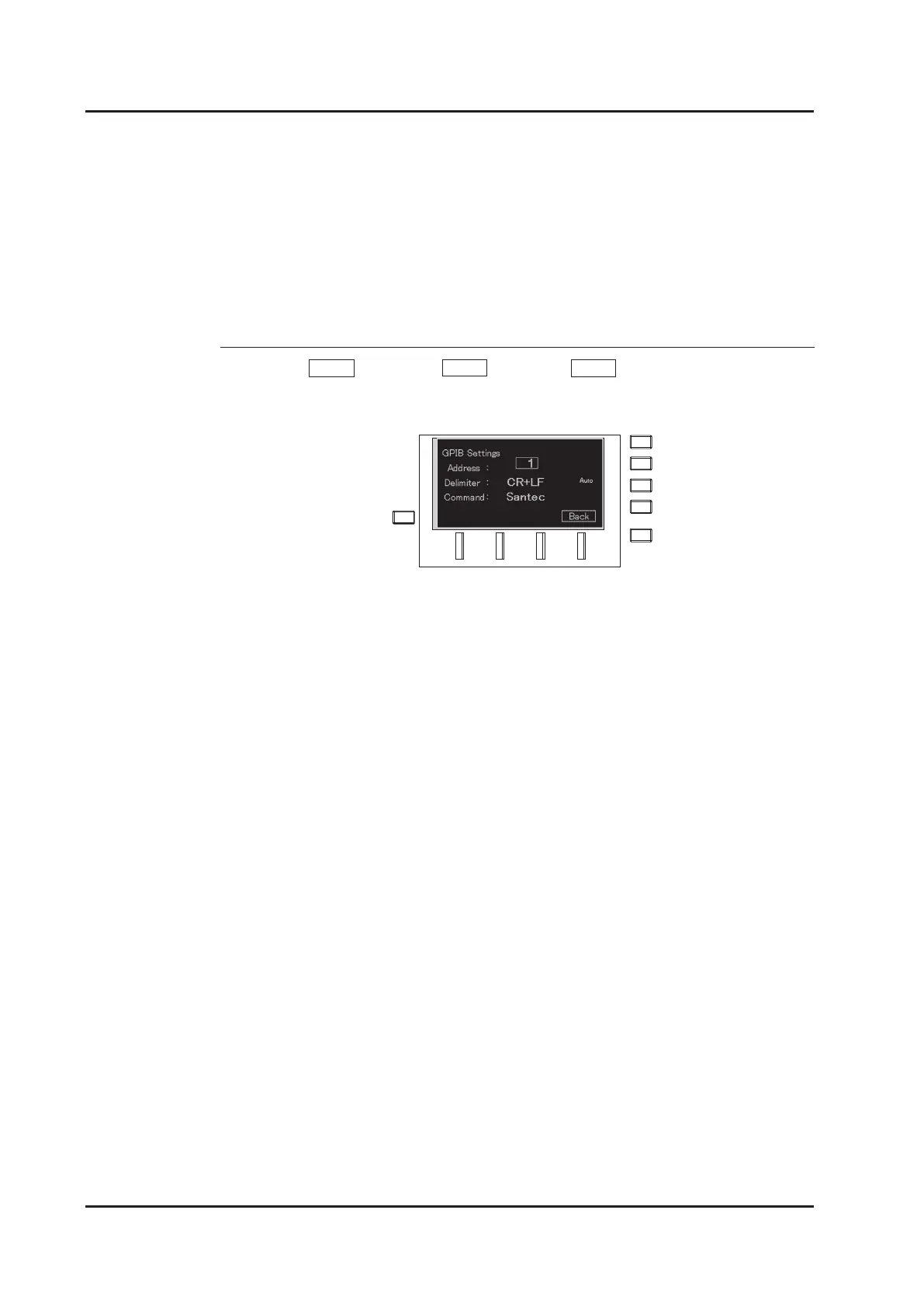
1. Press Menu (F4 key) → Next (F4 key) → GPIB (F1 key) soft keys from the
main screen. The GPIB setting screen appears.
2. Set Address, Delimiter, and Command in order from top to bottom.
Address: Set a unique value from 0 to 30. The default value is 1.
Delimiter: Select one from ”CR”, ”LF”, ”CR+LF”, and ”EOI “.
Set the end character of the command string.
When “CR”, ”LF” or ”CR+LF” is selected, the command is accepted and
analysis begins when the set delimiter is received. At sending time, the
delimiter is added to the end of the response string and sent, and an EOI
signal is asserted. When “EOI” is selected, the command is accepted
and analysis begins when the EOI is received. At sending time, an EOI is
asserted when the last character is sent.
Command: Select the ”SCPI” or ”santec” command set.
Select “SCPI” when using commands complying with the standards
specied by the SCPI consortium (Command set 1).
This command set has high compatibility with other companies’
instruments. Select “santec” when using commands based on our
existing original commands (Command set 2). This command set has
high compatibility with our existing products.



 To Next Page