70 Programming SATEL
The output groups can be defined:
• using the keypad, in the service mode, by means of the OUTPUT GROUPS function,
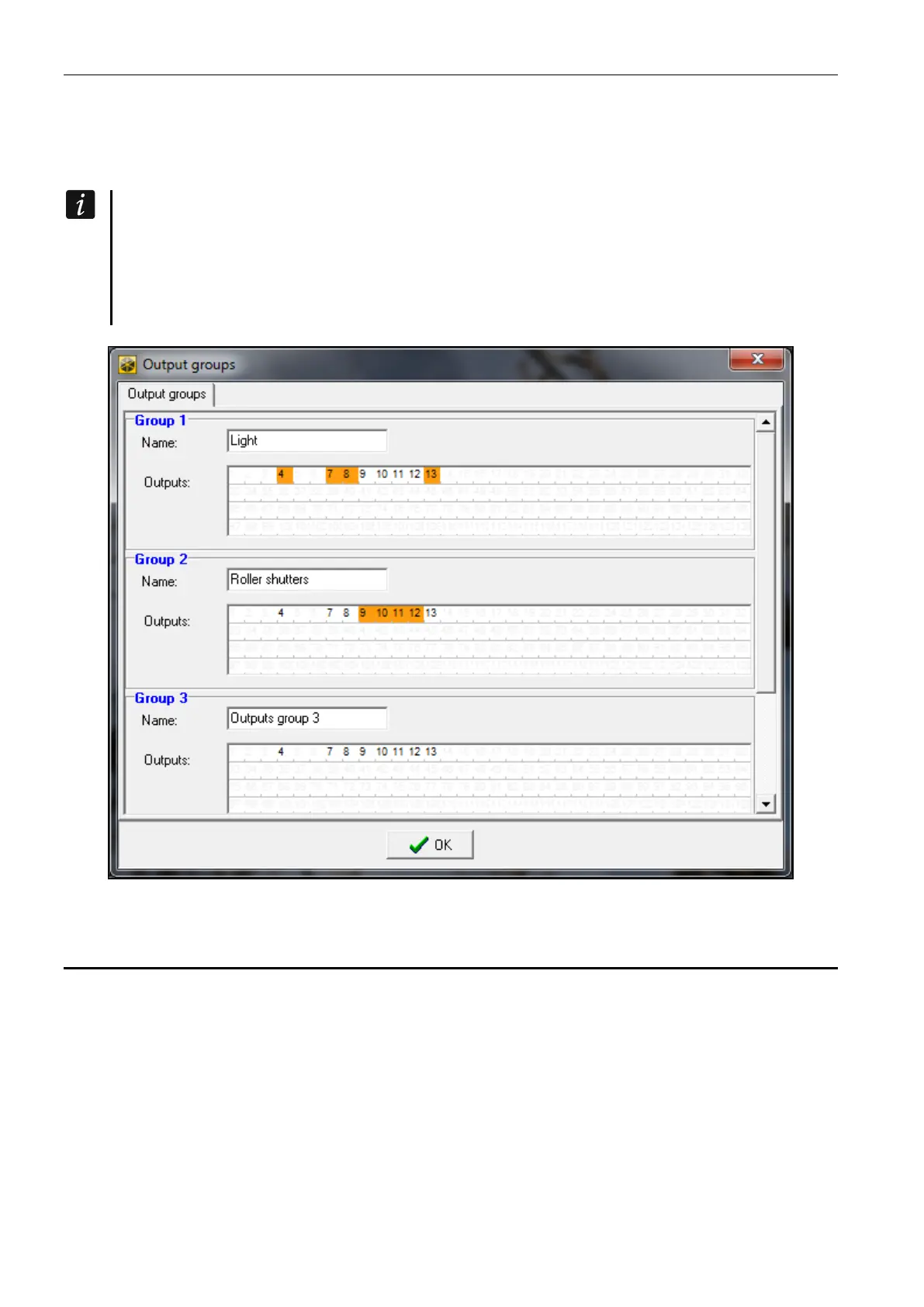
• using the DLOADX program, in the “Output groups” window (to open the window, press
the “Output groups” button in the “Outputs” window).
If all outputs are assigned to one group of outputs, the keypad will not display the list
of output groups upon starting the REMOTE CONTROL user function, but it will
immediately display the list of outputs which can be controlled.
The output can be assigned to a few groups.
If the output is not assigned to any group, it cannot be controlled from the keypad.
Fig. 7. Window “Output groups” in the DLOADX program.
5.9 Logical functions of outputs
It is possible to use any number of outputs as virtual outputs to control the 46. OUTPUTS
LOGICAL
AND or 47. OUTPUTS LOGICAL OR type output.
Example of using output functions 46 and 47
1. Assign functions to the outputs which do not physically exist:
– output 63: function 1. BURGLARY,
– output 64: function 23. ARM/DISARM BEEP.
2. Program the output 1, to which the siren is connected, as 47. OUTPUTS LOGICAL OR, and
select the outputs 63 and 64 as the controlling ones. The output 1 will be turned on, if the
output 63 or 64 is active.











 To Next Page