84 Programming SATEL
Card reader filter [Sensitivity] – the level of signal filtering by the proximity card reader
(when programming from the keypad: 1 – minimal filtering, 10 – maximal filtering). Higher
filtering level is useful where noise occurs, causing the reader to malfunction. This
parameter is available for the INT-KLCDR keypad with firmware version 1.06 (or newer)
and for other keypads provided with a built-in reader.
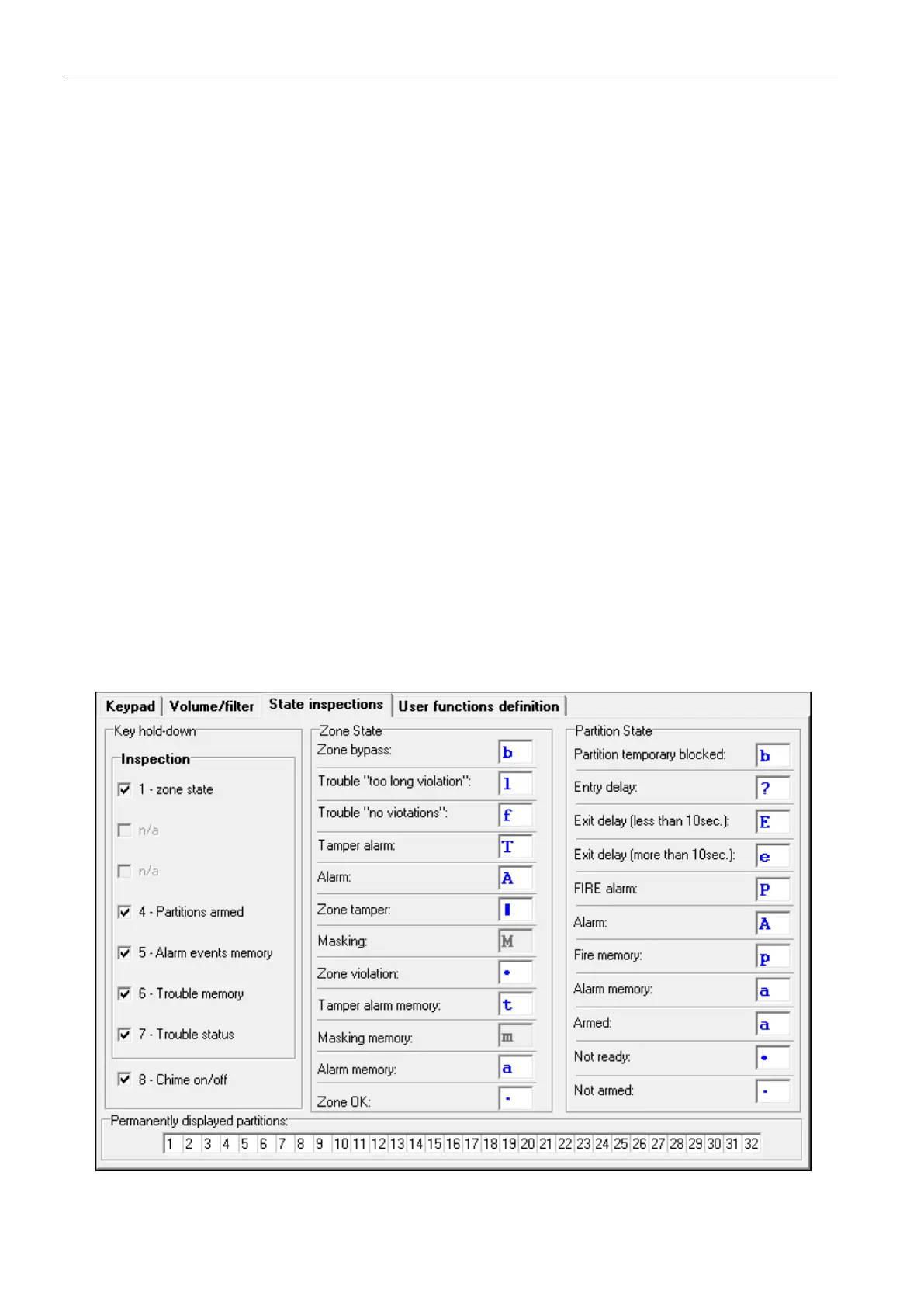
8.1.3 State inspections
Key hold-down
Some functions can be run by the users without having to enter the code.
1 – zone state [Zones] – if this option is enabled, the user can press and hold down the key
with number 1 for 3 seconds to check the state of zones.
4 – partitions armed [Partitions] – if this option is enabled, the user can press and hold
down the key with number 4 for 3 seconds to check the state of partitions.
5 – alarm events memory [Alarms log] – if this option is enabled, the user can press and
hold down the key with number 5 for 3 seconds to view the alarms log (based on the event
log).
6 – trouble memory [Troubles log] – if this option is enabled, the user can press and hold
down the key with number 6 for 3 seconds to view the troubles log (based on the event
log).
7 – trouble status [Troubles] – if this option is enabled, the user can press and hold down
the key with number 7 for 3 seconds to view the troubles.
8 – chime on/off [Chime changing] – if this option is enabled, the user can press and hold
down the key with number 8 for 3 seconds to enable / disable the CHIME signal in the
keypad.
.
Fig. 9. Keypad “State inspections” tab in DLOADX program.











 To Next Page