28 Programming SATEL
Characters available after next keystroke
Table 3. Characters available when entering names. The lower case letters are available
under the same keys (to change the letter case, press key).
3. Configuring the control panel with DLOADX program
Required program version: 1.21.000 (or newer).
Access to the program is protected by a code (password). To obtain access at the first run of
the program, enter the factory default code: 1234 (you need not enter the factory code, just
click on the “OK” button).
The factory access code to the program should be changed as soon as possible.
Entering an invalid code three times will terminate the program.
3.1 Main menu of DLOADX program
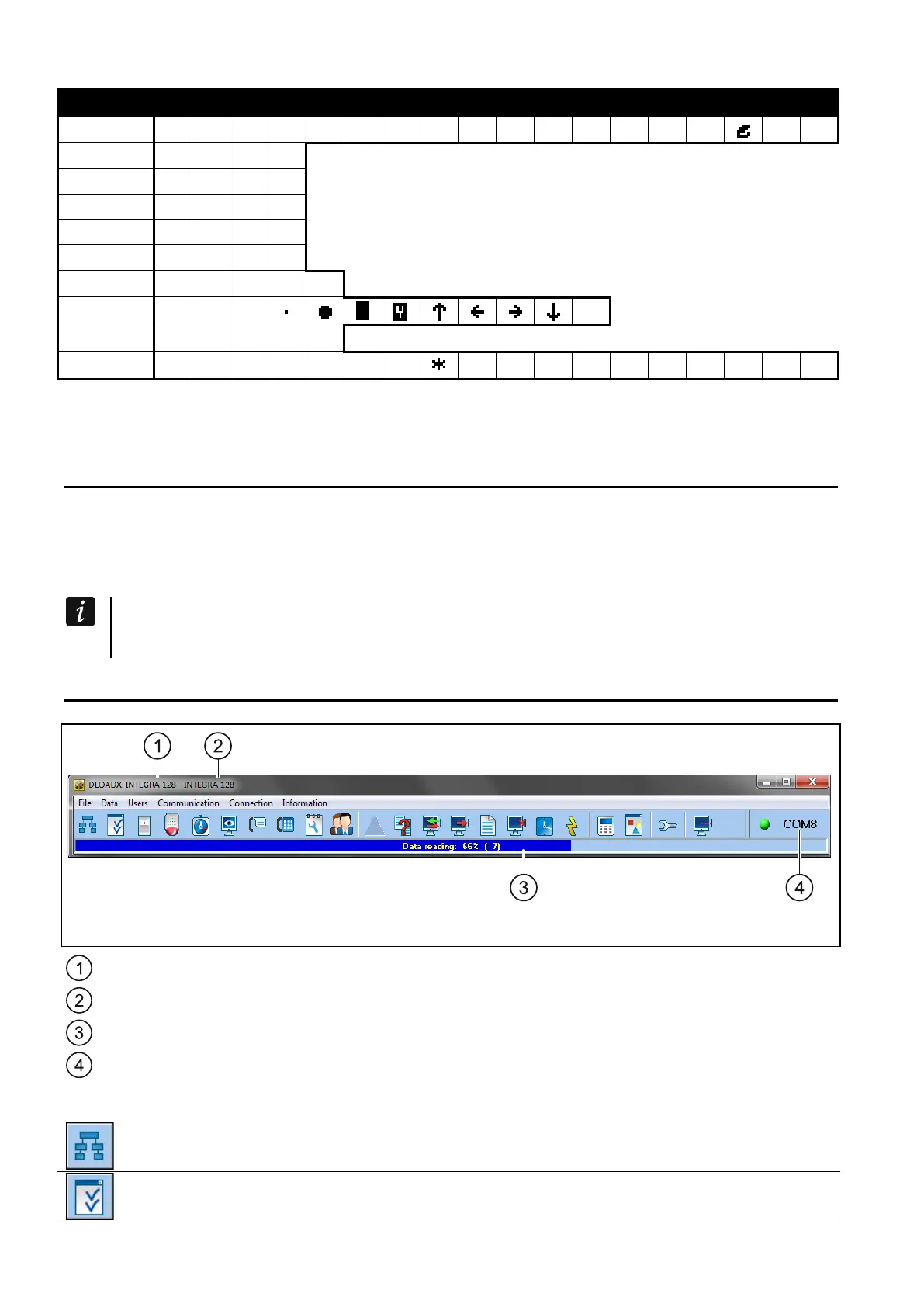
Fig. 1. Main menu of DLOADX program.
type of alarm control panel.
name of alarm system / data file.
information on data writing/reading progress.
information on the way of communication with the alarm control panel.
3.1.1 Buttons
opens the “Structure” window.
opens the “Options” window.











 To Next Page