17
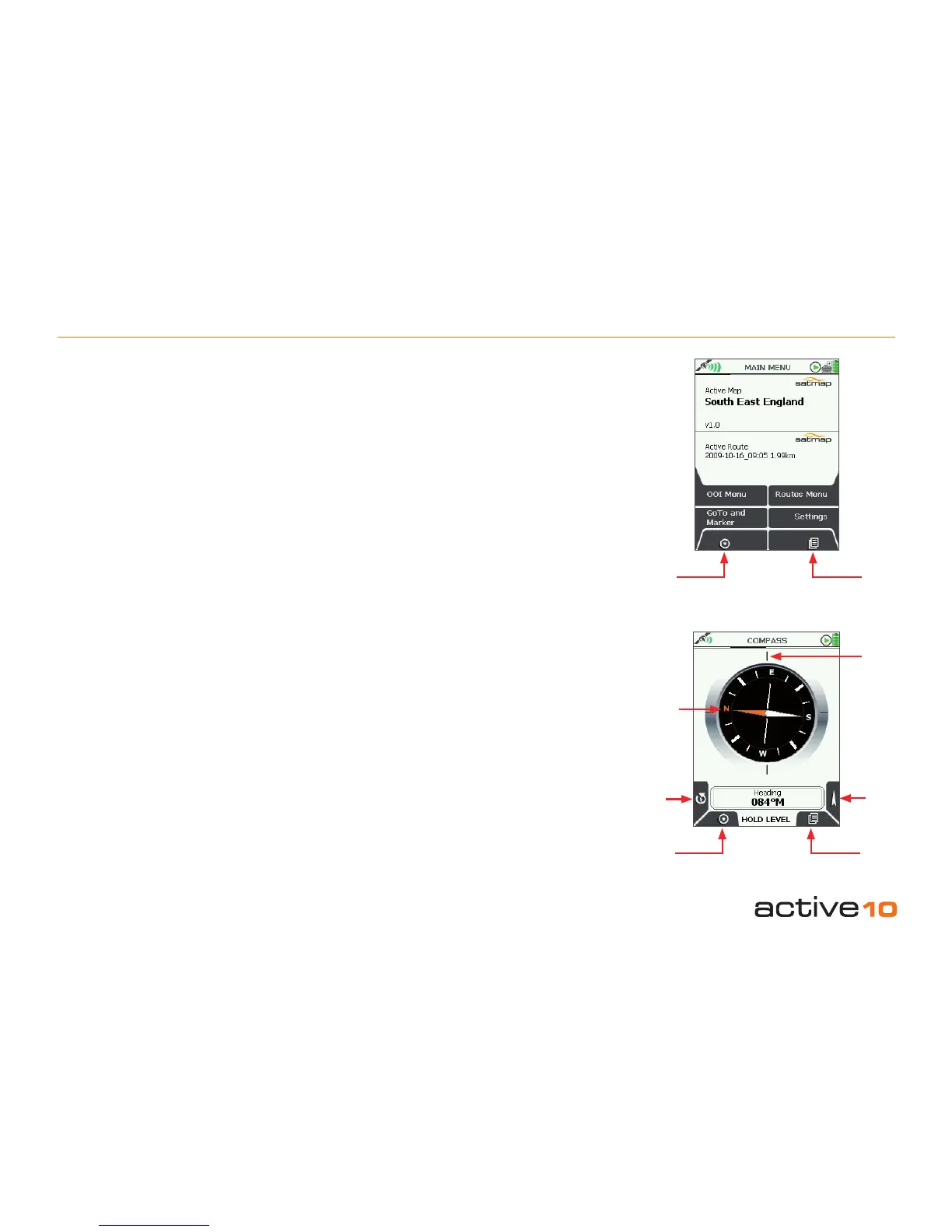
6.01 MAIN MENU Screen
(GPS MAP → MAIN MENU)
The MAIN MENU screen gives access to
some of the Active 10’s main functions.
The upper half of the MAIN MENU screen
shows the title of the Active Map, ie. the
loaded map card. The lower half of the MAIN
MENU screen shows the name of the Active
Route (section 8.00a).
Buttons:
OOI Menu
Go to OOI Menu (section 12.00)
GoTo and Marker
Set GoTo point/Marker either by coordinates
(or postcode: GB only) (sections 19.00)
GPS Map
Return to GPS MAP (section 5.00)
ROUTES MENU
Go to ROUTES MENU (section 8.00)
Settings
Go to SETTINGS MENU (section 7.00)
Primary Screens
Go to COMPASS screen (section 6.02) and
scroll through primary screens (section 4.00)
6.02 COMPASS Screen
(GPS MAP → MAIN MENU → COMPASS)
The Active 10 has an electronic compass and
a GPS compass and switches between the
two at a preset speed (section 7.10). Having
both ensures you have the correct bearings
at all times whether you are moving or
stationary. It is important that the unit is held
level (like a regular magnetic compass) and is
calibrated correctly (section 7.13).
Buttons:
Calibrate Compass
Go to Calibrate Compass (section 7.13)
GPS Map
Return to GPS MAP
Pointer
Go to POINTER screen (section 6.02a)
Primary Screens
Go to TRIP LOG screen (section 6.03) and
scroll through primary screens (section 4.00)
6.01 Primary Screens: MAIN MENU & COMPASS Screens
Figure 6.02
Figure 6.01
GPS Map
Primary
Screens
Bearing
indication
given here
Orange
tipped
north
indicator
Pointer
Calibrate
Compass
GPS Map
Primary
Screens



 To Next Page