69
16.04a OOI Menu: Edit LOI (Lines of Interest)
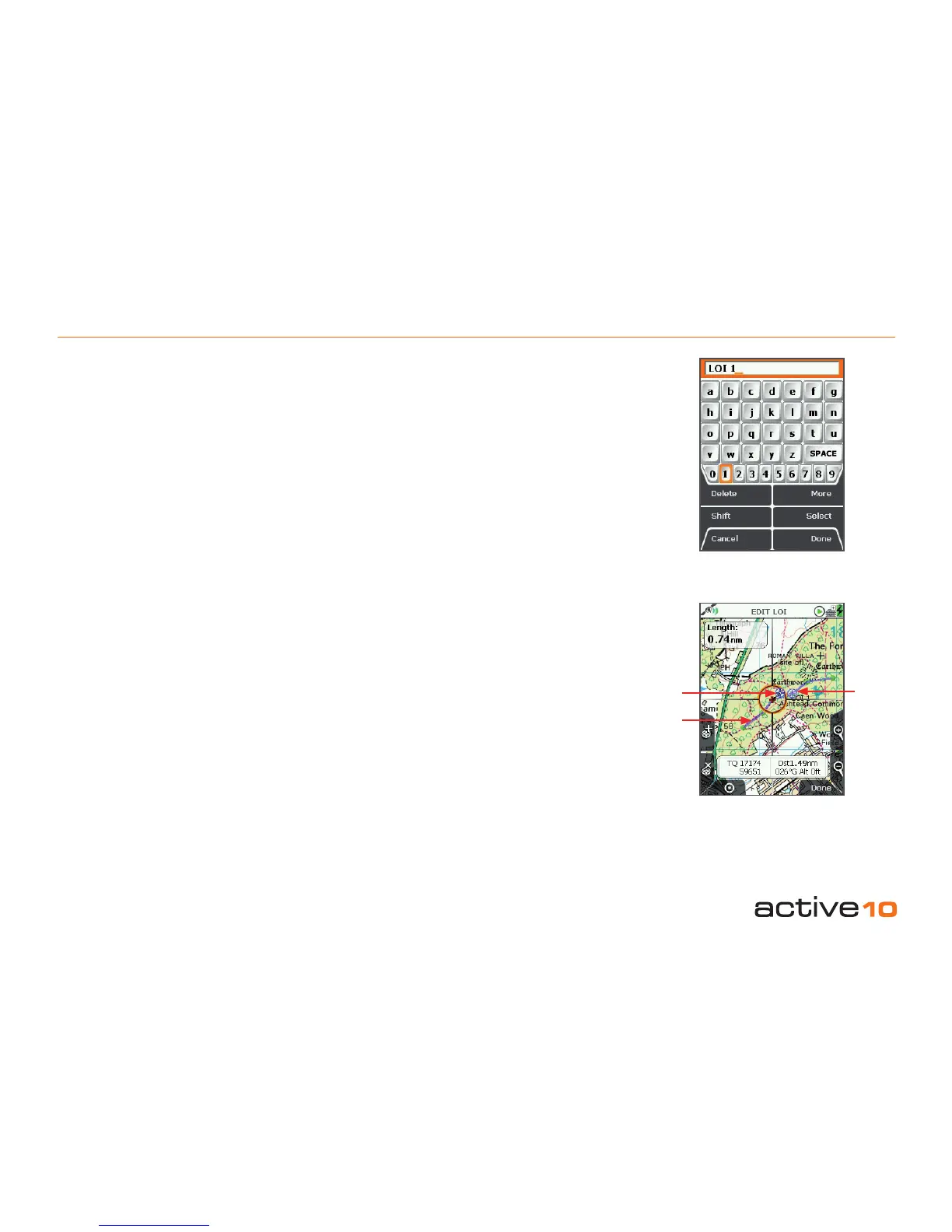
16.04a Rename LOI
(GPS MAP → MAIN MENU → OOI Menu
→ OOI Folders → Select LOI → Edit →
Rename)
When an LOI is created it is called 'LOI 1' by
default (or similar, depending on the number
of existing OOIs).To rename it, highlight the
LOI in the OOI Folders, press Edit, then
Rename. The keypad appears. Use the
joystick to rename the LOI (section 9.00).
16.04b Edit Description
(GPS MAP → MAIN MENU → OOI Menu
→ OOI Folders → Select LOI → Edit → Edit
Description)
Highlight Edit Description, then either press
the Edit button or center press the joystick to
access the keypad (section 9.00).
Operate the keypad to input comments
describing the LOI and press Done when
nished. The screen will return to the EDIT
LOI menu.
The 'Edit Description' option is only available
if the existing description has 128 characters
or less (e.g. externally imported descriptions
from geocaches etc. with more than 128
characters cannot be edited).
16.04c Edit Location by Map
(GPS MAP → MAIN MENU → OOI Menu
→ OOI Folders → Select LOI → Edit → Edit
Location by Map)
You are in edit mode when a red cross
appears inside the orange locator circle.
Use the joystick to move the locator circle
over individual LOI points and center press
the joystick to select them. A blue POI icon
appears just inside the locator circle which
means you can then drag the LOI point to
a new location. Center press the joystick to
conrm the placement.
If you wish to add another LOI point, press the
'+' button. To remove an existing LOI point,
press the 'x' button.
Press the GPS Map button to return to the
last map screen.
Figure 16.04a
Figure 16.04c
POI icon
LOI
LOI
reference
point
(section
16.03)
*



 To Next Page