44
Handling of two telephones
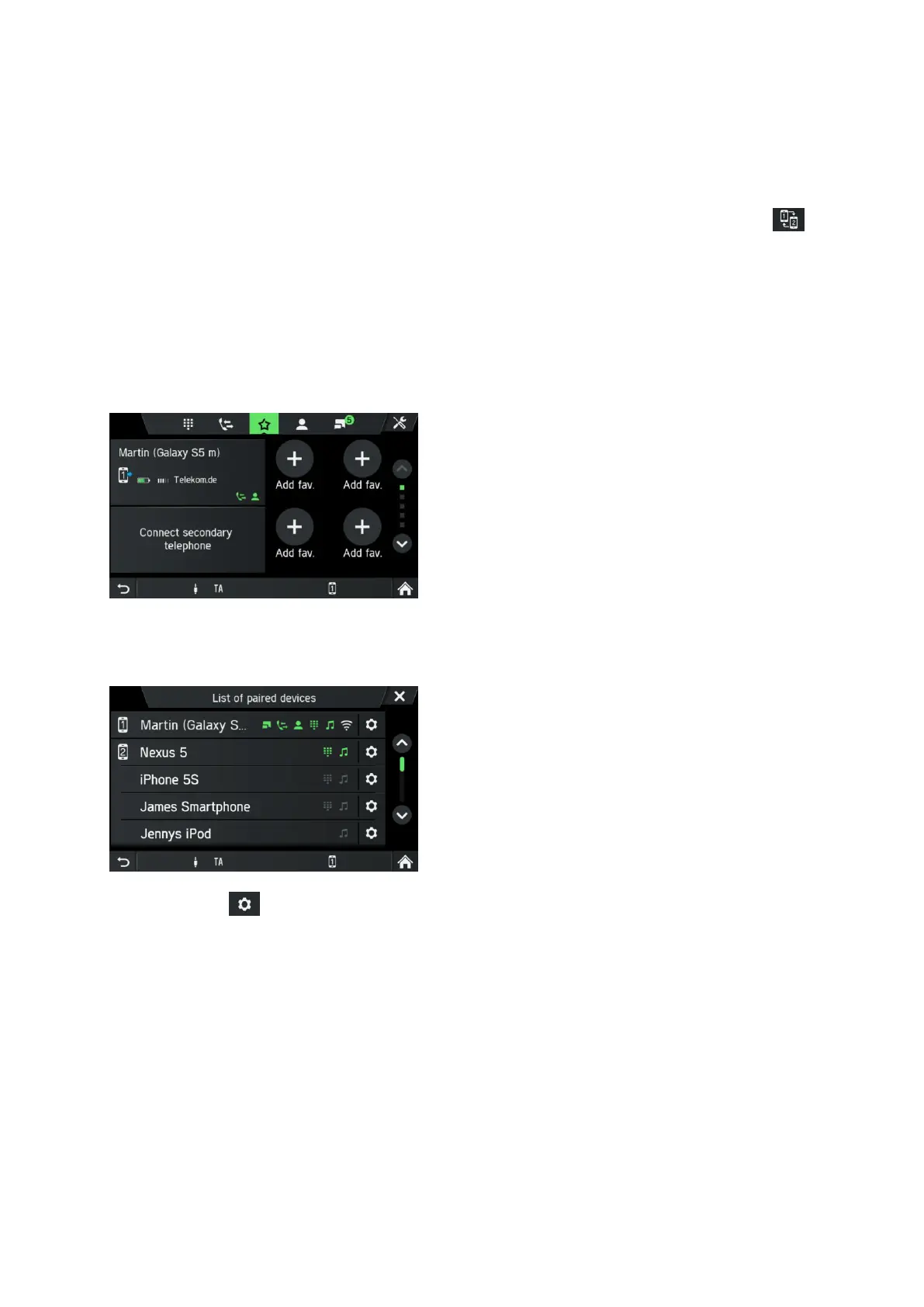
It is possible to connect 2 telephones at the same time. One is the primary telephone,
one is the secondary telephone. The left side of the favourites tab shows information
about the two telephones. Favourites, Call list, Phonebook and Messages will always
come from the primary telephone. On Favourites tab, it is possible to swap (icon )
primary and secondary telephone.
On Favourites tab, it is also possible to select which telephone shall be used for
outgoing calls when dialling from favourites, call lists, phonebook or messages. The
blue arrow indicate which telephone is used for outgoing calls. On the keypad the
required telephone can be directly selected to establish the call.
Deleting a paired device
• Tap in the BLUETOOTH SETTINGS menu on List of paired devices.
A list of all Bluetooth devices paired with the infotainment system is displayed.
• Tap on near the desired Bluetooth device.
• Tap on Delete pairing.
• Tap on Yes to confirm the deletion.
The device is deleted from the list of paired devices.



 To Next Page