63
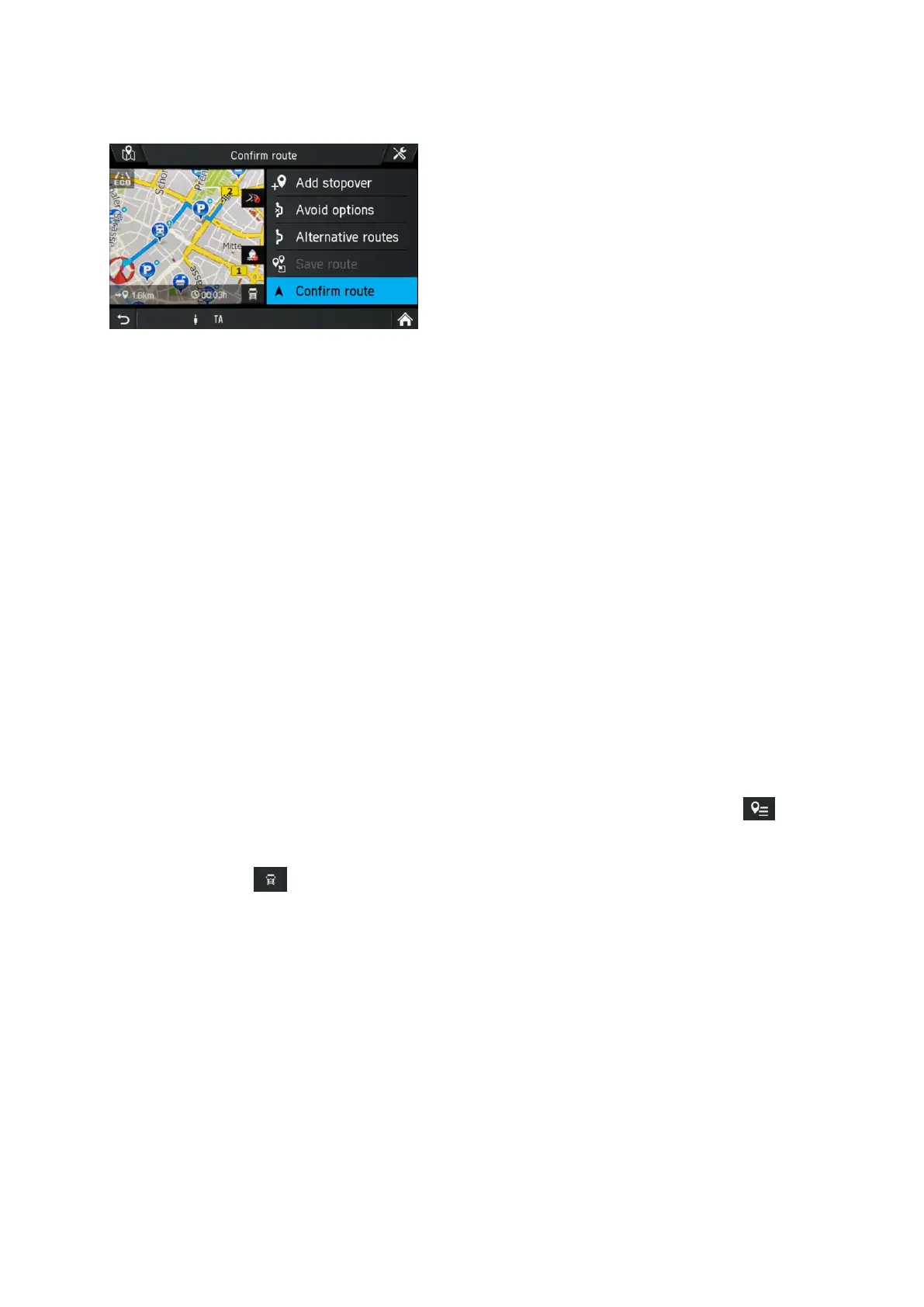
Confirm route menu
The following informations are available in this map area.
- Distance to destination
- Estimated time to destination
- Route avoidance options
- Icon for the actual selected route type (Eco route, fast route or short route)
- Vehicle profile options
The following options are available:
- Add stopover
Tap this option to add a stopover.
- Avoid options
Use this menu to avoid or use certain roads (highways, toll roads or ferries) in
navigation. See “Avoid options” on page 77.
- Alternative routes
Use this menu to calculate alternative routes (most economical route, shortest route
or fastest route). See “Alternative route” on page 64.
- Save route
This feature is available if you have added at least one stopover.
You can freely assign the names of the routes. You can save up to 20 routes.
You can retrieve saved routes in the NAVIGATION menu by tapping on the
symbol.
- Vehicle profile options
Tap on the icon to open the vehicle profile options. See “Vehicle profiles” on
page 75.
- Confirm route
Tap a route item to start route guidance.



 To Next Page