73
OPTIONS WHILST ROUTE GUIDANCE
Use this option to adjust the settings for route calculation / recalculation and
navigation.
• Press the
NAVI
button during a currently running route.
• Tap on the icon .
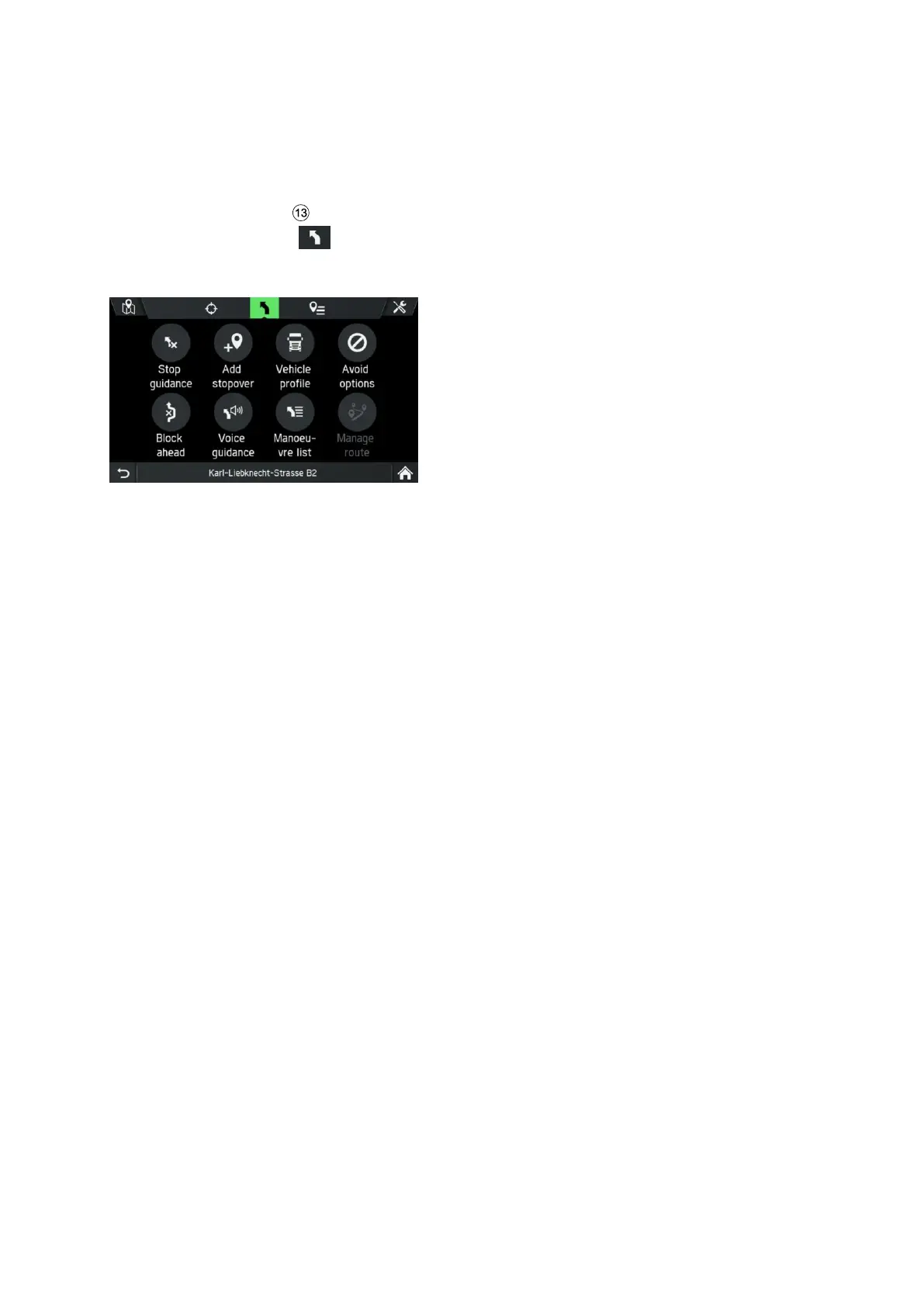
The ROUTE OPTIONS menu is displayed.
The following menu options are available:
- Stop guidance
Tap on this option to cancel the current route guidance or remove stopover from
route.
- Add stopover
Tap on this option to add a stopover or a new destination.
- Vehicle Profile
Tap on this option to display, select and edit different vehicle profiles.
- Avoid options
Tap on this option to avoid or use certain roads (motorways, toll roads, ferries)
during navigation.
- Block ahead
Tap on this option to exclude a defined length of the road in front of the vehicle.
- Voice Guidance
Tap on this option to turn voice guidance on and off.
- Manoeuvre list
Tap this option to display all the roads on the calculated route.
- Manage route
Tap on this option to manage the destinations if at least one stopover has been
entered.



 To Next Page