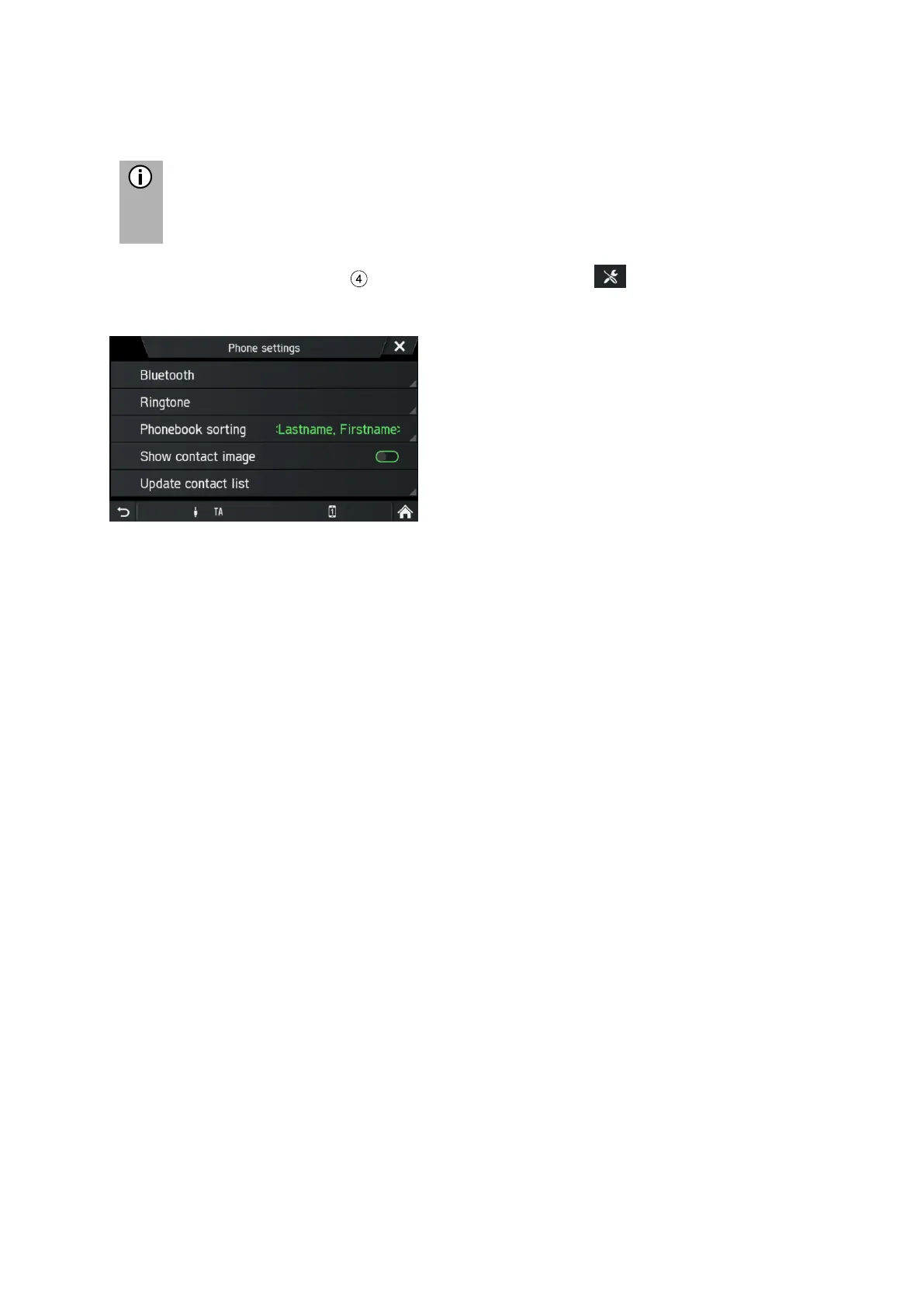
The TELEPHONE SETTINGS menu is only available if a Bluetooth device is
connected to the infotainment system.
• Press the
TELEPHONE
button and tap on the icon .
The TELEPHONE SETTINGS menu is displayed.
Following menu items are available:
- Bluetooth
BLUETOOTH SETTINGS menu opens. For more details see chapter "Telephone*",
sub-chapter "Bluetooth connection" on page 42.
- Ringtone
For both primary and secondary telephone, the user can select between the
telephone’s ringtone or 3 ringtones available on the infotainment system and you
can adjust the ringtone volume. Default for the ringtones is telephone‘s ringtone for
both.
- Phonebook sorting
Select between the sorting options “Firstname, Lastname “ and “Lastname,
Firstname“
- Show contact image
Enables or disables a deposited image for a contact. If function is turned off, for all
screens a placeholder graphic is shown instead of contact images.
- Update contact list
Allows starting the update of the phone book of the connected telephone manually.
Update contact list is greyed out as long as the infotainment system is not ready for
phone book download (sync not finished).



 To Next Page