49
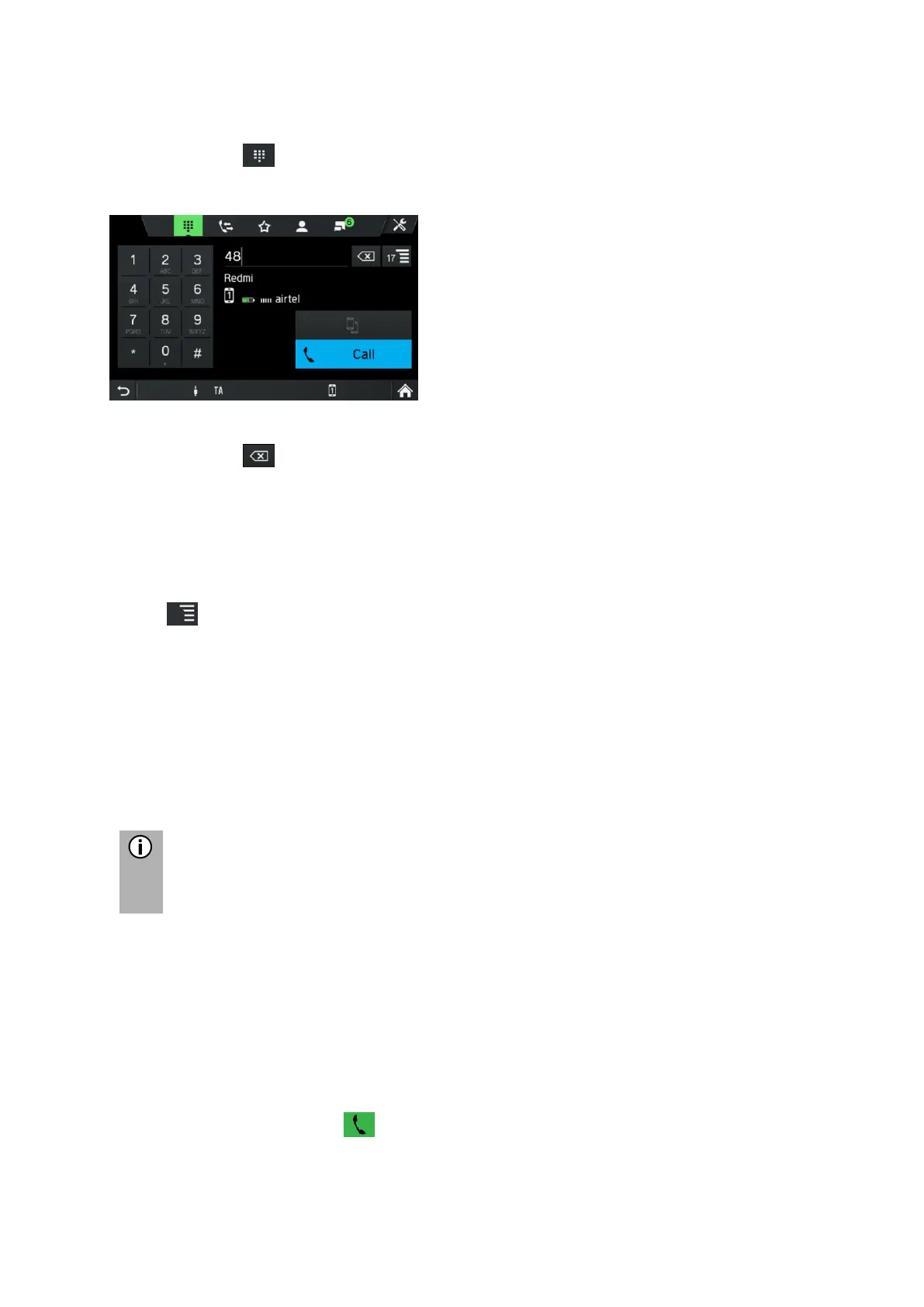
Enter a telephone number
Tap on the icon in the TELEPHONE menu.
The following screen is displayed.
• To initiate a call, enter the desired telephone number.
• Use icon to delete incorrect entries.
• Tap on Call.
The entered telephone number is dialled.
Show matching contacts
If the user enters a number, matching contacts from the phonebook or favourites are
shown with its contact name. The number of matching contacts is shown on the list
button . This list is updated with every newly entered number.
As soon as the user selects a matching contact, a call to that contact is established.
Access to the voice mailbox
Enter the telephone number of the connected mobile telephone by hand.
See chapter "Enter a telephone number" on page 49.
• Select the voicemail entry with the telephone number of the connected mobile
telephone.
Incoming call
When a call is received in Audio mode (e.g. when the radio is on), the active audio
source is muted and remains so until the call ends.
A message with the telephone number or name (if available) of the caller is
displayed.
Answering the call:
• Tap the green button on the screen.



 To Next Page