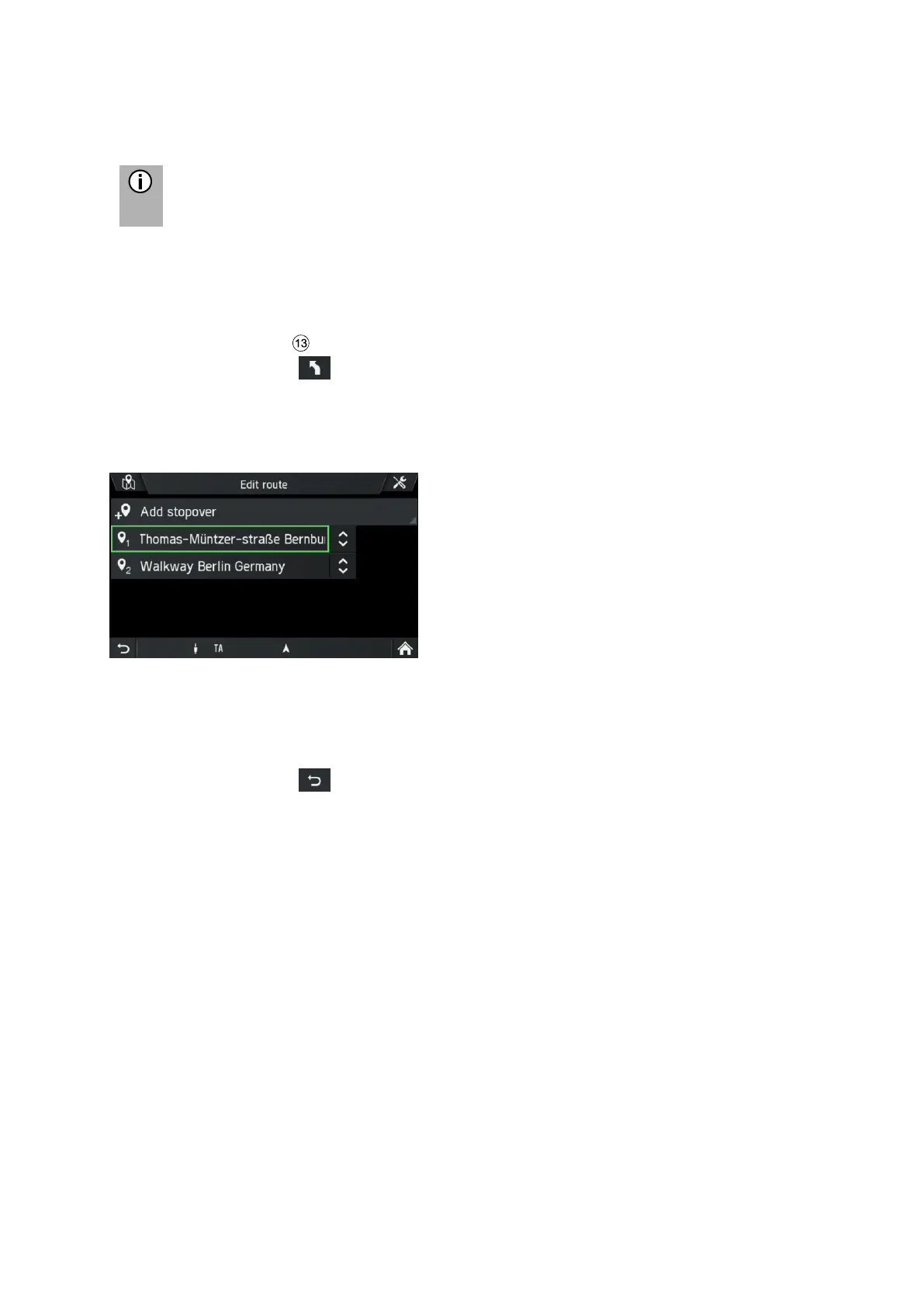
Use this menu to manage your route, for example, to change the order of your
destinations on your route.
This option shows you a list with all stopovers and the final destination.
• Press the
NAVI
button during a currently running route.
• Tap on the icon .
The ROUTE OPTIONS menu is displayed.
• Tap on Manage route.
The menu EDIT ROUTE is displayed.
• Tap the arrow keys to the right of the stopovers.
Arrow buttons show up to move the list entries (stopovers) up or down in the
list.
• Change the sequence of the list entries by tapping on the Arrow buttons.
• Tap on the icon to go back to the route guidance.
The route will be recalculated.



 To Next Page