Protected by copyright. Copying for private or commercial purposes, in part or in whole, is not
permitted unless authorised by SEAT S.A. SEAT S.A does not guarantee or accept any liability with
respect to the correctness of information in this document. Copyright by SEAT S.A.
3 Engine cover
⇒ “3.1 Removing and installing engine cover panel”, page 57
3.1 Removing and installing engine cover
panel
Removing
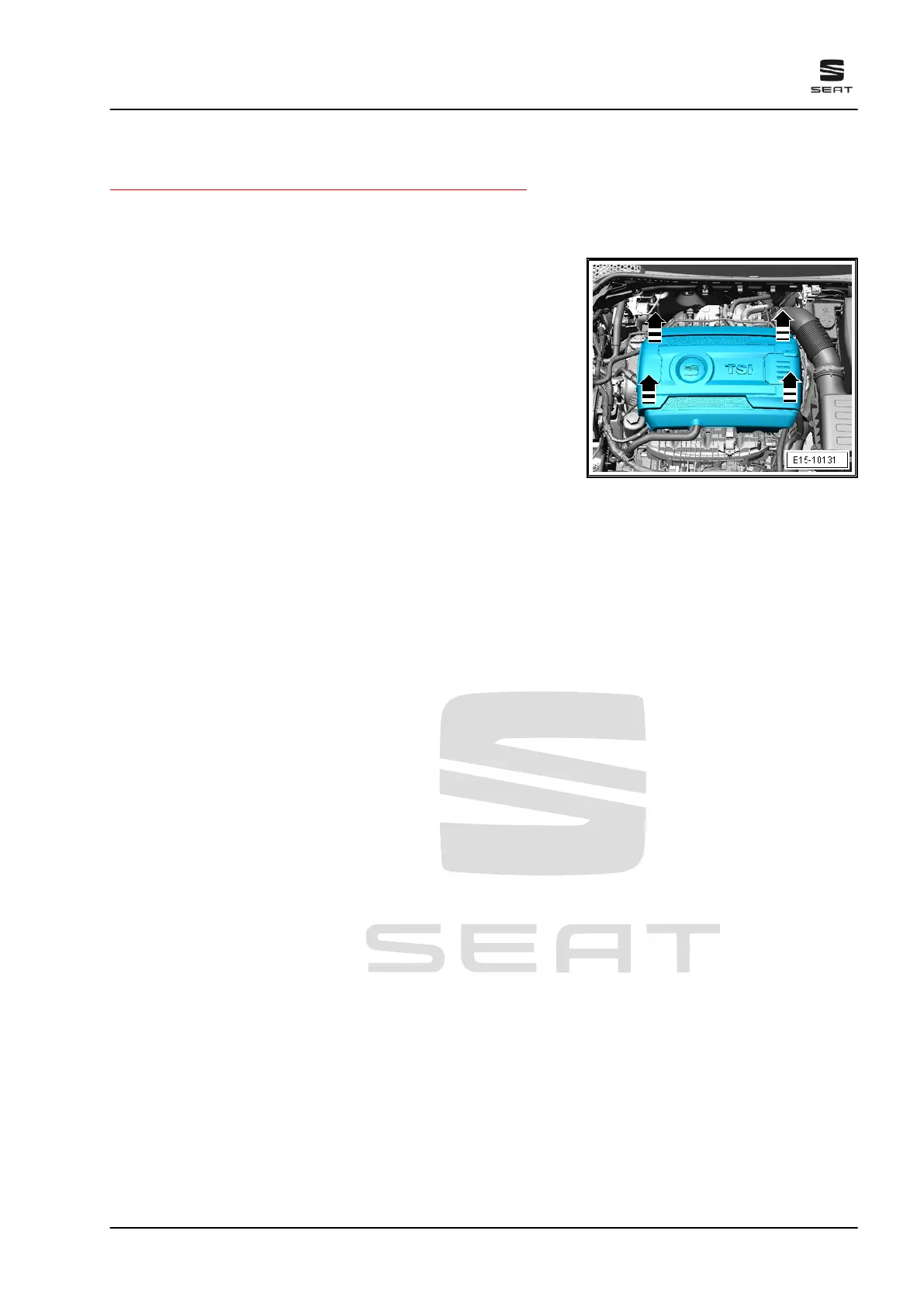
– Carefully pull engine cover panel off retaining pins, one after
the other in the -direction of the arrow-. Do not jerk engine
cover panel away, and do not try to pull on one side only.
Fitting
– To avoid damage, do not strike the engine cover panel with
your fist or with any kind of tool.
– Position engine cover panel, paying attention to oil filler neck
and dipstick.
– Press engine cover panel into rubber grommets first on the left
side and then on the right side.
Ateca 2017 ➤ , León 2013 ➤ , León ST 2013 ➤
4 cyl. petrol engine (1.8 l and 2.0 l with direct injection, 4 V, exhaust gas turbocharger, timing chain,
EA 888 III. Gen) - Edition 10.2018
3. Engine cover 57



 To Next Page