EasyManua.ls Logo

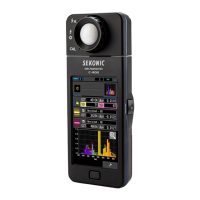
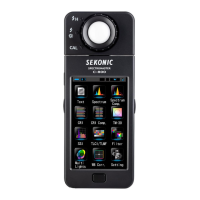
Sekonic SPECTROMASTER C-800 - User Manual

Sekonic SPECTROMASTER C-800
217 pages
Print Icon
To Next Page IconTo Next Page
Loading...
&
Spectrometer for Photo/Video/Cinema
SPECTROMASTER
Please read the operating manual carefully to fully understand the features of this product
before use and keep it for future use. Keep the operating manual in a safe place.
Please see the Startup Guide for information about the basic operations.
C-800
C-800-U
Operating Manual

Table of Contents

Other manuals for Sekonic SPECTROMASTER C-800

Questions and Answers

  • L
    Lindsey SmithAug 17, 2025
    What to do if my Sekonic Measuring Instruments device does not turn on?
    • B
      Brian BeckerAug 17, 2025
      If your Sekonic Measuring Instruments device isn't powering on, try the following: * Press and hold the Power Button for a second or more. * Check the batteries and replace them if necessary. * Wipe the battery contacts with a dry cloth. * Check the signs.
  • T
    thomas30Aug 20, 2025
    Why are the measured values wrong on my Sekonic Measuring Instruments?
    • R
      Renee MoralesAug 20, 2025
      Incorrect measurements can occur for several reasons: 1. Ensure the Light Selection Ring is in the middle position and clicks into place. 2. Verify the Target (color temperature) setting is correct. 3. Confirm the Preset Target Color Temperature setting is accurate.
  • L
    Linda AtkinsAug 22, 2025
    What to do if the measured values are wrong on my Sekonic Measuring Instruments?
    • G
      Gary GreenAug 22, 2025
      If the measured values are incorrect, ensure the measuring mode is correct. Also, if you're using Cordless Flash Mode, the pre-flash might be affecting the reading. Try canceling the pre-flash function.
  • J
    juliebarkerAug 26, 2025
    What to do if my Sekonic Measuring Instruments LCD does not respond?
    • M
      Monica HunterAug 26, 2025
      If the LCD screen is unresponsive, press and hold the Menu Button to unlock the screen.
  • M
    Malik LarsonAug 28, 2025
    How to adjust touch panel sensitivity of Sekonic Measuring Instruments?
    • W
      wilkersondarleneAug 28, 2025
      If the touch screen sensitivity is poor, adjust the touch panel position. Since a resistance film type touch panel is used, press the touch panel with your nail if the sensitivity is not enough.
  • E
    Erica EspinozaAug 30, 2025
    Why is the measuring time longer on my Sekonic Measuring Instruments?
    • J
      jeanette36Aug 31, 2025
      If measuring ambient light, use the range L. Using range H causes less light to enter the sensor, increasing measurement time. The measuring time varies from 1 to 15 seconds depending on the light's illuminance due to the spectral distribution type sensor.
  • M
    Michelle MartinezSep 2, 2025
    What to do if the memory function cannot be used on Sekonic Measuring Instruments?
    • R
      Richard FoxSep 2, 2025
      If you're unable to use the memory function, first deactivate the comparison mode. If the issue persists, clear unnecessary memory values before measuring and memorizing.
  • M
    Matthew Holloway Jr.Sep 5, 2025
    Why does the spectrum graph not appear when measuring blue LED with Sekonic Measuring Instruments?
    • S
      Stephen AllenSep 5, 2025
      If the spectrum graph doesn't appear when measuring a blue LED, ensure the light source is bright enough. Increase the output of the light source. LEDs with narrow spectral half bandwidth may not provide enough light for proper measurement.
  • R
    Regina WilsonSep 7, 2025
    What to do if Sekonic Measuring Instruments measurement cannot be made with USB bus power?
    • P
      Patricia BallSep 8, 2025
      If the USB icon appears on the LCD, the meter is communicating with Utility. Wait until communication finishes. If the [Memory Data] screen is open in Utility, it's always communicating with the meter; close the [Memory Data] screen to use the meter with bus power.
  • B
    Bruce FernandezSep 12, 2025
    What to do if there is some difference in reading between range L and range H when switching on Sekonic Measuring Instruments?
    • D
      Dr. Andrew ChavezSep 12, 2025
      If there's a reading difference between range L and range H, the light selection ring's location may be incorrect. Ensure it's properly located. The tolerance range of measurement for product assurance between range L and H is ± ?MK-1.

Summary

Safety Precautions

CA Prop 65

Product may expose you to chemicals known to cause cancer or birth defects.

Before Use

Power ON;OFF

Procedure for turning the meter on and off.

Screen Operation

Basic Operations

Measurement Flow and Modes

Outlines fundamental workflow and selecting measurement types.

Display Mode Selection

Explains how to choose different data visualization modes on the screen.

Measuring Light Sources

Measurement Method

Explains how to balance color temperatures of different light sources.

Ambient Light Measurement

How to measure continuous light sources like sunlight or LED.

Flash Measurement Modes

Procedures for measuring flash light wirelessly or via sync cord.

Measurement Tool [Tool Box] Screen

Memory Function Operations

Storing, recalling, renaming, and deleting measurement data.

Meter Settings [Setting] Screen

Dark Calibration

Procedure for performing dark calibration to ensure measurement accuracy.

Hardware Setting Screen

Adjust Touch Panel

Calibrates the touch panel for accurate input.

Factory Setting

Resets all meter settings and data to factory defaults.

Troubleshooting

Common Issues and Solutions

Provides solutions for common problems encountered with the meter.

Sekonic SPECTROMASTER C-800 Specifications

General IconGeneral
TypeSpectrometer
Color Temperature Range1, 600 to 40, 000 K
Spectral Wavelength Range380 to 780 nm
Power SourceRechargeable lithium-ion battery
Operating Temperature0 to 40°C (32 to 104°F)
DisplayColor LCD
Measurement Range1 to 200, 000 lx
Spectral ResponseHuman eye response
ConnectivityUSB
Weight350 g (including battery)
Memory CapacityUp to 1, 000 measurements

Related product manuals