6.4
SEL-551 Relay Instruction Manual Date Code 20110408
Front-Panel Interface
Functions Unique to the Front-Panel Interface
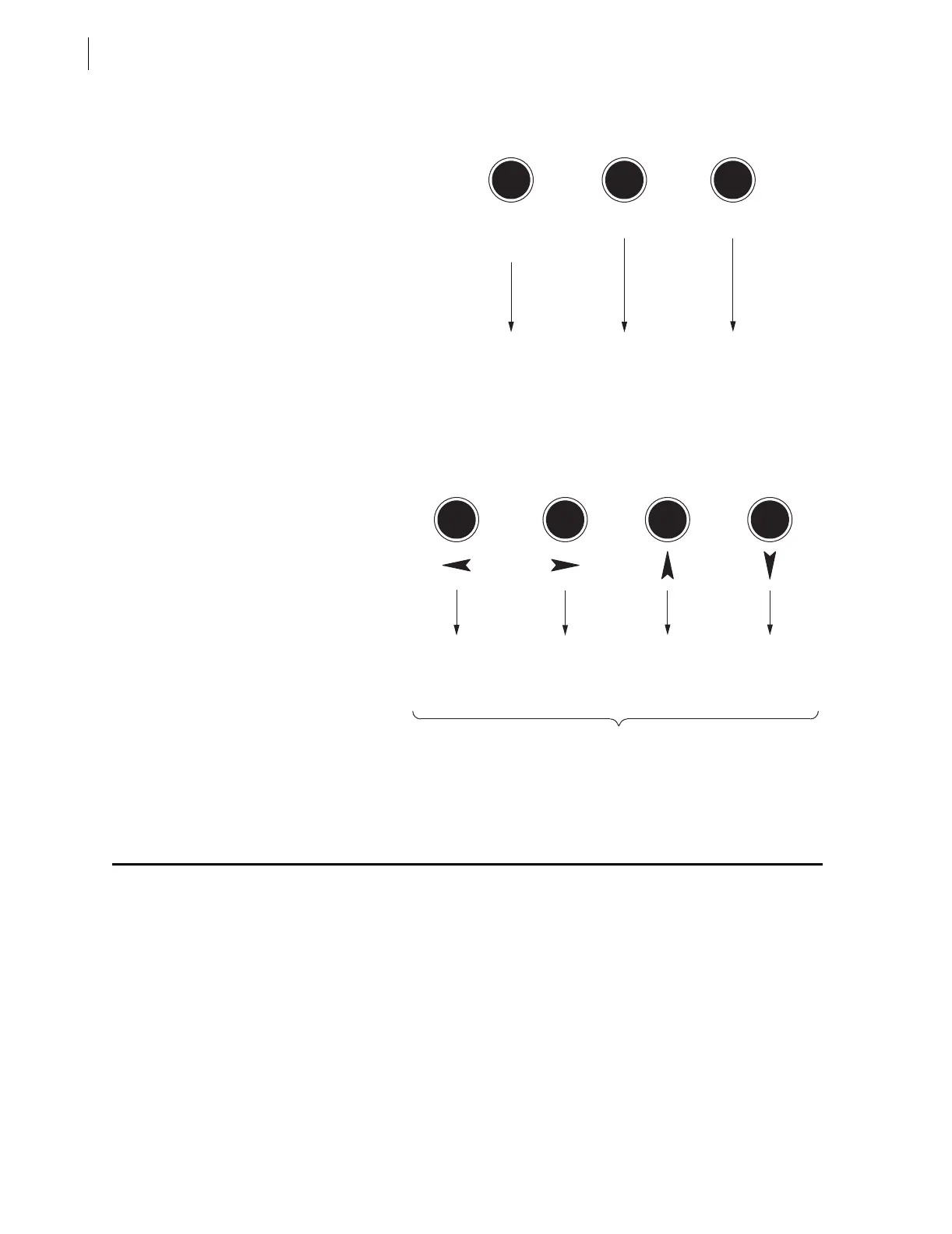
Figure 6.4 SEL-551 Front-Panel Pushbuttons-Secondary Functions
Functions Unique to the Front-Panel Interface
Two front-panel primary functions do not have serial port command
equivalents. These are:
➤ Reclosing relay shot counter screen (accessed via the {OTHER}
pushbutton)
➤ Local control (accessed via the {CNTRL} pushbutton)
Provides Help Screen
Information When
Viewing or Changing
Settings with Pushbutton
SET; Provides Help
Screen Information
When Viewing or
Operating Local Control
with Pushbutton CNTRL
SELECTCANCEL
Select Displayed
Option or Setting
Function
Description
The front-panel display gives indication of the arrow button to use
(Displays symbols: ← → ↑ ↓)
Cancel Setting Edit or
Escape to Upper
Setting Level
LAMP
TEST
TARGET
RESET
Scroll Left on
Display to
Underline Desired
Function or
Setting Digit
Scroll Down on
Display; Decrement
Setting Value
Scroll Up on
Display; Increment
Setting Value
Function
Description
Scroll Right on
Display to
Underline Desired
Function or
Setting Digit



 To Next Page