B.2
SEL-551 Relay Instruction Manual Date Code 20110408
Firmware Upgrade Instructions
EPROM Firmware Upgrades
Required Equipment
➤ Phillips
®
screwdriver
➤ Personal computer
➤ Terminal emulation software
➤ Serial communications cable (SEL-234A or equivalent)
➤ ESD workstation (grounding pad and wrist strap)
➤ AMP Extraction Tool 822154-1
Upgrade Instructions
Step 1. Connect a computer to the relay serial communications port,
and enter Access Level 1.
Step 2. Execute the SHO C command, and record all displayed data
for possible reentry after the EPROM upgrade.
Step 3. If you do not already have copies of the Relay, Logic, Port,
SER, and Text label settings, issue the following commands to
retrieve the settings: SHO, SHO L, SHO P, SHO R, and
SHO T.
Normally, the relay will preserve the settings during the
firmware upgrade. However, if the new firmware version
includes more settings than the old version, you will have to
reenter your old settings.
Step 4. If the relay is in service, disable its breaker control functions.
Step 5. Turn off control power to the relay.
Step 6. Disconnect the rear serial port connection, if used, before
removing the main board.
Step 7. Remove the three front-panel screws with the Phillips
screwdriver, and remove the relay front panel.
Step 8. Disconnect the analog signal ribbon cable from the underside
of the relay main board and from the input module.
Step 9. Grasp the black knob on the front of the drawout assembly, and
remove the assembly from the relay chassis.
Because Step 11 through Step 14 involve handling devices and
assemblies sensitive to ESD, perform these steps at an ESD-
safe workstation. This will help prevent possible damage by
ESD.
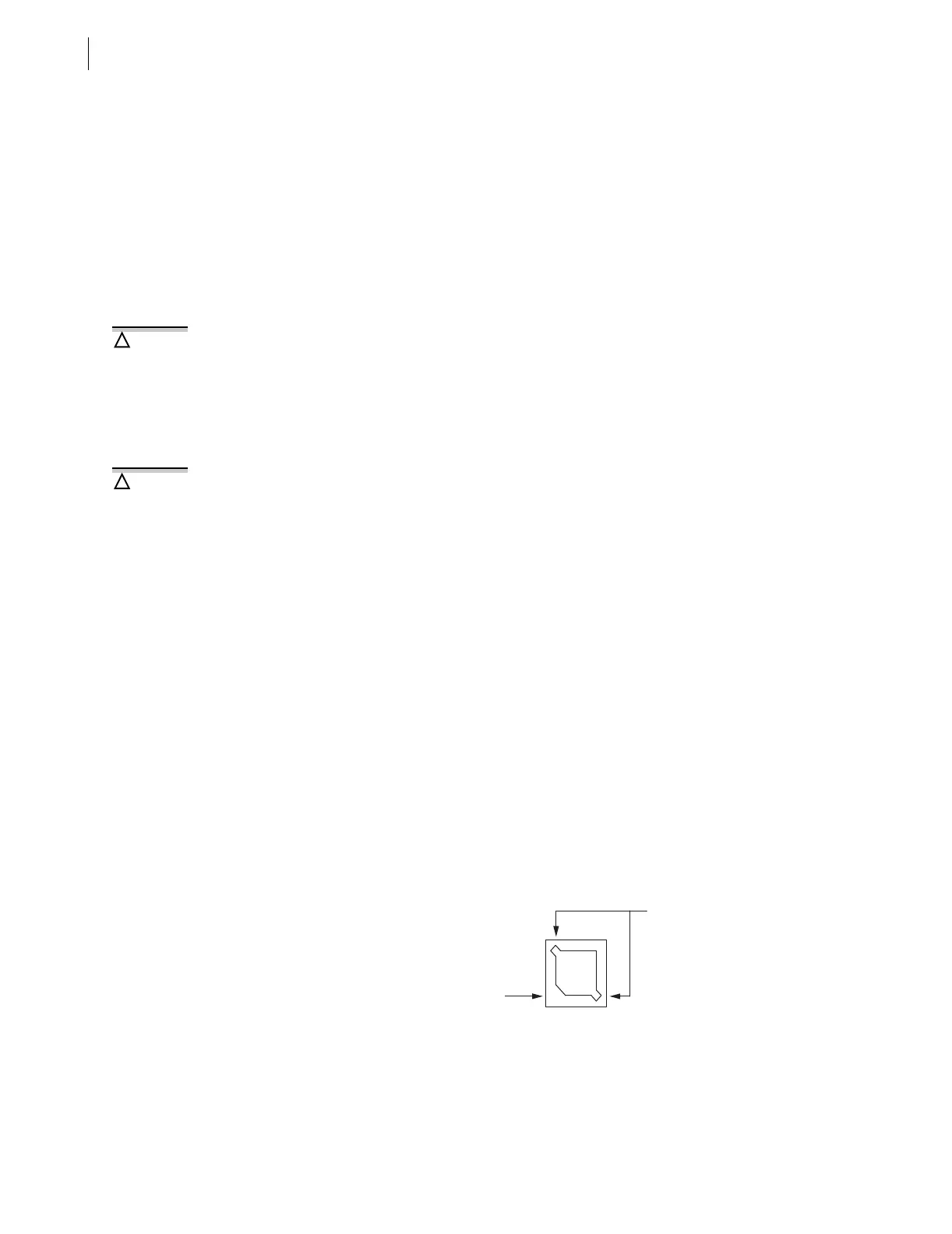
Step 10. Locate the EPROM socket (reference designator U8) on the
SEL-551 main board.
Figure B.1 EPROM Socket
Step 11. Insert AMP Extraction Tool 822154-1 into one of the extraction
slots on the EPROM socket.
This procedure requires that you
handle components sensitive to
Electrostatic Discharge (ESD). If your
facility is not equipped to work with
these components, we recommend
that you return the relay to SEL for
firmware installation.
!
CAUTION
The relay contains devices sensitive
to Electrostatic Discharge (ESD).
When working on the relay with the
front panel removed, work surfaces
and personnel must be properly
grounded or equipment damage may
result.
!
CAUTION
Extraction Slots
U8
Notched Inside
Socket Corner



 To Next Page