6.7
Date Code 20110408 Instruction Manual SEL-551 Relay
Front-Panel Interface
Functions Unique to the Front-Panel Interface
If the breaker is closed, the reclosing relay reset timer times out (79RSLD =
300), the relay goes to the reset state (front-panel LO LED extinguishes and RS
LED illuminates), and the shot counter returns to 0. The reclosing relay shot
counter screen appears as:
Local Control
Use local control to enable/disable schemes, trip/close breakers, etc. via the
front panel.
In more specific terms, local control asserts (sets to logical 1) or deasserts
(sets to logical 0) what are called local bits LB1–LB8. These local bits are
available as Relay Word bits and are used in SEL
OGIC
®
control equations (see
Table 4.5 and Table 4.6).
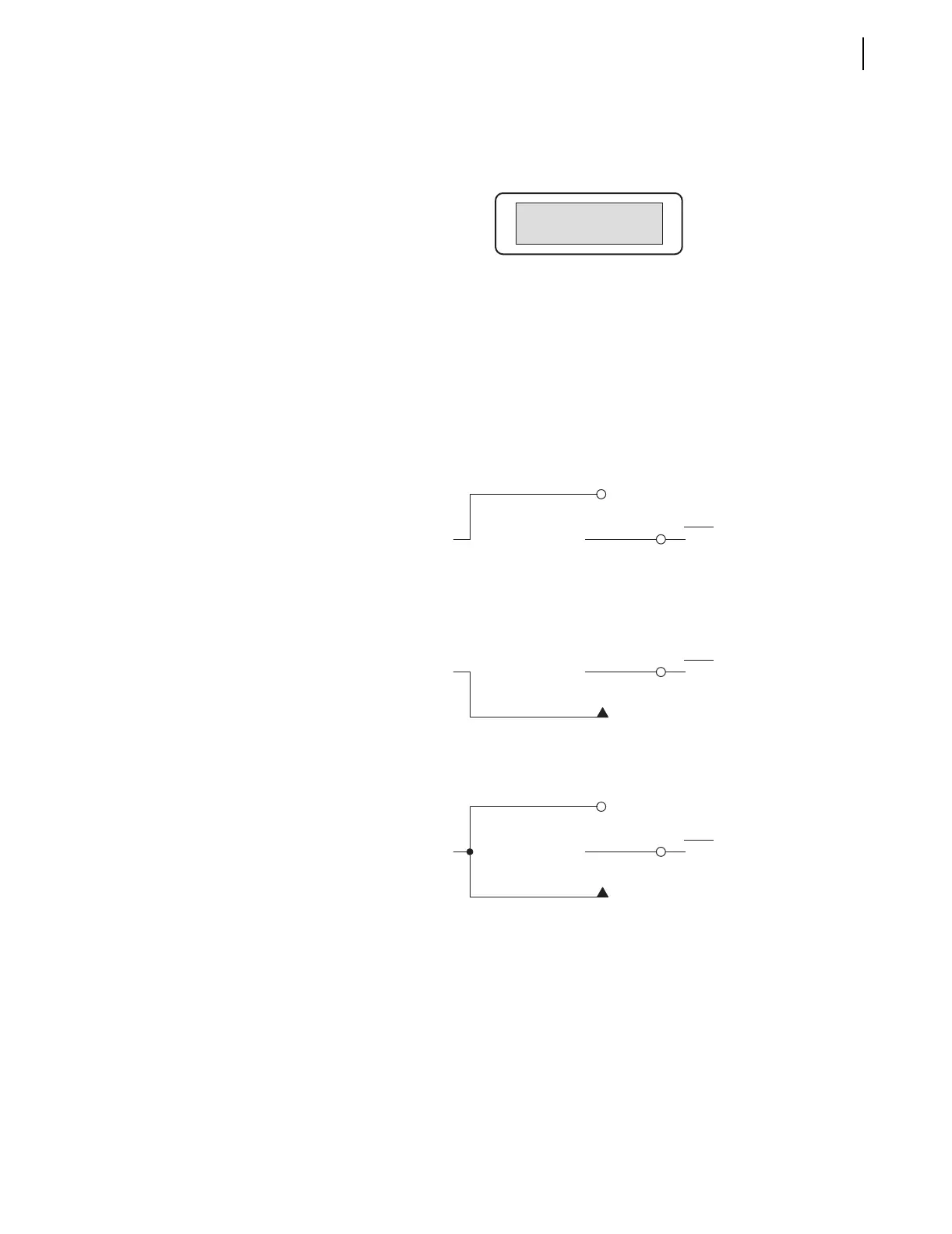
Local control can emulate the following switch types in Figure 6.5 through
Figure 6.7.
Figure 6.5 Local Control Switch Configured as an ON/OFF Switch
Figure 6.6 Local Control Switch Configured as an OFF/MOMENTARY Switch
Figure 6.7 Local Control Switch Configured as an ON/OFF/MOMENTARY
Switch
Local control switches are created by making corresponding switch position
label settings. These text label settings are set with the SET T command or
viewed with the SHOWSET T command via the serial port [see Section 4:
Setting the Relay and SHO Command (Showset) on page 5.16]. See Local
Control Switches on page 3.5 for more information on local control.
SET RECLOSURES=2
RECLOSE COUNT =0
Logical 1
LBn
(n = 1 through 8)
ON Position
OFF Position
(Logical 0)
Relay
Word
Bit
Logical 1
LBn
(n = 1 through 8)
OFF Position
(Logical 0)
MOMENTARY Position
Relay
Word
Bit
Logical 1
LBn
(n = 1 through 8)
ON Position
OFF Position
(Logical 0)
MOMENTARY Position
Relay
Word
Bit



 To Next Page