207
■■
■■
■ PLU/EAN (ARTICLE
➝
PLU/EAN ....... PGM2 or PGM1)
PLU code: max. 5 digits (1 to 99999)
UPC/EAN code: max. 13 digits (EAN13, EAN8, UPC-A)
(1) Select the PGM1 or PGM2 mode and touch the [SETTING] to perform the programming.
(2) Touch the [ARTICLE] button to display the menu, and touch the [PLU/EAN] button to display the each
PLU/EAN.
(3) Touch the direct PLU key or the [LIST MENU] key to open the PLU list. Select now the PLU to be
programmed and touch the [ENTER] key. You can also touch the corresponding PLU in the PLU list to
program this. By touching the [SELECT SCREEN] key you can select other screens which show other
direct PLU keys.
(4) Touch the required programming item, and enter or select each parameter and touch the [ENTER] key.
Repeat this step (4) satisfactorily. For the programming items, refer to the following tables. (same as
dynamic EAN).
(5) To terminate the programming, touch the [EXIT] key.
■■
■■
■ PLU range (ARTICLE
➝
PLU RANGE ....... PGM2)
PLU code: max. 5 digits (1 to 99999)
(1) Select the PGM2 mode and touch the [SETTING] to perform the programming.
(2) Touch the [ARTICLE] button to display the menu, and touch the [PLU RANGE] button to display the
PLU range window.
(3) Enter the following range data and touch the [ENTER] key to program the range PLU.
(4) Touch the required programming item, and enter or select each parameter and touch the [ENTER] key.
Repeat this step (4) satisfactorily. For the programming items, refer to the following tables. (same as
dynamic EAN).
(5) To terminate the programming, touch the [EXIT] key.
■■
■■
■ Dynamic EAN (ARTICLE
➝
DYNAMIC EAN ....... PGM2 or PGM1)
UPC/EAN code: max. 13 digits (EAN13, EAN8, UPC-A)
(1) Select the PGM1 or PGM2 mode and touch the [SETTING] to perform the programming.
(2) Touch the [ARTICLE] button to display the menu, and touch the [DYNAMIC EAN] button to display the
dynamic EAN.
(3) Touch or enter the dynamic EAN number and touch the [ENTER] key to program the each dynamic
EAN.
(4) Touch the required programming item, and enter or select each parameter and touch the [ENTER] key.
Repeat this step (4) satisfactorily.
(5) To terminate the programming, touch the [EXIT] key.
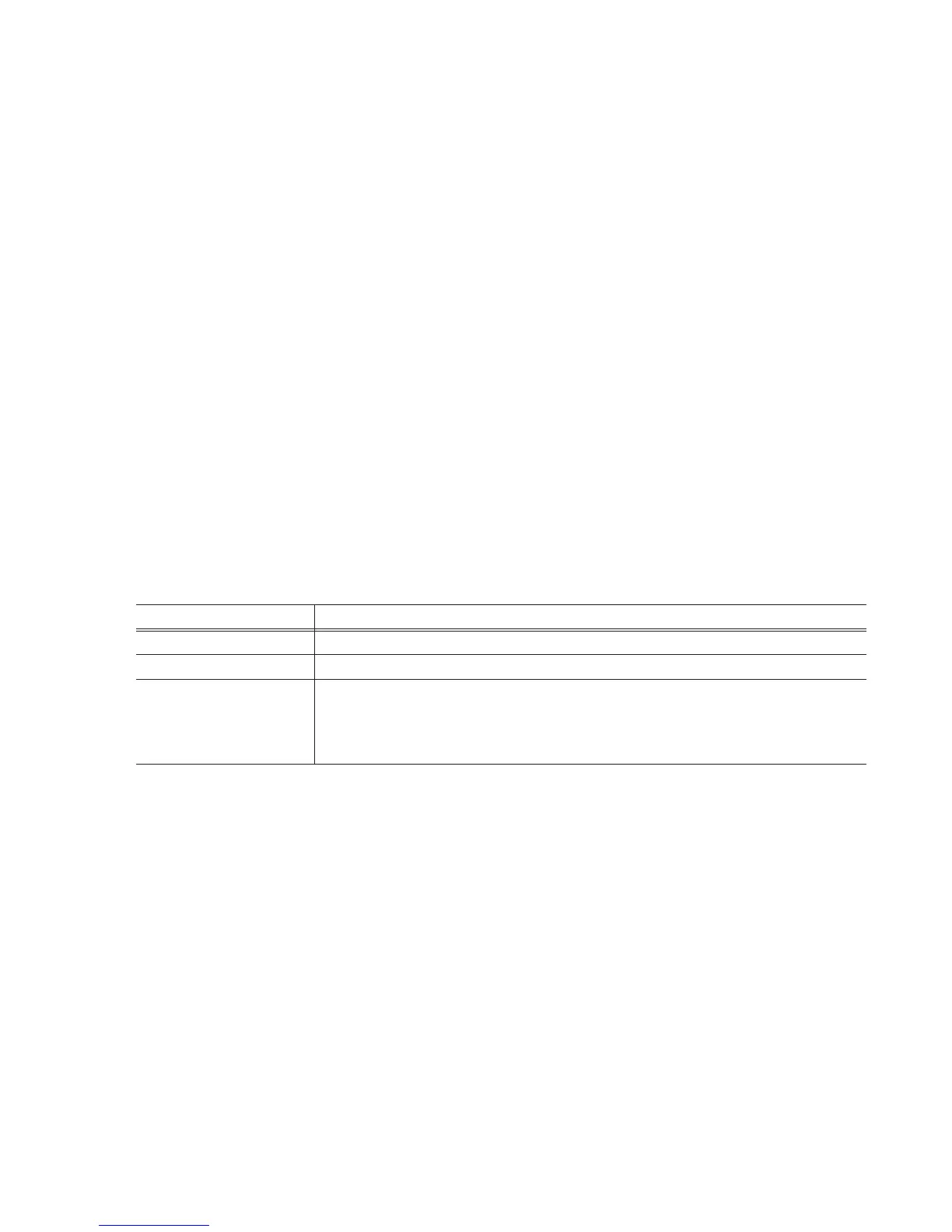
Text Parameter
START CODE Start code of the range max. 5 digits (00000-99999)
END CODE End code of the range max. 5 digits (00000-99999)
Type for the operation
DELETE: Delete
OPERATION
MAINTENANCE: Maintenance
NEW&MAINTENANCE: New create and maintenance



 To Next Page