Network and system interfacing
5.3 System setup via PROFINET IO with RF180C, FB45 or Ident profile
SIMATIC MV420 / SIMATIC MV440
Operating Instructions, 04/2013, A5E02371045-06
101
5.3 System setup via PROFINET IO with RF180C, FB45 or Ident profile
Acquisition and output of recognition values in a PROFINET IO environment
3&SURJUDPPLQJGHYLFHZLWK
XVHULQWHUIDFH
(WKHUQHWFDEOH
3RZHU,256FDEOH
$XWRPDWLRQV\VWHP
5)&
352),1(7,2
9'&
VXSSO\YROWDJH
$60FDEOH
&RQYH\RUGLUHFWLRQ
2EMHFW
&RQYH\RUV\VWHP
/LJKWEDUULHU
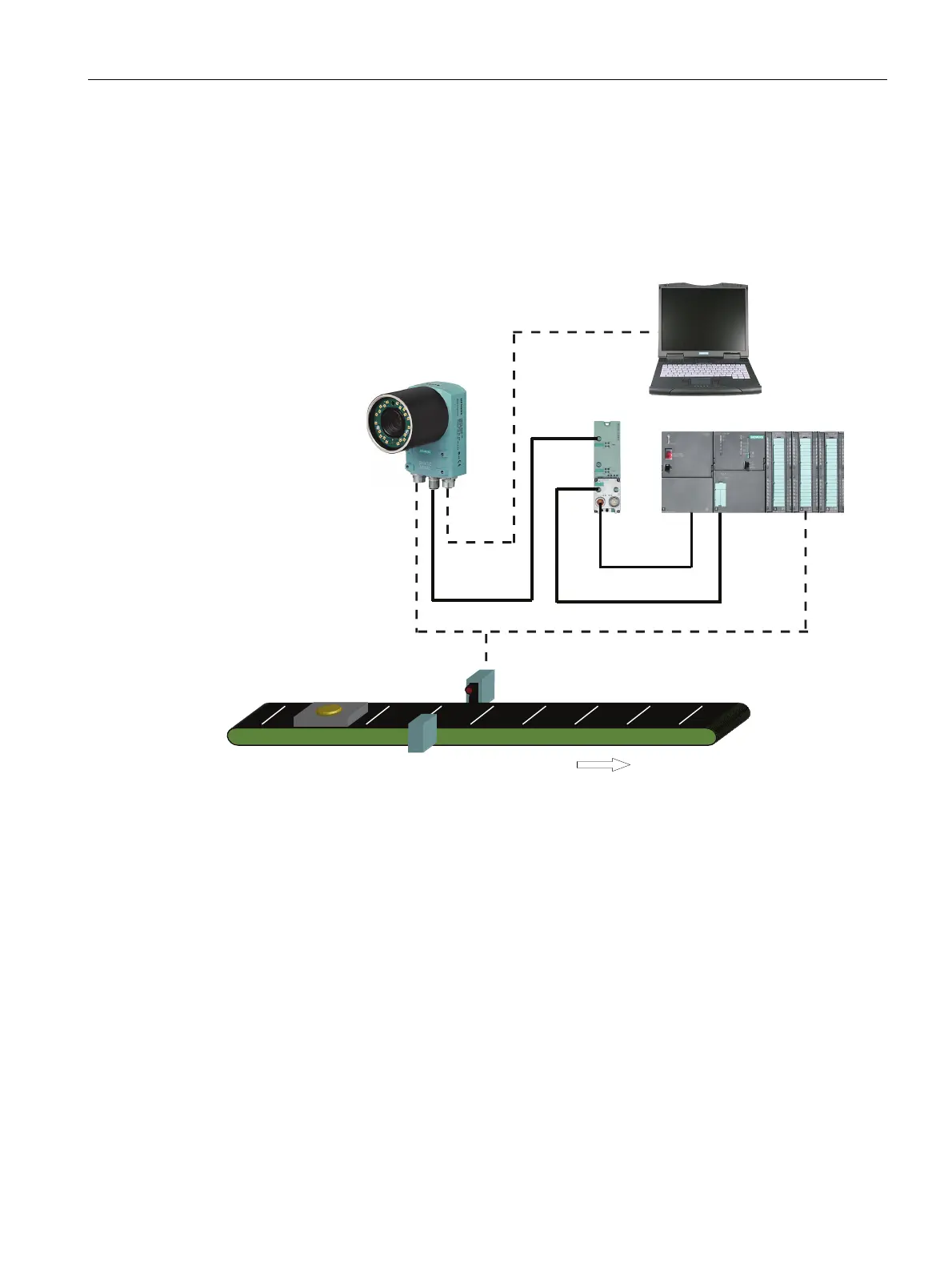
Figure 5-2 Example: System setup via PROFINET IO with RF180C, FB45 or Ident profile
System characteristics
● Attachment to PROFINET is via the ASM interface of the reader and an RF180C.
● The connection to an automation system is established via PROFINET.
● The reader is controlled via PROFINET by the automation system with a function block
FB45 or Ident profile.
● The results are output to the automation system via PROFINET.
● The power for the reader is supplied via an RF180C (SIMATIC MV440 only).
● The reader is triggered either via the digital I/O, the ASM (PROFINET) or by the
integrated auto-trigger function.
● A PC/programming device is connected via the Ethernet port to allow adjustment of the
device.












 To Next Page