Operator control and monitoring
9.2 Working with the user interface
SIMATIC MV420 / SIMATIC MV440
164 Operating Instructions, 04/2013, A5E02371045-06
9.2.2 Adjustment - Adjust image
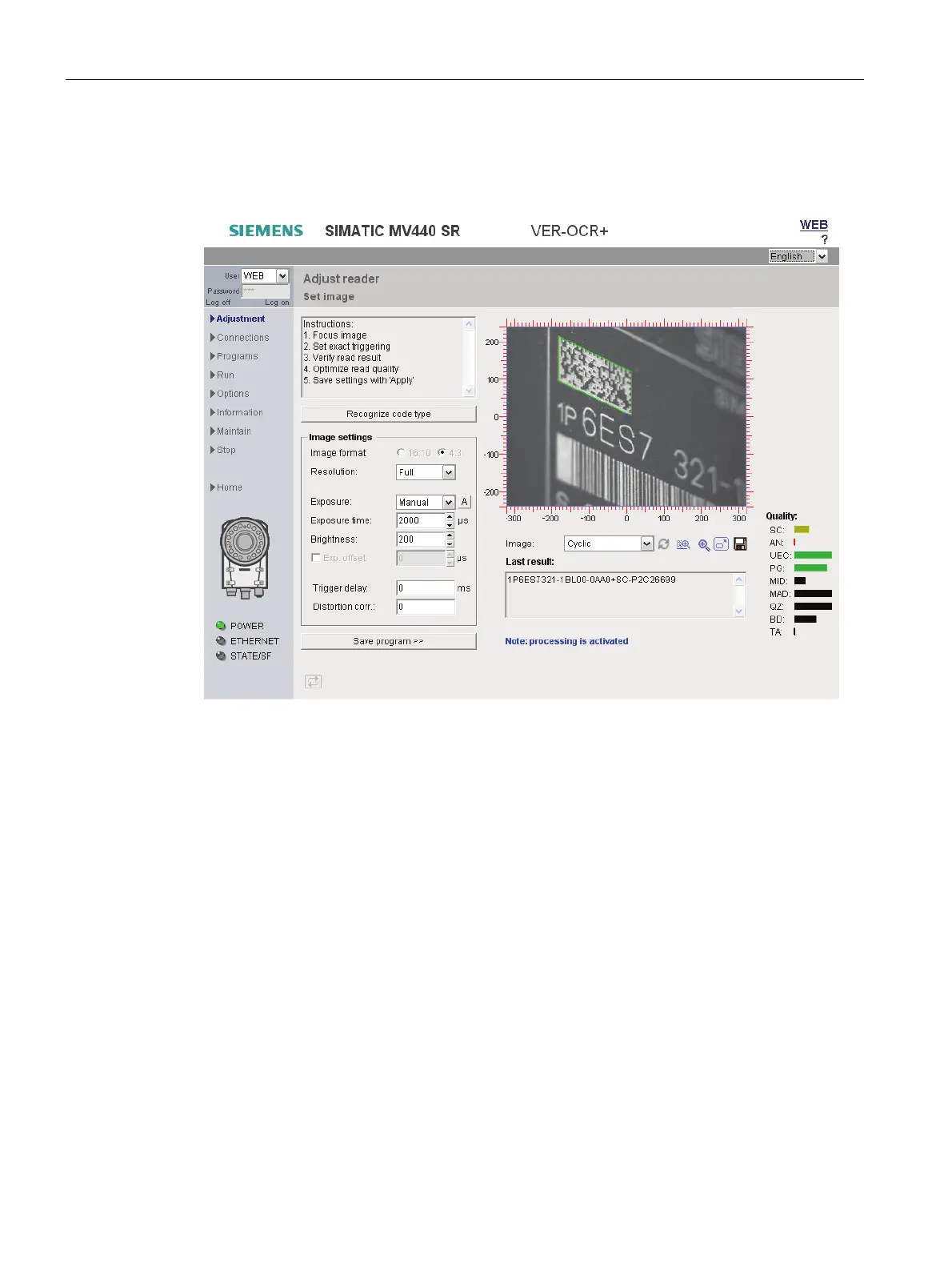
With this page, you start the adjustment of the reader.
Figure 9-4 Adjust reader - Set image
Instructions
Brief instructions on setting up the reader are displayed in a text box at the top left.
Recognizing the code type
New as of V5.0: The reader supports machine-readable code for code type recognition.
● For example, if you wish to set up a new code, press the "Recognize code type" button.
The reader will detect the code type and add it to its decoding order.
Image settings
You will find all the necessary settings here for the correct configuration of image acquisition.












 To Next Page