Network and system interfacing
5.10 System setup for the reader and HTML browser
SIMATIC MV420 / SIMATIC MV440
110 Operating Instructions, 04/2013, A5E02371045-06
5.10 System setup for the reader and HTML browser
/LJKWEDUULHU
&RQYH\RUV\VWHP
2EMHFW
&RQYH\RUGLUHFWLRQ
(WKHUQHWFDEOH
(WKHUQHWFDEOH
3RZHU,256FDEOH
$XWRPDWLRQV\VWHP
3&SURJUDPPLQJGHYLFHZLWK
XVHULQWHUIDFH
(WKHUQHWFDEOH
6ZLWFK
+0,3DQHOHJ
03
$60
352),%86b'3
9'&
VXSSO\YROWDJH
$60FDEOH
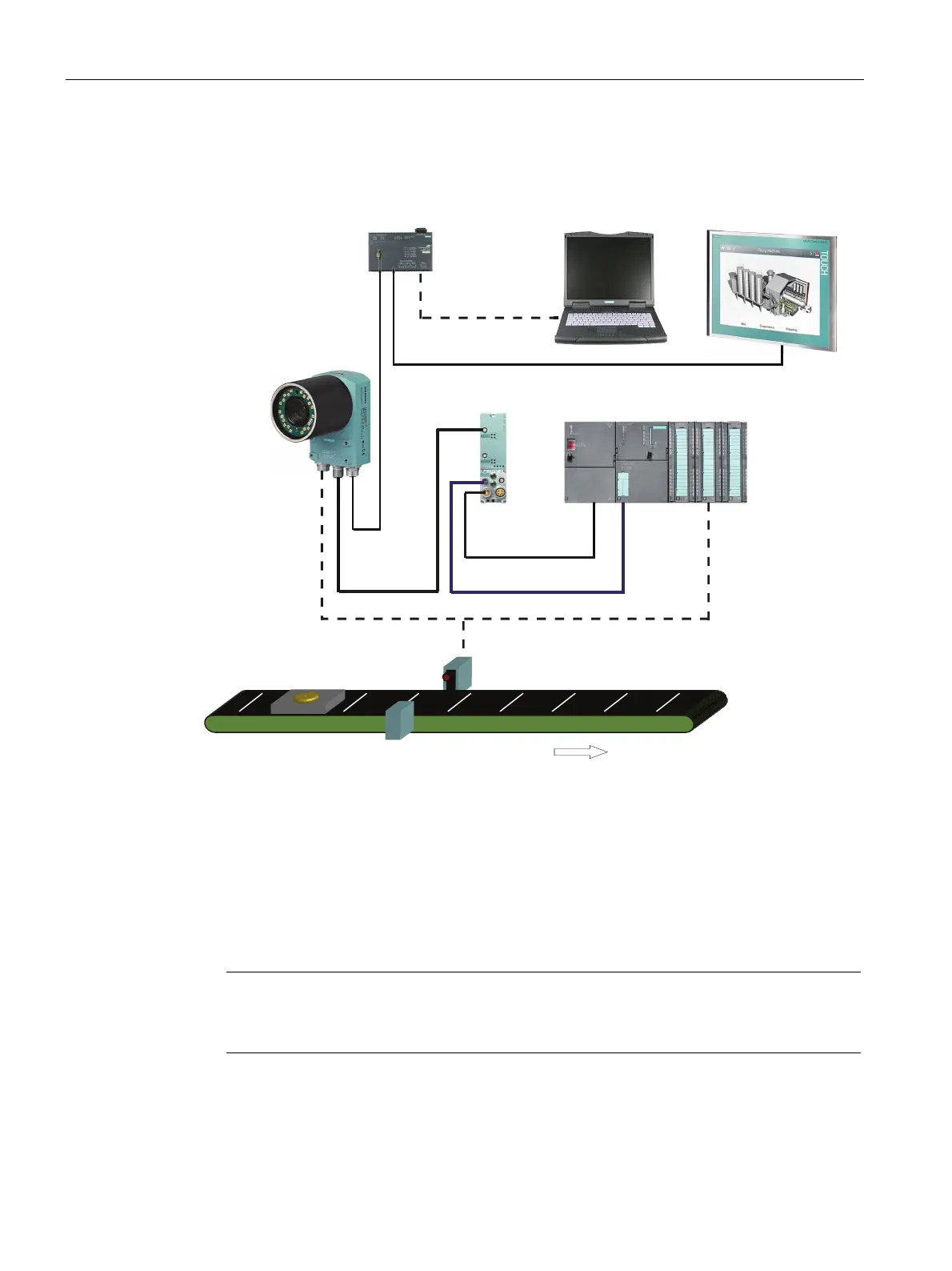
Figure 5-9 Example: System setup for the reader with HTML browser
System characteristics
● For visualization, an HTML browser is used: For example Microsoft Internet Explorer on a
PC/programming device, Panel PC or similar device.
● The reader can be monitored via the live image page or diagnostics pages with needing
Java VM on the PC/PG.
● A PC/programming device is connected via Ethernet to allow adjustment of the device.
Note
Further information
For further information, please see "Monitoring via HTML pages" (Page 223).












 To Next Page