Image processing
4.2 Code verification
SIMATIC MV420 / SIMATIC MV440
44 Operating Instructions, 04/2013, A5E02371045-06
4.2.2 Grading
Quality levels
The verifier reports the quality in five grades known generally as "quality levels".
Older verifiers identify these grades based on a single letter A to F (without E) with F being
the lowest quality level. Verifiers of the newer generations identify the value range
numerically from 4 to 0 with 0 being the lowest quality level.
With the verifiers of the SIMATIC MV440 series, the user can choose either of the quality
grading systems.
Grading
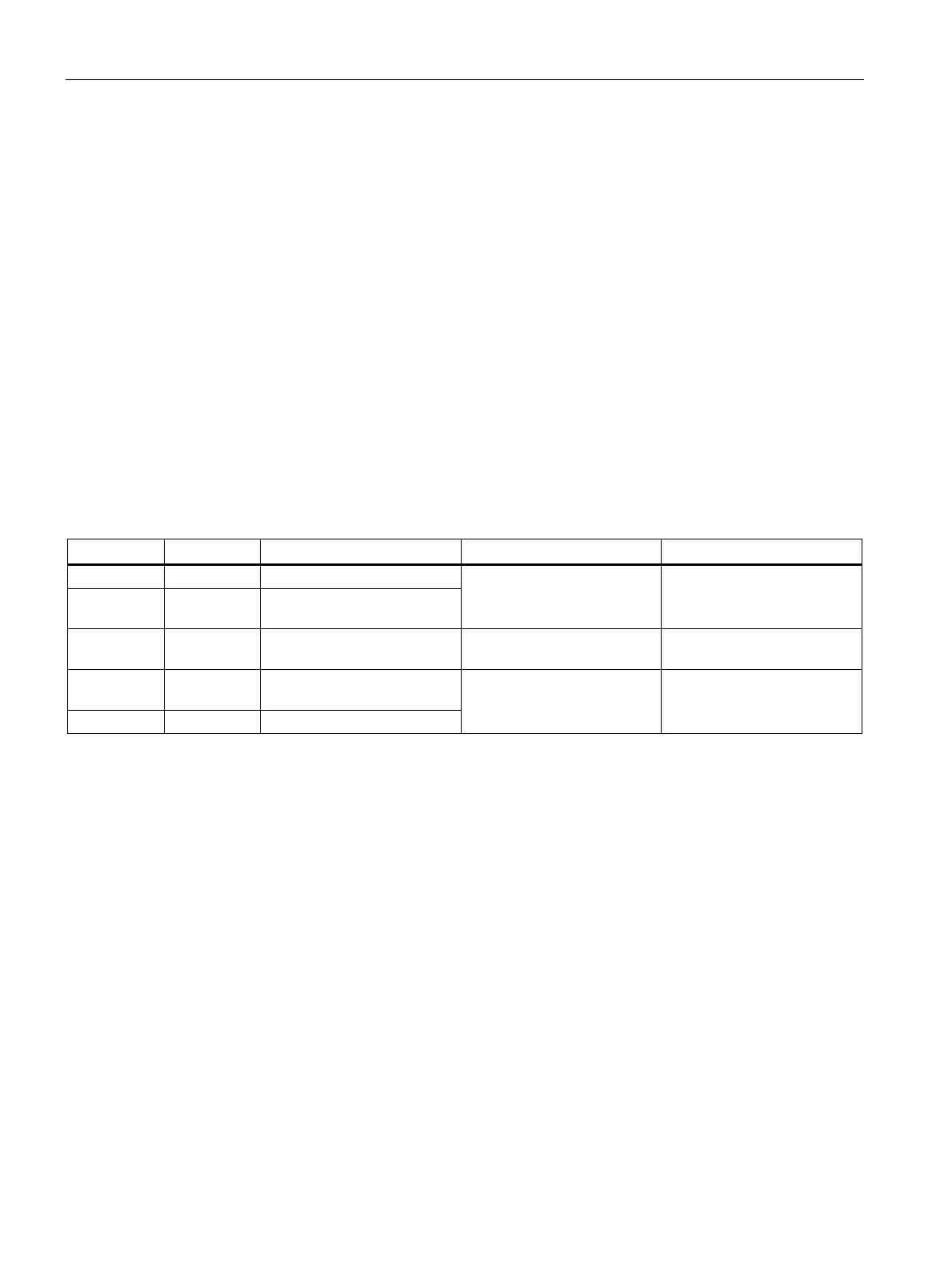
The grade is shown in the user interface as a value from 4 to 0 (or A to F without E). Each
quality grade is also assigned one of three evaluations. This evaluation not only allows fast
visual checks of the quality using the color coding of the display but also an automatic
rejection of the read result as N_OK if it falls below a certain quality threshold.
Old grade New grade Defaults for quality grading User interface Defaults for the read result
A 4 Good
B 3 Can be set specifically by
user
1)
Green
2)
= Good
OK
C 2 Can be set specifically by
user
1)
Yellow
2)
= Fair OK
D 1 Can be set specifically by
user
1)
F 0 Poor
Red
2)
= Poor
N_OK (can be set specifically
by the user)
1)
The user-specific setting is only for ascending or descending order.
2)
Color coding in the user interface.
Example
In an application in which only very good markings are acceptable, all grades below 4 are set
to "Poor". This allows the rejection of all unacceptable specimens.












 To Next Page