Image processing
4.4 Options for image acquisition and image processing
SIMATIC MV420 / SIMATIC MV440
92 Operating Instructions, 04/2013, A5E02371045-06
,PDJHDFTXLVLWLRQ
7ULJJHU
'HFRGLQJ
7UDQVIHURI
UHVXOW
5LVLQJWULJJHUHGJHVWDUWV
SURFHGXUH
1RWKLQJIRXQG
1XPEHURILPDJHDFTXLVLWLRQV
$IWHUDIDOOLQJWULJJHUHGJHQR
IXUWKHULPDJHVDUHDFTXLUHG
2.
[
[
[
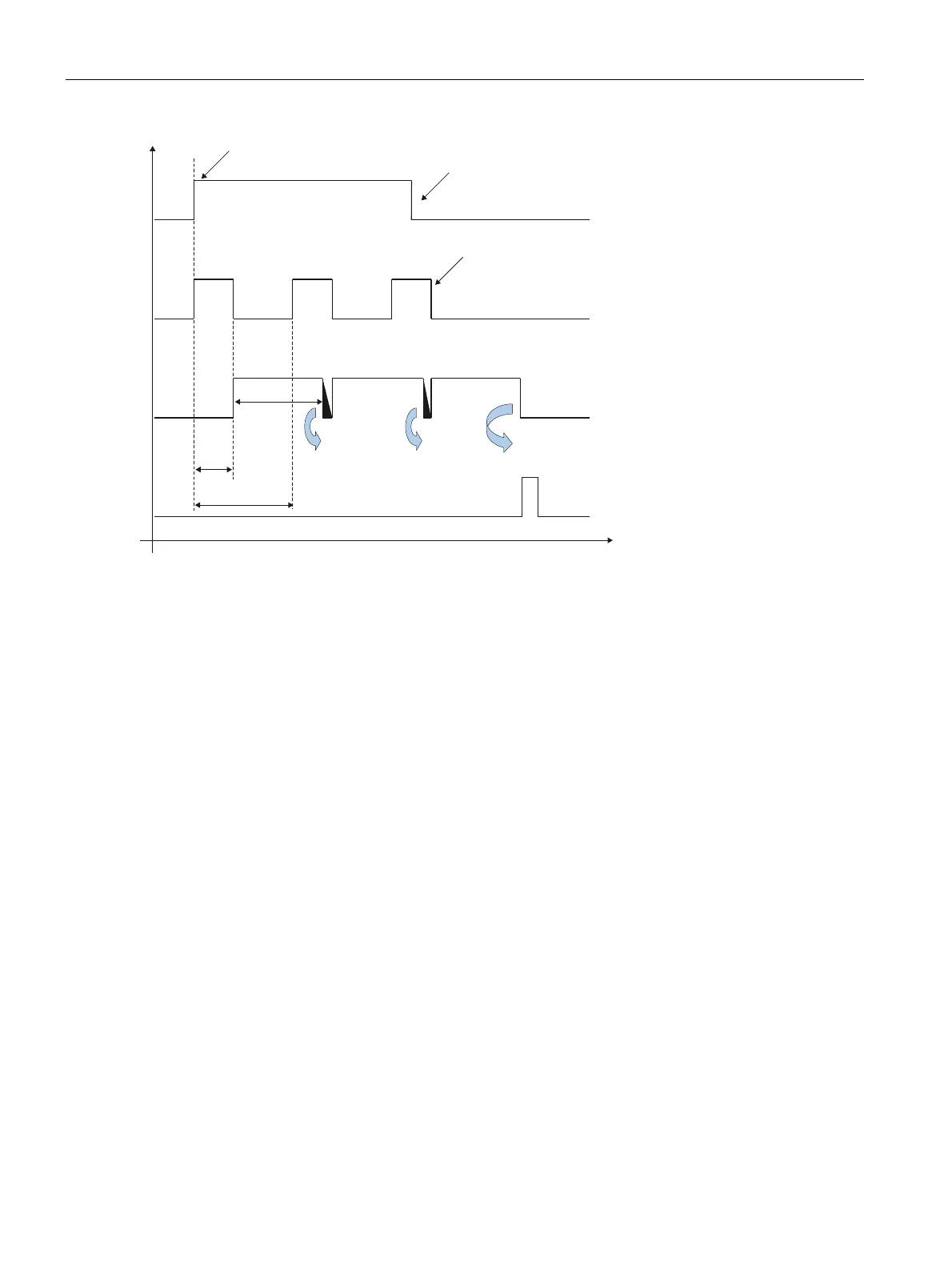
1 Limit of the decoding time
2 Image acquisition time
3 Interval of image acquisition
Figure 4-21 Time diagram scan with the edge-triggered start/stop option
4.4.4 Image acquisition in program sequence mode
How it works
● You can enable the "Program sequence" option on the "Extras" tab in "Options".
With this option, you can evaluate several image acquisitions with different image settings for
each trigger, if, for example:
● Objects have a very large dynamic range in terms of contrast and reflectance, that cannot
be covered with one image acquisition setting.
● Codes or plain text must be searched for and read at different, defined positions.
● Several, possibly even different evaluations (for example with different code settings)
must be made per object.
● The number of definable regions of interest of an individual code setting/OCR setting is
not adequate.












 To Next Page