Image processing
4.4 Options for image acquisition and image processing
SIMATIC MV420 / SIMATIC MV440
Operating Instructions, 04/2013, A5E02371045-06
91
4.4.3 "Scan" image acquisition option
How it works
With this setting, the reader is suitable for scanning codes located, for example, on a rotating
axle.
In contrast to the "Auto trigger" option, acquired images can also be buffered and processed
later. Only one code is read per trigger signal. The code must be fully visible in one of the
acquired images.
If a code cannot be decoded in any of the acquired images, an N_OK read is output.
With the default settings, with first read success following triggering, the read result is output
and further processing of the scan sequence is exited. With the "Options"/"Image
sequences" function, you can change this behavior as follows:
● With the selection Result output: "Best read result", all configured image acquisitions are
made and evaluated. Following this, the qualitatively best read result is output.
● If you select "All read results", all the configured image acquisitions are made and
evaluated and all successfully evaluated image acquisitions are output.
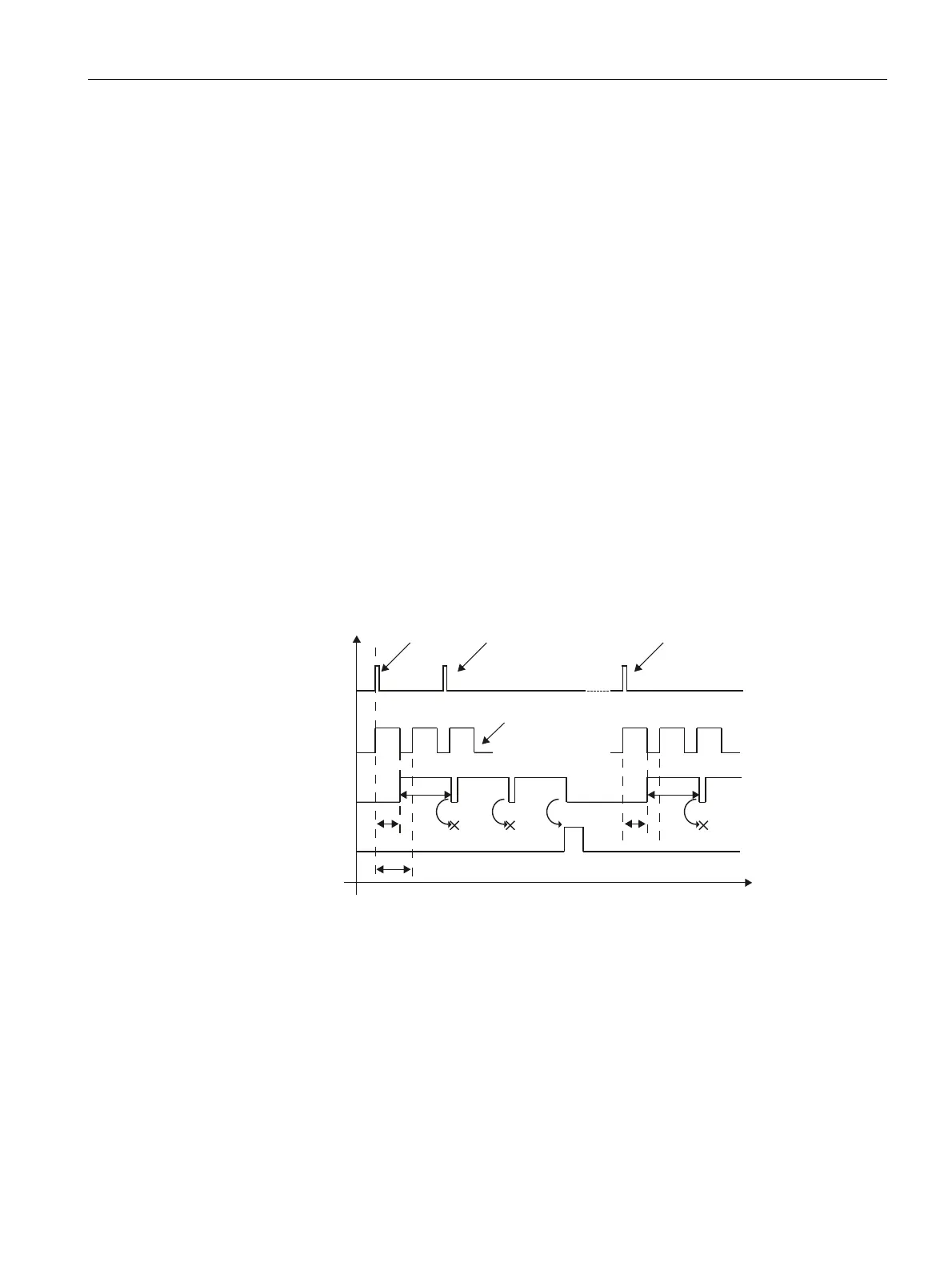
By using the "edge-triggered start/stop" option, you can adapt the image acquisition
sequence dynamically to your process using a trigger signal.
Image acquisiti-
on
Trigger
Decoding
Transfer of
result
Trigger start
scanning.
Trigger signal is
ignored.
Next trigger starts
new scan.
Number of image acquisitions
Nothing found
Nothing found
OK
11
2
3
2
1 Limit of the decoding time
2 Image acquisition time
3 Interval of image acquisition
Figure 4-20 Time diagram of the scan option with multiple trigger signals












 To Next Page