Image processing
4.3 Optical character recognition with "Text-Genius" and "Text-Genius Plus" (SIMATIC MV440 only)
SIMATIC MV420 / SIMATIC MV440
82 Operating Instructions, 04/2013, A5E02371045-06
Note
Avoid disturbing structures within the ROIs
If possible, avoid disturbing structures within this ROI, which might be confused with text:
e.g edges or portions of the data matrix codes.
3. Save these settings in the template and return to the "Adjustment - Set image" page.
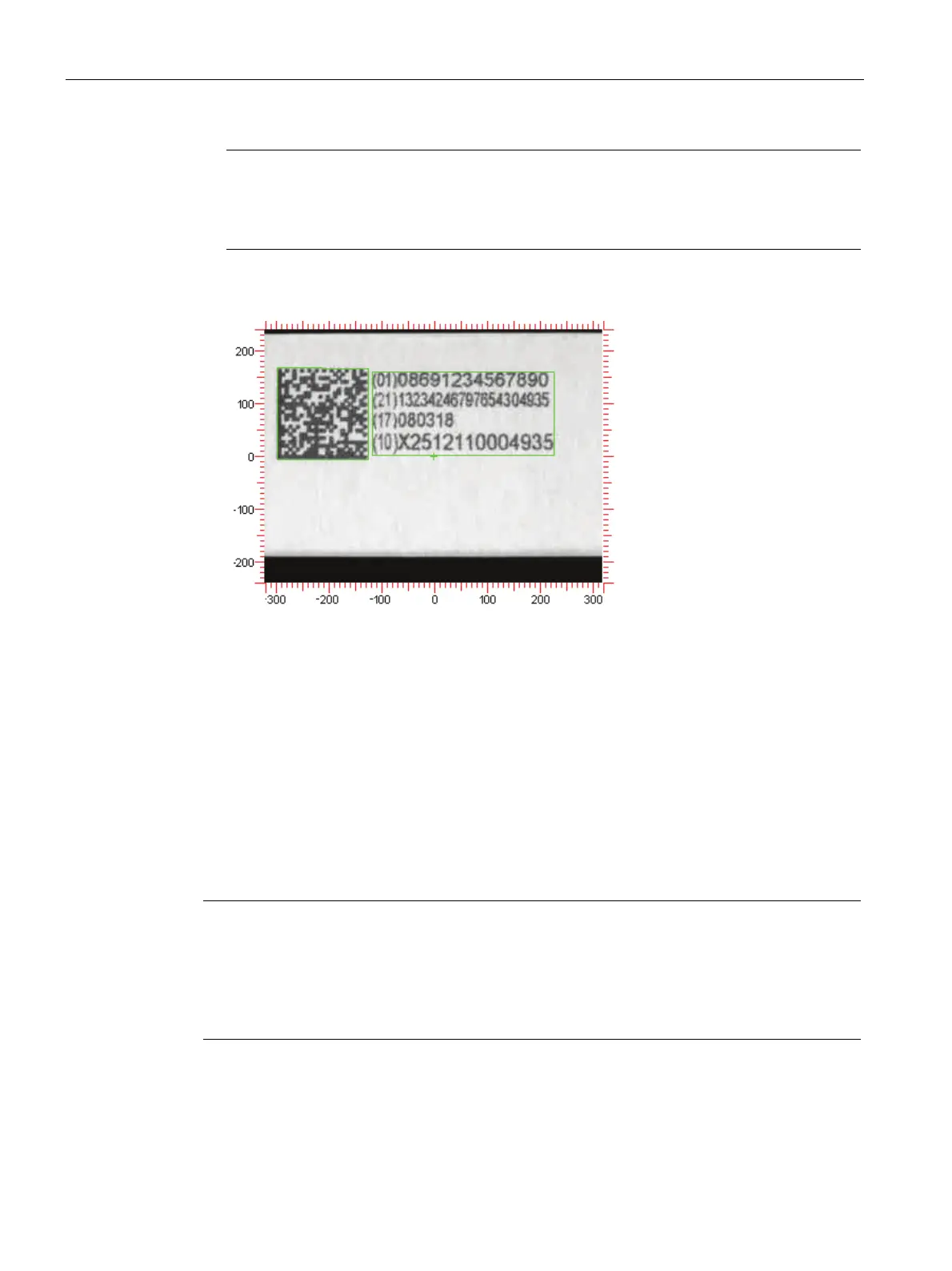
Both the data matrix code as well as the plain text is found:
Preview of reading result
]d201086912345678902113234246797654304935\x1D1708031810X2512110004935(01)08
691234567890\x0A(21)132N246mN543o4935\x0A(17)080318\x0A(1o)x251211ooo4935\x0
A
Explanation of this reading result
● The reading result of code and plain text recognition is sequentially displayed.
● The "\x0A" output indicates that a new line in the read text begins at this point.
The result of the plain text recognition is still not correct using the default settings for
character recognition.
Note
Why does this happen?
Since plain text is not clearly defined, several reading tasks can be correctly performed even
by humans only due to their previous knowledge, expectations and experience. To work
reliably and consistently, mechanical optical character recognition also requires this type of
previous knowledge. The more knowledge you can provide for your application, the better.












 To Next Page