SIGLENT
SDS1000CML+/SDS1000DL+ User Manual 19
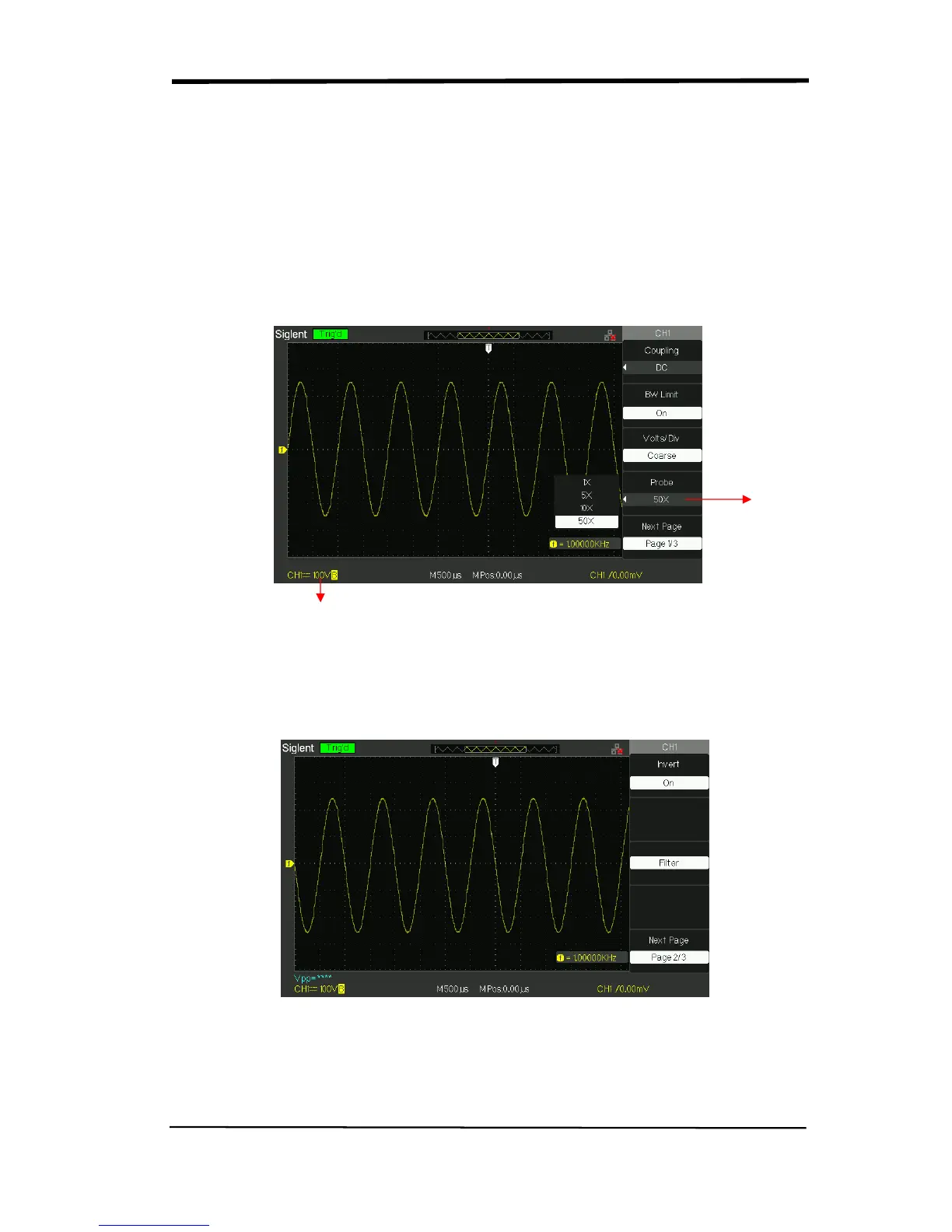
4. Setting Probe Attenuation
In order to assort the attenuation coefficient, you need to response in the channel
operation Menu. If the attenuation coefficient is 10:1, the input coefficient should
be set to 10X, so that the mistake of the Volts/div information and measure testing
should be forbidden.
Take the CH1 for example, when you use the 100:1 probe:
● Press“CH1”→“Probe” →“100”
Picture 2.6-5
5. Inverting waveforms
Take the CH1 for example:
● Press“CH1”→Next Page“ page1/3” →“Invert”→“On”:
Picture 2.6-6
Probe
Attenuation
Factor
Status of 50X










 To Next Page