66 MN.00356.E - 003
8.3 ALARM LED CHECK
On the front panel of ODU unit there are two LEDs dedicated to show unit alarms. Further information about
alarms can be found onto the Section 5.
MAINTENANCE.
8.4 CONNECTION PROCEDURE
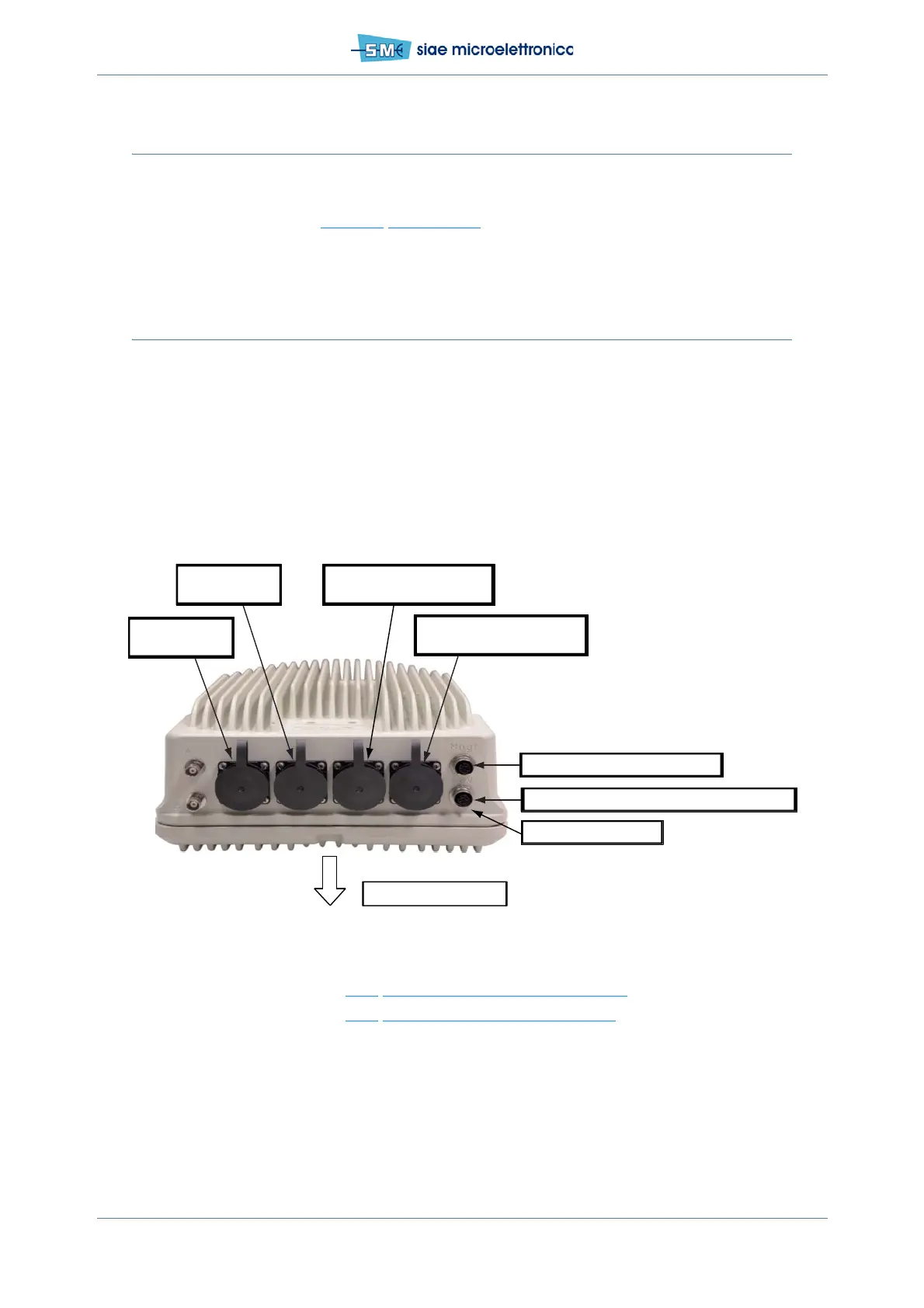
ALFOplus2 line-up can be done via MNGT (Gi 0/4) port using WEBLCT or Hyperterminal and via console
port using Hyperterminal only. LAN1 and LAN2 are disabled by default.
The factory default IP addresses are 172.20.254.14/16 ODU L and 172.20.255.15/16 ODU H.
The max number of users connected to the same radio at the same time is:
• CLI sessions = 7
•WebLCT users = 4.
Fig.36 - Connectors and ports
See also connection to paragraph 8.4.1
WEBLCT via MNGT port (cable F03616).
See also connection to paragraph 8.4.2 CLI session via MNGT or console port.
8.4.1 WEBLCT via MNGT port (cable F03616)
• Connect Laptop to MNGT port via F03616 cable
• open a browser (IE 9) and
TRX - Gi0/3 (radio flange)
MNGT - Gi0/4 <— F03616: RJ45, V
AGC
LAN1 - Gi0/7
Optical interface
LAN2 - Gi0/9
Optical interface
LAN3 - Gi0/6
Electrical interface (with PoE)
LAN4 - Gi0/5
Electrical interface (with PoE)
48Vdc <— F03622: 48Vdc, RS232@115200bps 8N1N
48Vdc <— F03622: 48Vdc
To antenna/wave guide


 To Next Page