MN.00356.E - 003 79
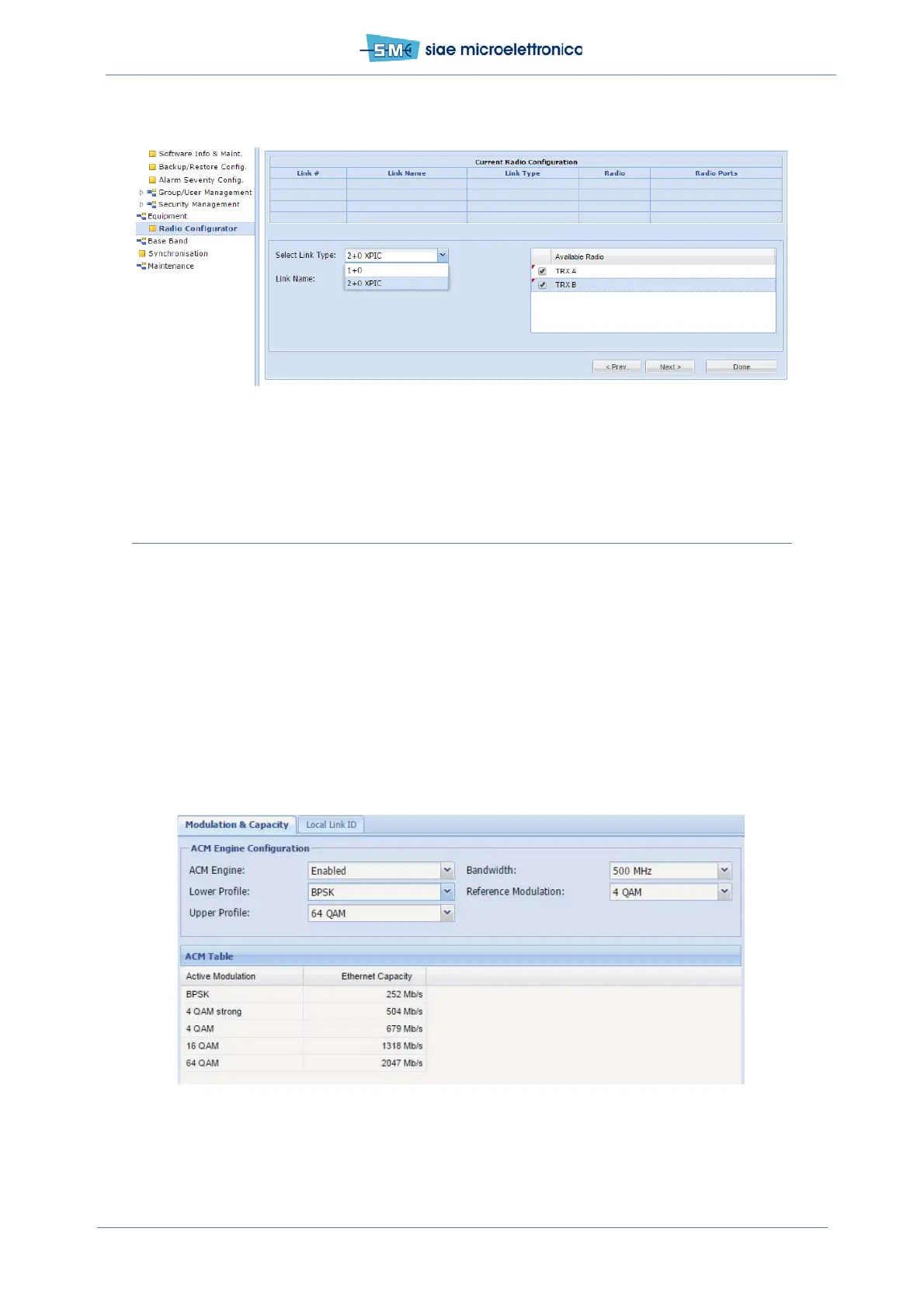
Fig.48- New link
11.3 MODULATION & CAPACITY
In WEBLCT select Equipment menu, BW & Mod./Link ID.
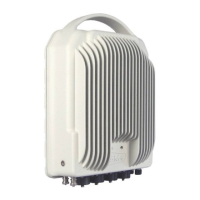
In Modulation & Capacity card, the following parameters must be set:
• ACM Engine Disabled (single modul. Profile)
- set Bandwidth: 14, 20, 28, 30, 40, 50, 56, 60, 80 or 112 MHz
- set Ref Modul ...that is the used one: 4, 16, 32, 64, 128, 256, 512, 1024, 2048 or 4096QAM
- click Apply and Confirm
• ACM Engine Enabled (modul. Profile varies between lower and upper depending on S/N in Rx)
- set Bandwidth, Reference Modulation, Lower and Upper Profiles (see previous case for details)
- click Apply and Confirm.
Fig.49 - Modulation and capacity
In ACM table is listed the Ethernet capacity relevant to the Active Modulation.


 To Next Page