96 MN.00356.E - 003
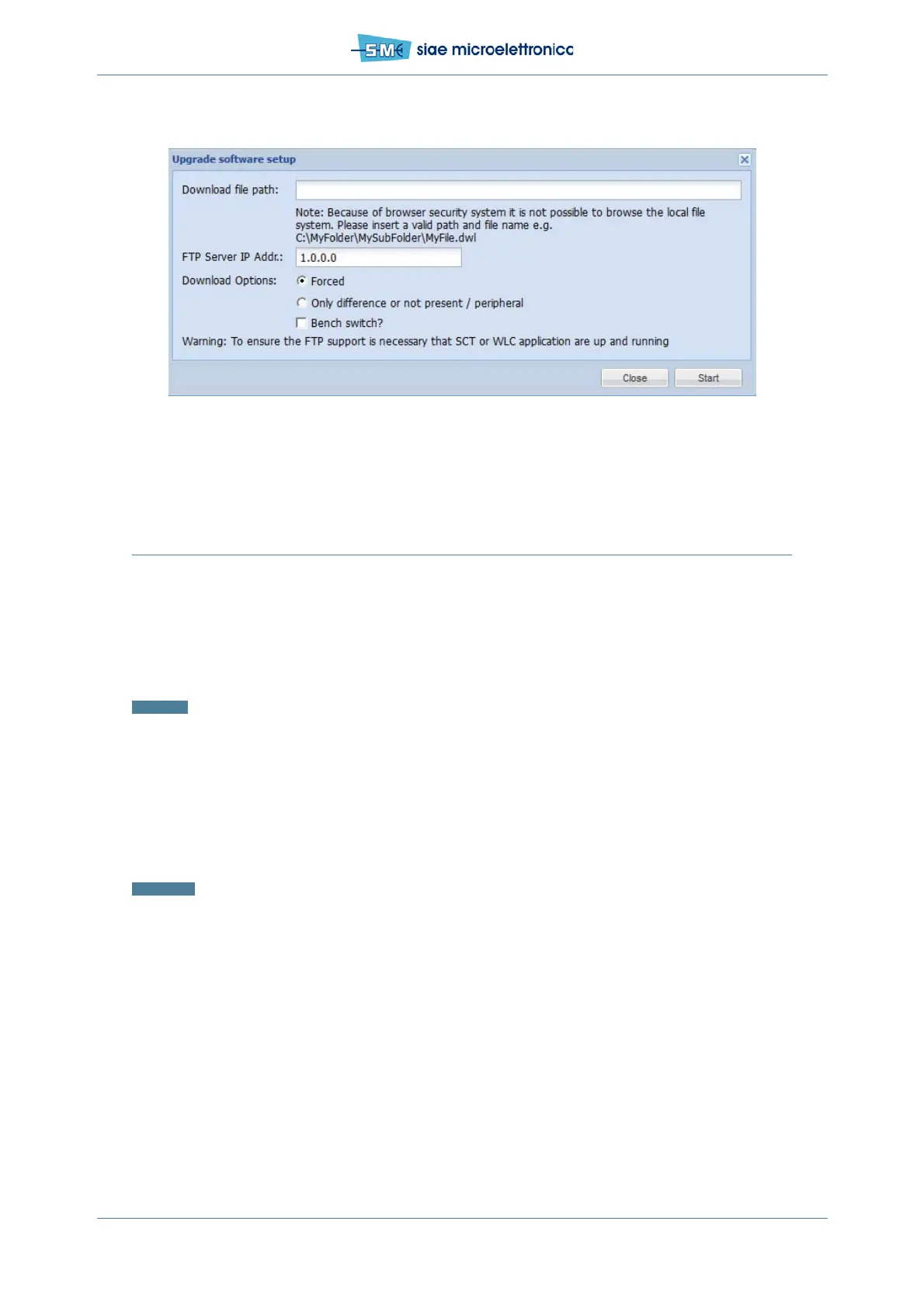
Fig.68 - Upgrade software
12.6 BACKUP CONFIGURATION
12.6.1 Scope
This chapter describes the procedure to backup the configuration.
Warning: In order to transfer data, “WebLCT console” running is necessary.
12.6.2 Backup/restore configuration using WEBLCT
Backup Configuration
Foreword: It is advisable to backup the configuration after the first installation. Proceed as follows:
1. select Backup/Restore Configuration in the Main menu
2. in the field Backup File name write the name of the configuration file you are going to upload in the
PC, complete with the full path of its folder
3. push Backup. The status of the backup procedure is shown in the “Operation Status” field.
Restore Configuration
Once the spare Controller has been installed or every time the saved configuration is necessary, proceed
as follow:
1. Select Backup/Restore Configuration in the Main menu
2. In the field Restore file name write the name of the configuration file you are going to download in
the ODU, complete with the full path of its folder


 To Next Page