MN.00356.E - 003 91
12.3 PEB EXAMPLE
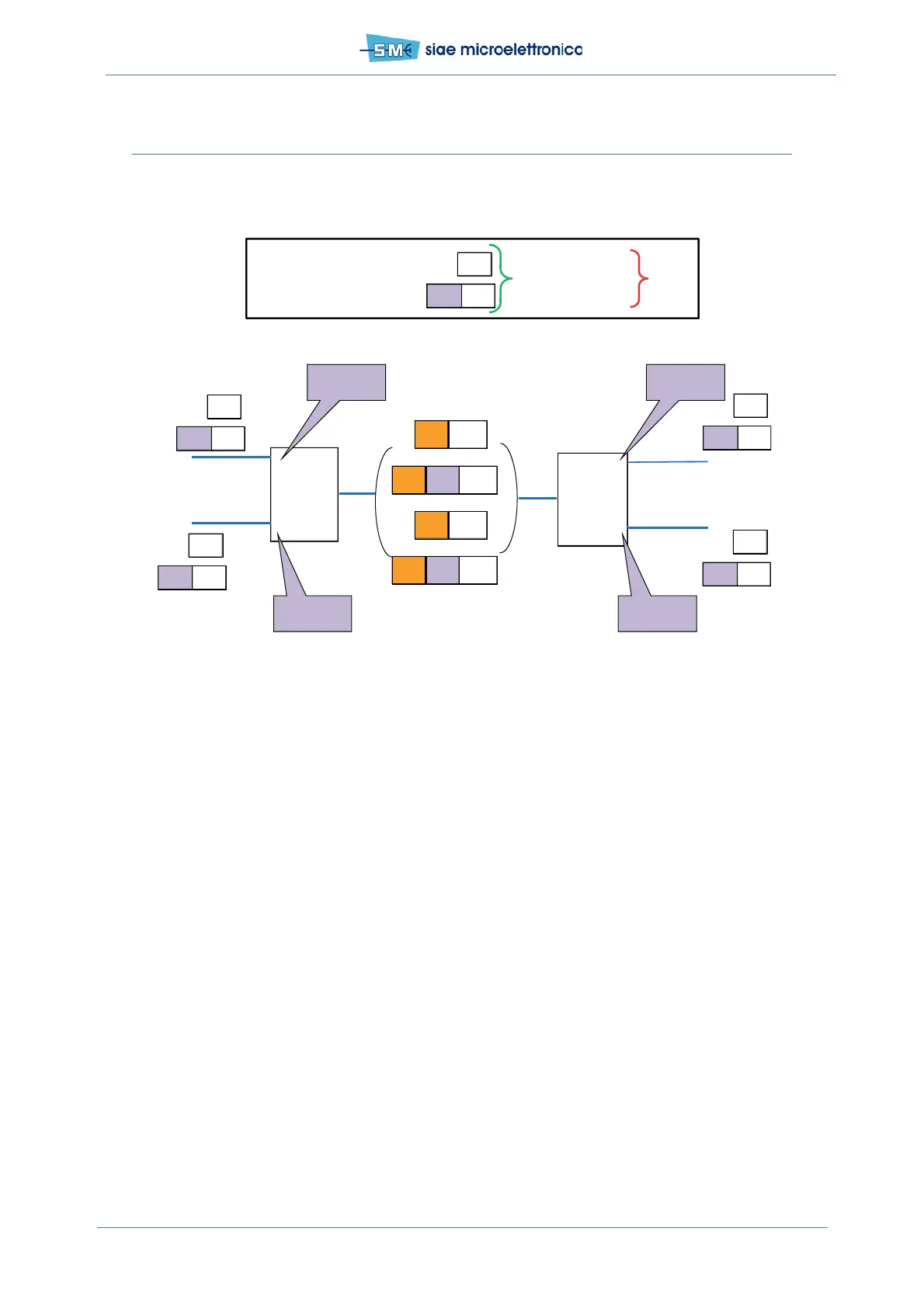
Units in Provider Edge Bridge mode. The transmitted traffic is untagged and/or unknown C-tagged.
Fig.63 - Configuration for untagged and unknown C-tagged traffic in Provider Edge Bridge mode
This traffic configuration can be set via:
•WEBLCT
•CLI.
See following paragraphs.
12.3.1 PEB example configuration by WEBLCT
Using the WEBLCT with the units in Provider Edge Bridge mode:
•Port Status
• Traffic VLAN creation
• Port Settings.
12.3.2 PEB example configuration by WEBLCT: PORT STATUS
In WEBLCT select Base Band menu, Ethernet and Port Manager:
• select Physical Interface
• set the following parameters:
- Admin State Enabled
R
1
2
1
R
2
Def VID=101
DEF p=6
C
10-p2
CNP
S
101-p6
Def VID=101
DEF p=6
C
10-p2
C
20-p2
C
20-p2
C
20-p 2
S
102-p6
Def VID=102
DEF p=6
Def VID=102
DEF p=6
A
A
A
B B
C
C
C
D
D
D
PEB
S
102-p 6
C
10-p 2
B
S
101-p 6
CNP
CNP
CNP
PEB
C
10 -p2
Untagged traffic
Unknown C -tagged (VID and p)
OK DroppedS -tagged traffic


 To Next Page