72 MN.00356.E - 003
10.2.3 Out of band: Setting the Agent IP (WEBLCT)
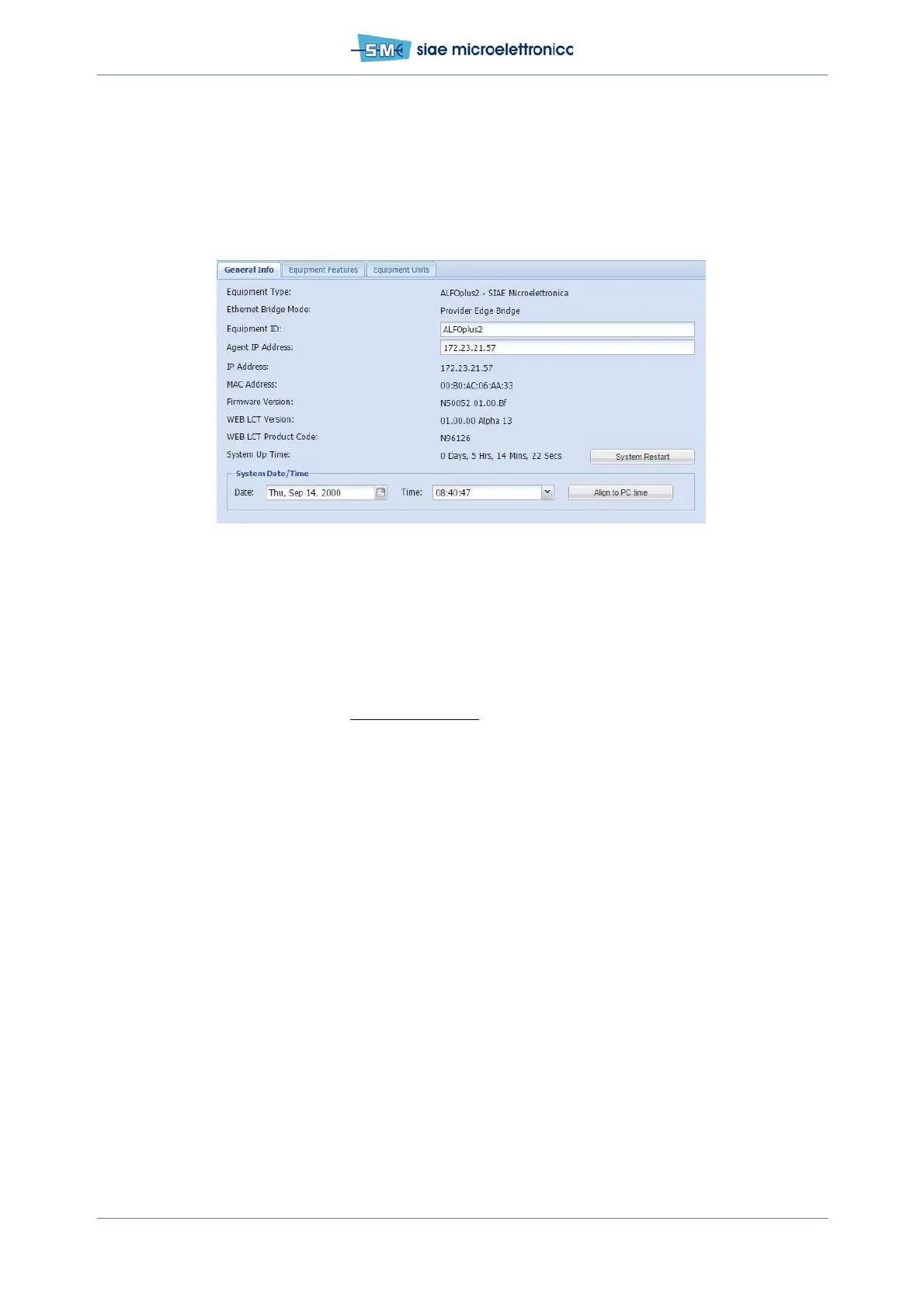
In WEBLCT select Equipment Properties, General Info Card.
• Write Agent IP Address (copy from IP Address below)
• Click Apply and confirm.
Fig.43 - Agent IP setting
10.2.4 Out of band - Remote Element List (WEBLCT)
Into WebLCT at right position:
• Press the button to expand Remote Element List window
• Clear and Apply new list
• Add station, type “SIAE LINK” and press OK
• Select the station just created and add local element:
- IP address: type local radio IP agent address
- type of element: managed by SCT
Press OK, Apply and Confirm.
• Add remote element:
- IP address: type remote radio IP agent address
- Type of element: Remote link
Press OK, Apply and Confirm.


 To Next Page