MN.00356.E - 003 81
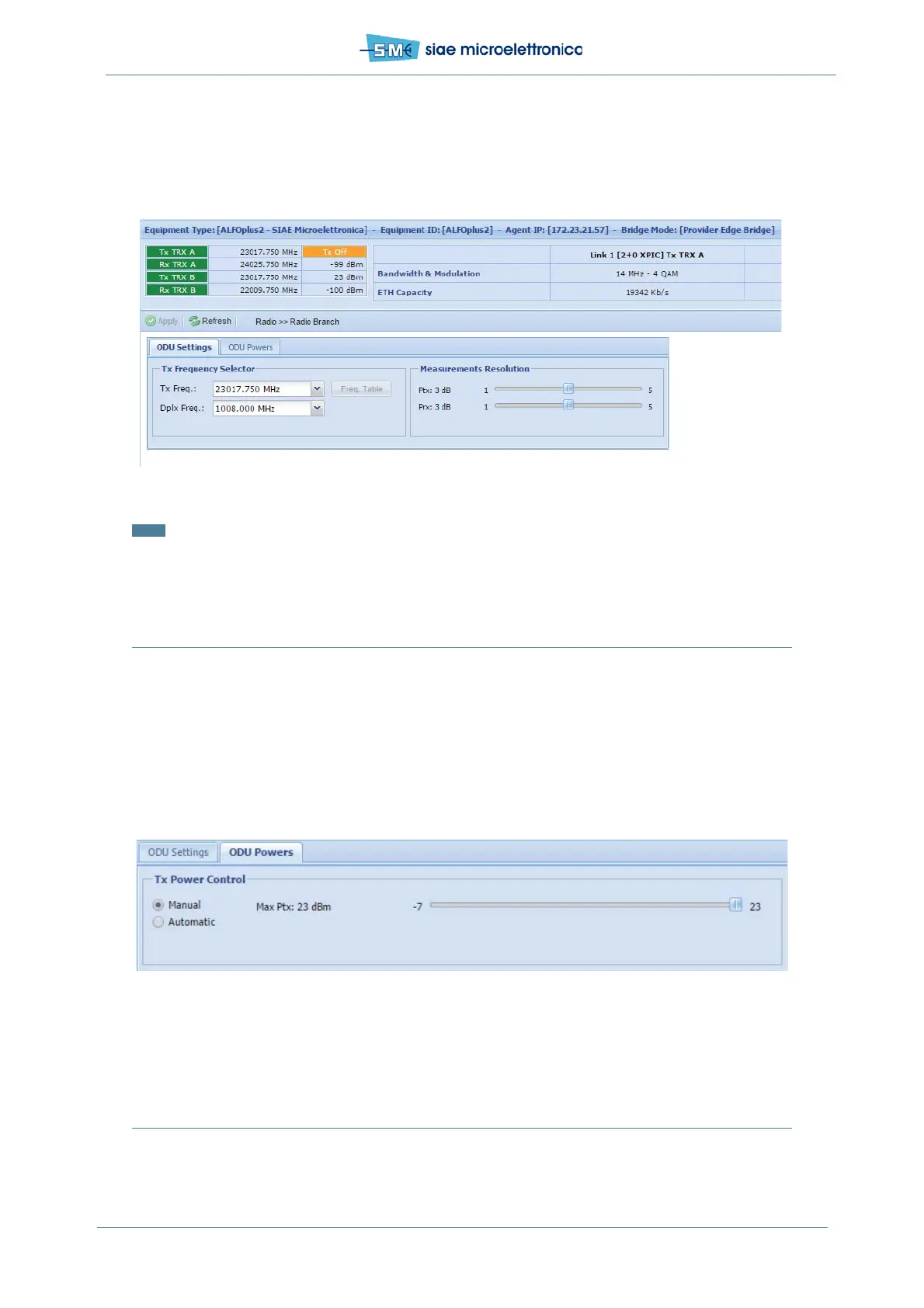
• in field Measurements Resolution select the resolution of Tx and Rx power reading
No manual operations must be active on the radio.
• click Apply and Confirm.
Fig.51 - Tx frequency setting and measurement resolution
Note: On remote IDU Tx and Rx frequencies are the opposite respect the local.
11.7 ODU POWERS (NO ATPC)
In WEBLCT select Radio menu, Radio Branch.
Select ODU Powers card:
• in Tx Power Control select Manual, ATPC is disabled
• in Ptx slide select the value in dBm for the Tx power (30 dB range)
• click Apply and Confirm.
Fig.52 - Manual Tx power setting
11.8 ODU POWERS (ATPC)
In WEBLCT select Radio menu, Radio Branch, select ODU Powers card:


 To Next Page