MN.00356.E - 003 75
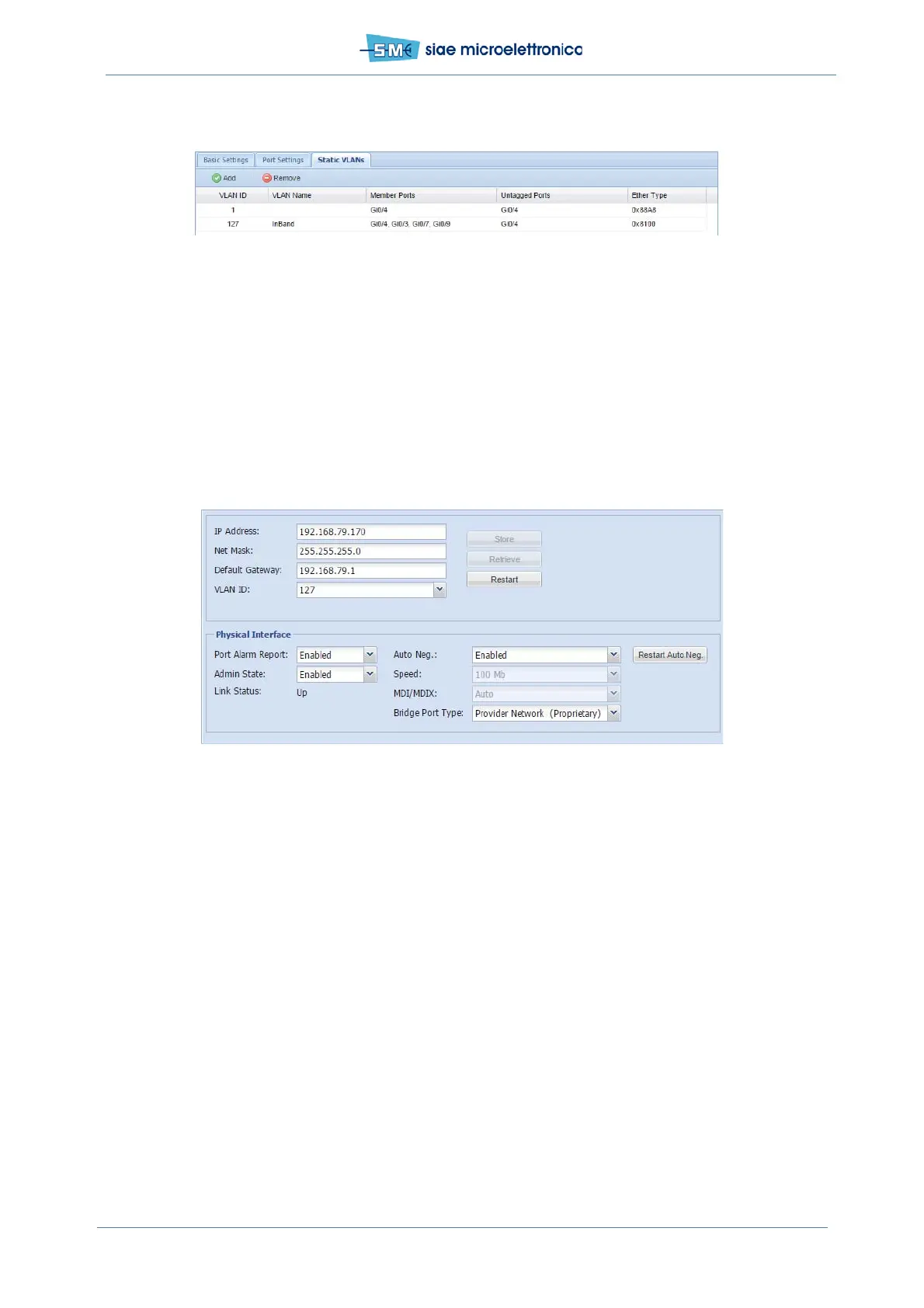
Fig.45 - VLAN 127 creation
10.3.2 In band: IP Address (WEBLCT)
In WEBLCT select Base Band menu, DCN and MNGT Port Configuration.
• Set IP Address, Net Mask, Default Gateway and mngt VLAN ID (in example Vid =127)
• Click Apply and Confirm, click Store and Confirm
• ...if this is the last operation regarding management (...Agent IP has been set?), click Restart and
Confirm
Fig.46 - IP address setting
10.3.3 In band: Agent IP (WEBLCT)
In WEBLCT select Equipment Properties, General Info Card.
• Write Agent IP Address (copy from IP Address below)
• Click Apply and confirm
• If MNGT port address and MNGT VLAN have been already set, it’s time to restart the ALFOplus2:
click System Restart and confirm.


 To Next Page