29 30
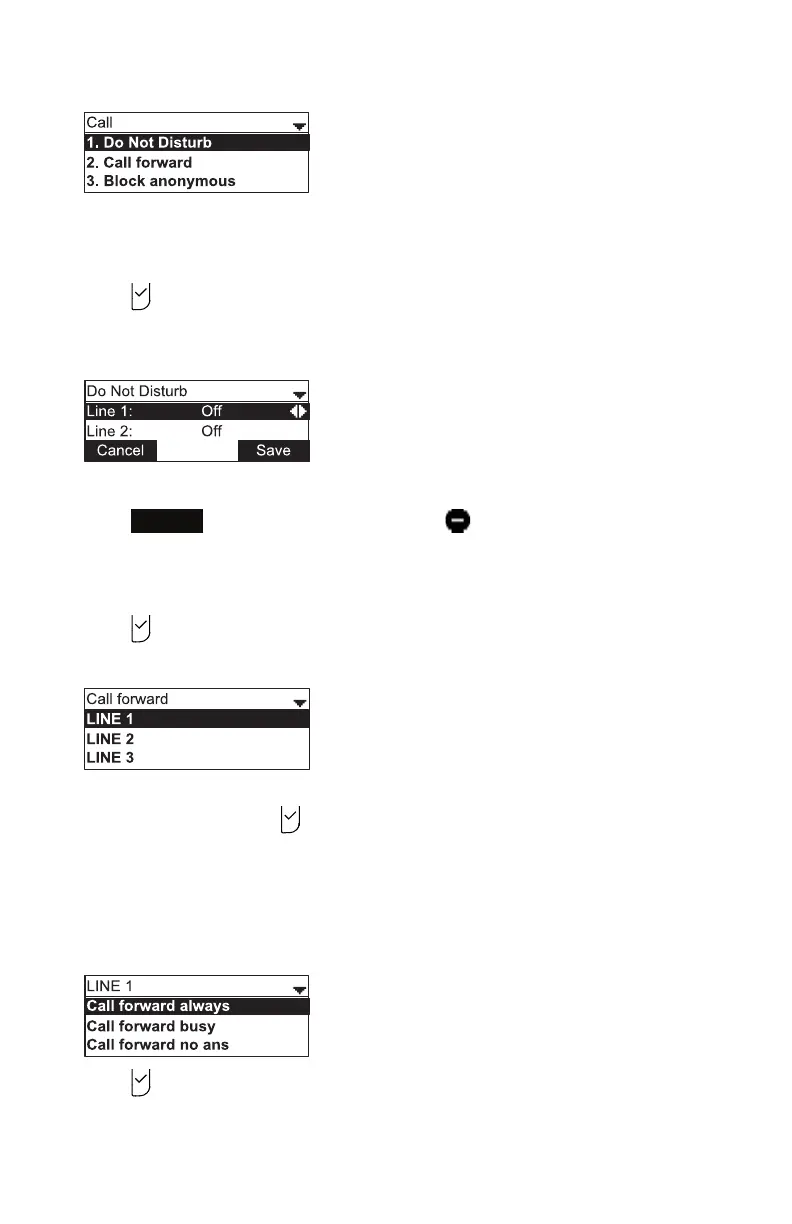
The Call menu appears.
Seng Do Not Disturb:
1. From the Call menu, if necessary, press p or q to highlight Do Not Disturb.
2. Press .
3. On the Do Not Disturb menu, highlight the line for which you want to turn Do Not
Disturb On or O.
4. When the desired line is highlighted, press t or u to turn Do Not Disturb On or O.
5. Press
Save
. When Do Not Disturb is on, appears on the idle screen.
Seng Call forward:
1. From the Call menu, press q to highlight Call forward.
2. Press .
The Call forward menu appears.
3. Press p or q to highlight the line for which you want to congure call forward
sengs, and then press .
4. On the next screen, press q to highlight the desired opon:
• Call forward always
• Call forward busy
• Call forward no ans.
5. Press .
6. On the next screen, press t or u to turn call forwarding On or O.
Phone Features



 To Next Page