61
Local Directory
Click To...
Sort the list by last name.
Edit informaon for an entry.
View the last page of entries.
View the next page of entries.
Delete selected entries from the directory. Click Select All to select every
entry on the page you are viewing.
Add a new directory entry.
Delete all Directory entries
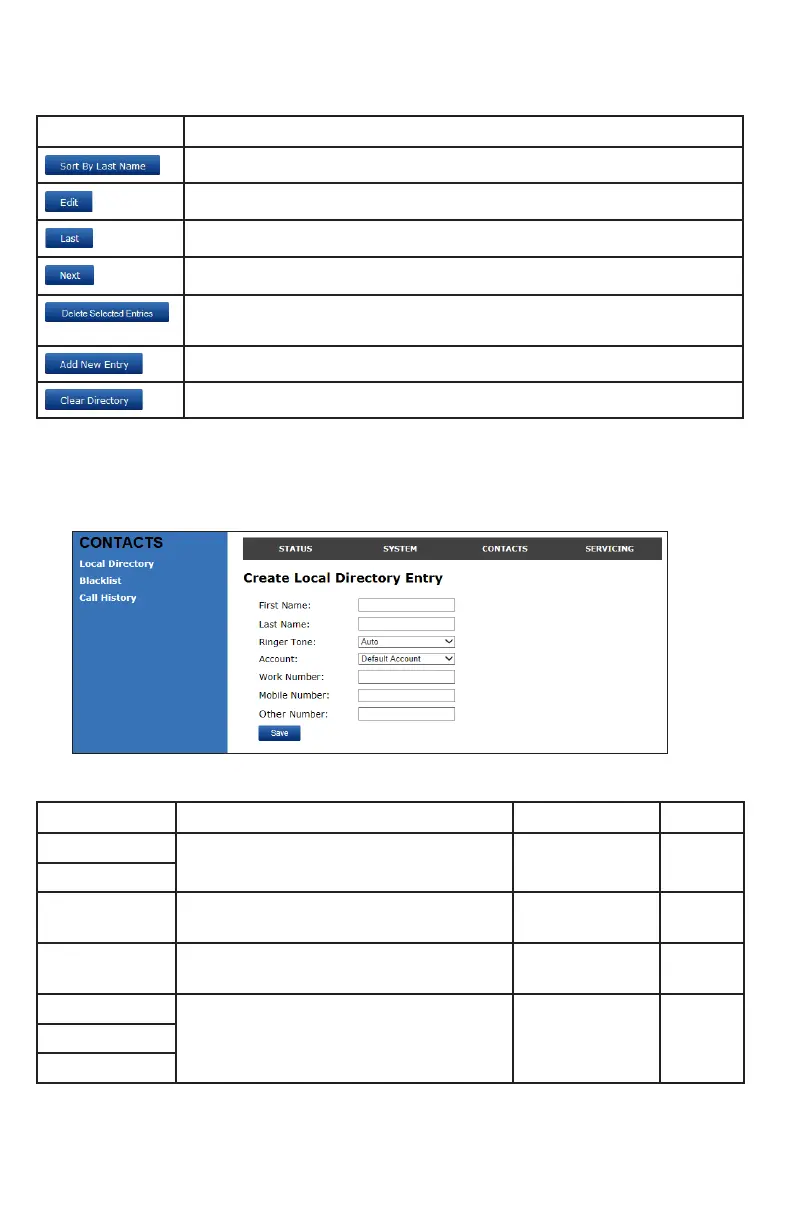
Adding a directory entry:
1. Click Add New Entry.
The Create Local Directory Entry page appears.
2. Enter the required informaon. At minimum, a rst and last name are required.
Seng Descripon Range Default
First Name
Enter the appropriate names in these elds. n/a n/a
Last Name
Ringer Tone Sets a unique ringer tone for calls from this
directory entry.
Auto,
Tone 1–10
Auto
Account Sets the account used when you dial this
directory entry.
Default Account,
Account 1–3
Default
Account
Work Number Enter the appropriate numbers in these
elds.
n/a n/a
Mobile Number
Other Number
3. Click Save.
WebUI



 To Next Page