61 62
Directory (connued)
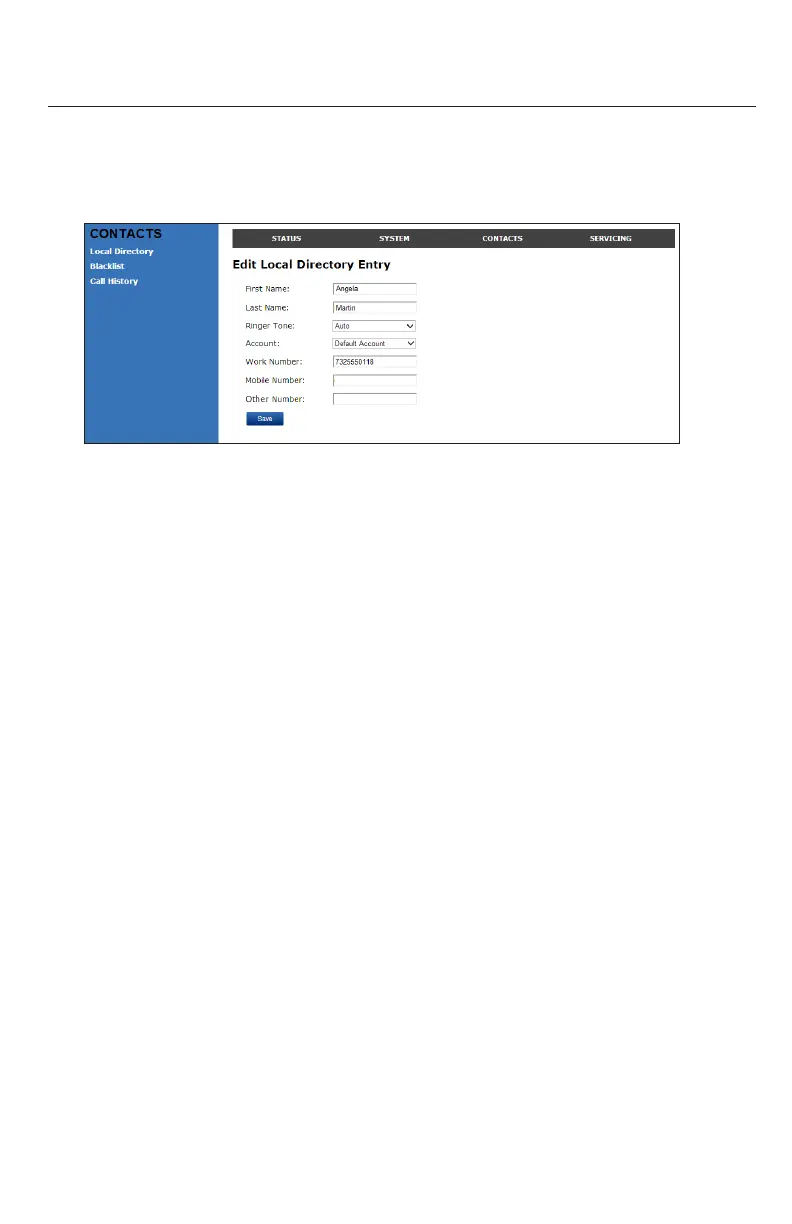
Eding a directory entry:
1. Click Edit for the entry you want to edit.
The Edit Local Directory Entry page appears.
2. Edit or add the desired informaon.
3. Click Save.
Imporng Local Directory
You can import an exisng local directory le. Imporng a directory le replaces all
your previous local directory entries. Aer imporng a directory le, you can add, edit,
or delete entries as desired.
Note: Directory les are .xml les containing contacts and contact informaon. For
more informaon about creang or eding a directory le, consult your system
administrator.
Imporng a local directory le
1. Click Choose File.
2. In the le window that opens, navigate to the directory le.
3. Click the le, and then click Open.
4. On the WebUI, click Import.
Exporng Local Directory
You can export the directory and save it as an .xml le on your computer.
1. Click Export.
2. At your browser’s prompt, save the le to the desired locaon on your computer.
WebUI



 To Next Page