Paramount ME User’s Guide
110
Note: TheSky6 Professional Edition allows access to the Advanced tab on the More
Settings dialog box. Download this version from HTUwww.bisque.com/downloadUTH.
Once the encoder tics per revolution (Tics/Rev) has been set, click Save to Flash on the
Setup tab to store the changes permanently in the Paramount’s permanent flash memory.
Sensor Hour Angle (HA) and Sensor Declination (Declination)
Note that declination values greater than 90 degrees indicate that the mount is “on the
opposite side.” This behavior is by design.
When using the Paramount ME in the southern hemisphere,
you must synchronize the mount on a star that is on the east
side of the meridian when the optical tube assembly is on the
west side of the meridian.
The “best practice” for synchronization is to home the mount,
then use the joystick to center the telescope’s field of view on
the closest, brightest star that is both near the home position
and 5 degrees or more away from the meridian, and then sync.
This will ensures that the optical tube assembly is in the
correct orientation. See page 77 for more information about
synchronization.
Setting Telescope Limits
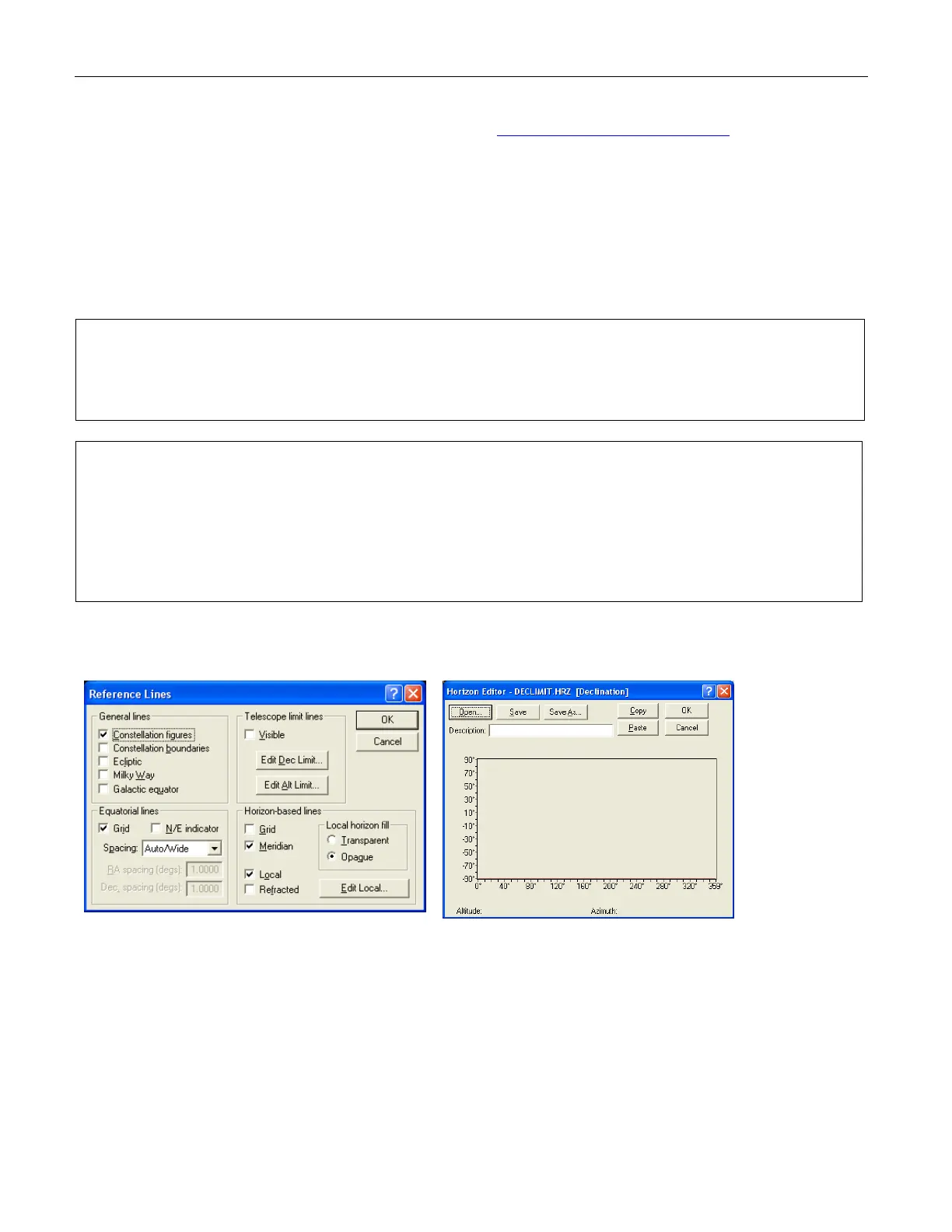
Figure 82: Setting Telescope Limits.
The Declination Limit Lines must be set to –90 degrees for the Paramount ME to function
normally in the Southern Hemisphere. Otherwise, an “exceeded slew limit” warning is
issued each time the mount is slewed. Click View > Reference Lines > Edit Dec Limit to
access this dialog box.



 To Next Page