Paramount ME User’s Guide
19
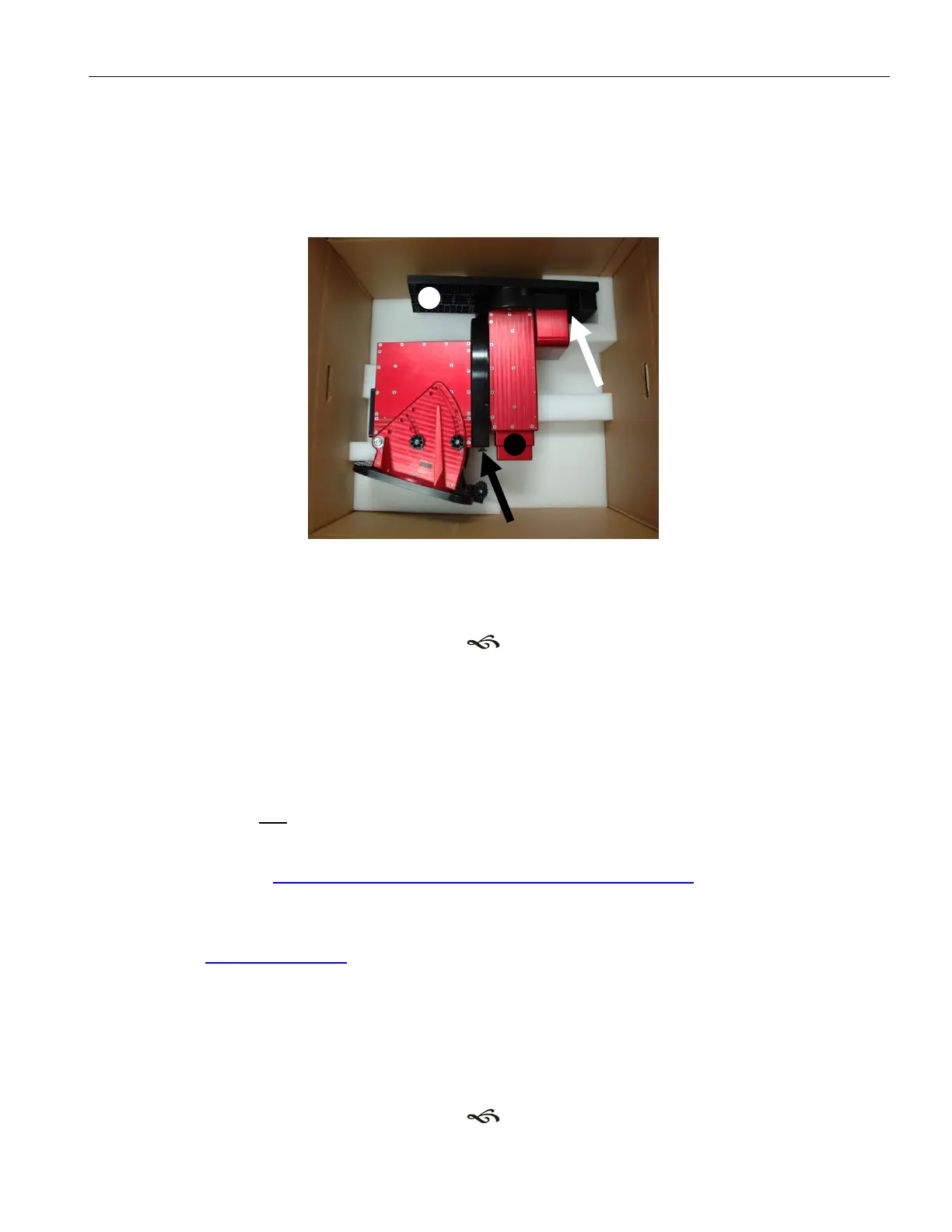
axis with the other hand (see XFigure 1X). Engage the declination axis worm and gear by
turning the declination balance knob counterclockwise with one hand while gently
wiggling the end of the Versa-Plate with the other hand (see XFigure 1X.).
This procedure ensures proper that the worm and gear are properly engaged. The mount
can now be safely removed from the shipping box.
Figure 1: The black arrow points to the right ascension balance knob; the black circle indicates
where to grasp and wiggle the right ascension axis during engagement. The white arrow points to
the declination balance knob; the white circle indicates where to grasp and wiggle the declination
axis during engagement.
The Paramount ME and TheSkyX Professional Edition
TheSkyX Professional Edition offers new and expanded features for Paramount ME control
that are not included in this document.
If you plan to use TheSkyX Professional Edition to operate the Paramount ME, please refer
to the Paramount MX User Guide for details. The Paramount MX User Guide can be
downloaded in PDF format from the Software Bisque web site using the URL below:
http://www.bisque.com/sc/media/p/50302.aspx
To manually navigate to, and download the Paramount MX User Guide,
1. Go to www.bisque.com.
2. Click the Sign In link to sign into the web site.
3. Click the Downloads link.
4. Click the Documentation link in the left column, under Browse Downloads.
5. Click Paramount MX.
6. Click the Paramount MX User Guide link in the center of the window.
7. Click the Download link.



 To Next Page