Paramount ME User’s Guide
116
Using the MKS 4000 USB Port
After the USB drivers are installed and the computer is restarted, you are ready to control
the Paramount ME (or the Bisque TCS) via USB port.
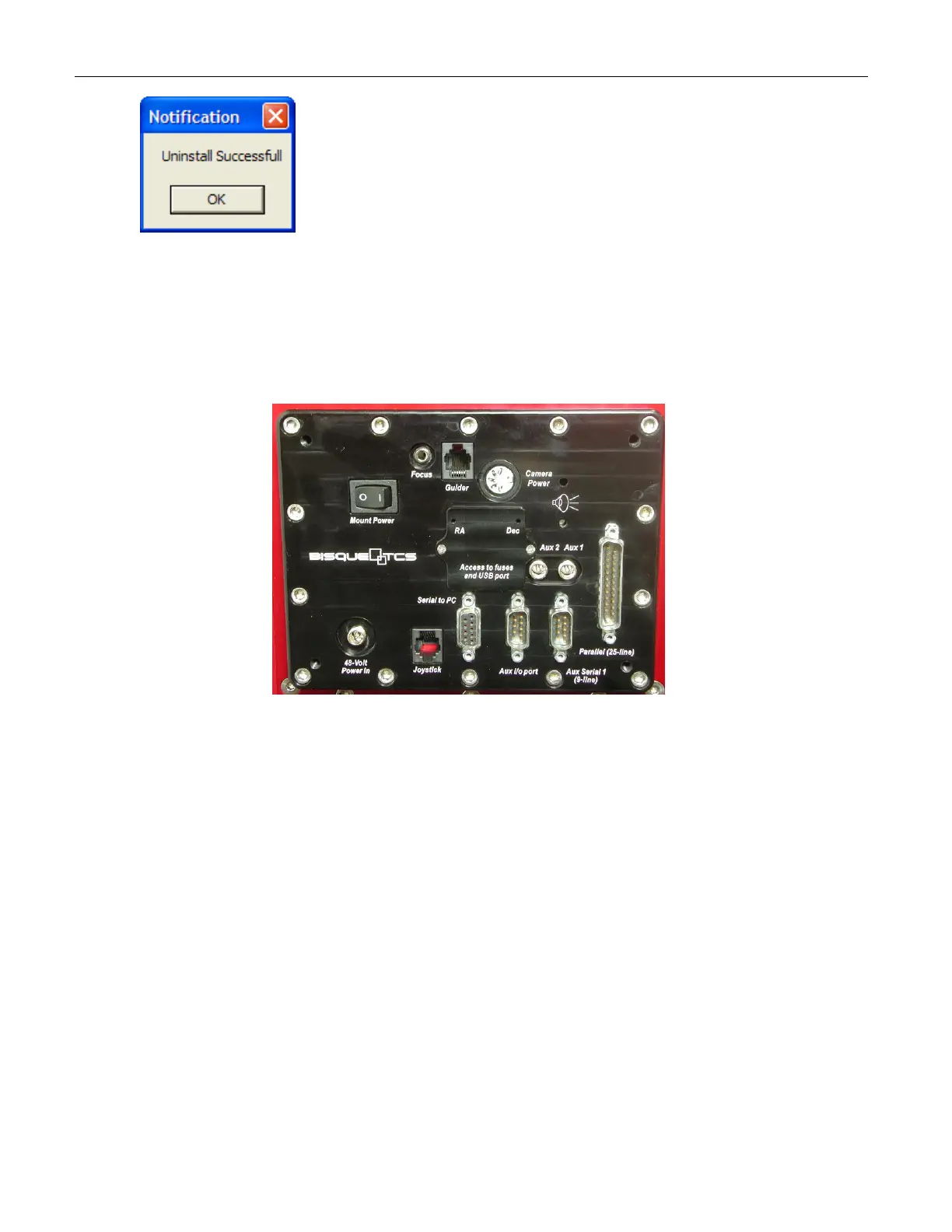
1. Use a small Phillips screwdriver to remove the Access to fuses and Flash
programming cover on the Instrument Panel.
Figure 83: Use a small Phillips screwdriver to remove the cover labeled “Access to Fuses and USB
Port” to access the USB port.
2. Plug the USB cable to any USB port on the computer, and into the Paramount ME’s
USB port.
3. Launch TheSky6 Professional Edition.
4. Click Telescope > Setup.
5. After selecting Paramount ME by Software Bisque or the Bisque TCS by Software
Bisque in the Telescope or Control System group, click Settings.
6. The Windows operating system maps the MKS 4000 USB driver to the next available
serial (COM) port. Select this port from the COM Port list and then click OK. If
you’re not sure which port this is, see “XDetermining the MKS 4000 USB COM Port
NumberX” on page X116X for details on how to do so.
Determining the MKS 4000 USB COM Port Number
The MKS 4000 controls system’s USB port is recognized by the Windows operating system
as a standard serial (COM) port using a special software driver. When the USB drivers are
installed, Windows automatically assigns the next available COM port to this driver.



 To Next Page