Paramount ME User’s Guide
39
USB or RS232 Interface
The Paramount ME can communicate with a personal computer using a standard RS232
serial port, or by USB port. Before the Paramount ME can be controlled via USB port, you
must install the MKS 4000 USB driver first. See “XAppendix E – USB Driver Installation and
UseX” for details. (Page X111X.)
Quick Start for Experienced Users
For this section, an experienced user is someone who is familiar with the operation of a go
to telescope.
1. Connect the Paramount ME to your computer using the supplied RS232 or USB
cable (USB drivers must be installed first), then turn on the mount.
2. For TheSky6 Professional Edition, click Telescope > Setup.
3. On the Telescope or Control System Name list, select Paramount ME by Software
Bisque and then click Settings.
4. On the Settings dialog box, select the appropriate COM port from the list and then
click OK.
5. Click Close.
6. Click Telescope > Link > Establish to establish communications with the
Paramount ME.
See “XParamount ME InitializationX” on page X52X for additional information.
Homing the Mount Using TheSky6 Professional Edition
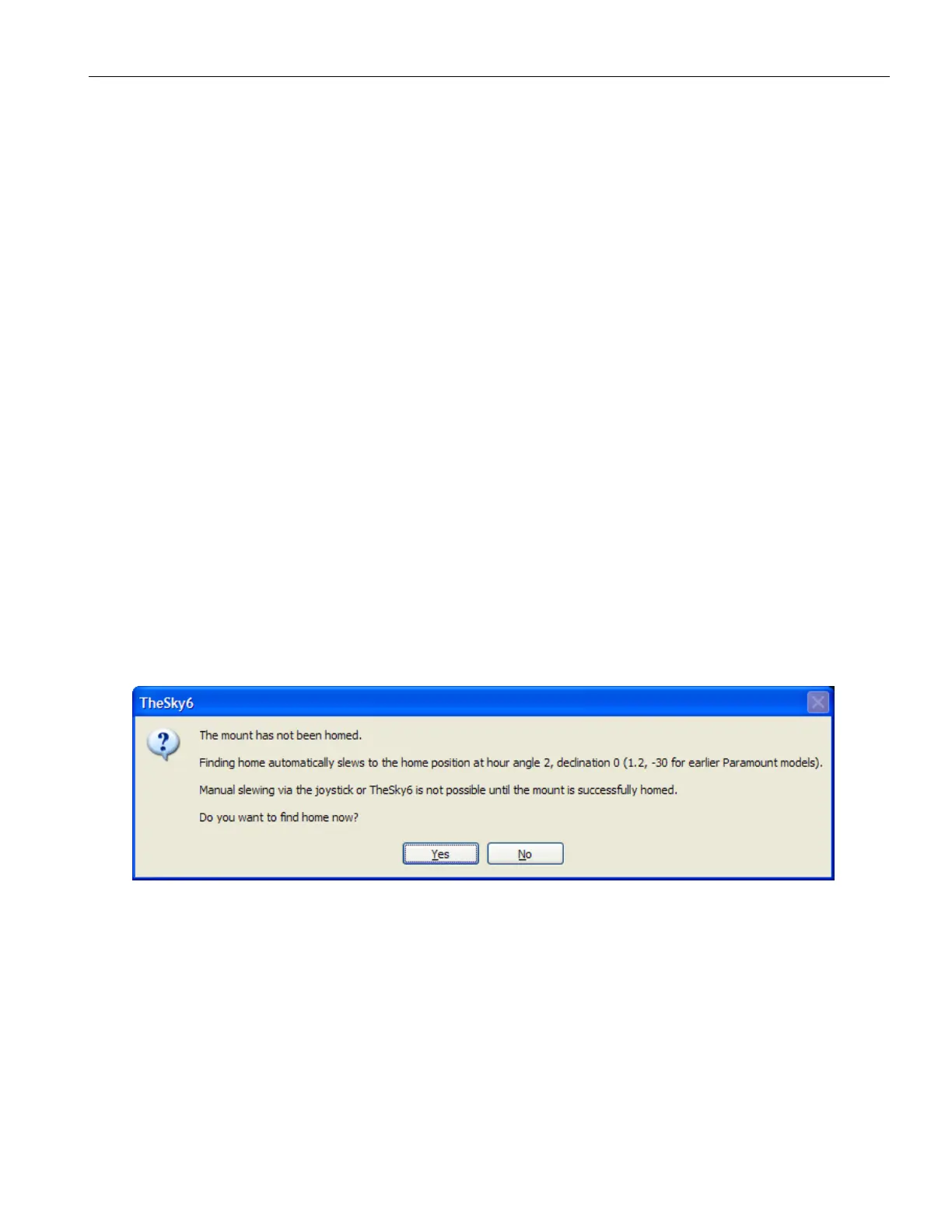
Upon establishing a link with the Paramount ME, TheSky6 Professional Edition displays
the dialog box in XFigure 19X when the mount has not been homed.
Figure 19: TheSky6 Professional Edition‘s Find Home dialog box.
Click Yes to home the mount. To home the mount at any time using TheSky6 Professional
Edition, click Telescope > Options > Find Home. See “XQuick StartX” on page X77X for more
information about homing.
The mount can now be controlled from TheSky6 Professional Edition. For practice, click
Telescope > Motion Control and use the direction buttons to slew the mount so that the
counterweight shaft is vertical (when viewed from the rear of the mount).



 To Next Page