Paramount ME User’s Guide
62
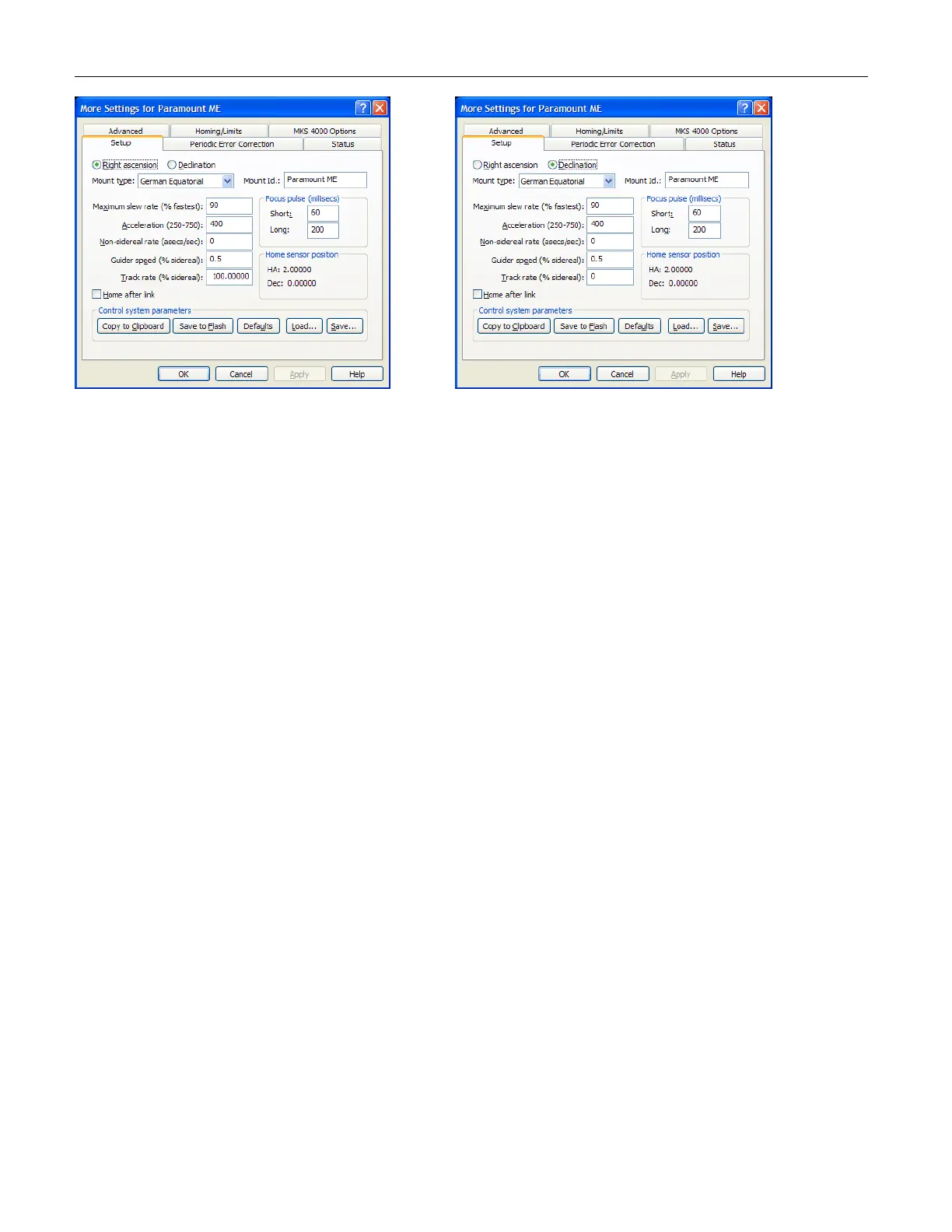
Figure 38: Setup tab (for RA and Declination options) on the More Settings dialog box.
Note that the two dialog boxes pictured above show the default settings for the right
ascension and declination axes.
Mount Type
The Paramount ME is a German Equatorial telescope, so this option should be set to
German Equatorial.
Mount ID
This information is for reference purposes only.
Maximum Speed
The motors are capable of moving the Paramount ME at approximately six degrees per
second in declination and five degrees per second in right ascension. To move at the
fastest rate, enter a value of 100% on this input. For large telescopes, these slew speeds
are quite fast and values of 50-80% are suggested to minimize wear on components. Or
damage, especially in case of a collision with an object in your observatory!
Acceleration
This prompt allows changing the acceleration/deceleration speeds of the control system.
This acceleration eliminates any jolts associated with starting and stopping the large mass
of the instrument and counterweights. Values between 250 (slow) and 750 (fast) can be
entered here. If you have a very large instrument or just wish to ensure the settling time is
minimized, set this parameter to a lower value. If you are trying to catch a gamma ray
burst with a lighter optic, you can increase the value.
Non Sidereal Rate
If you wish for the mount to slew at a rate that is separate from the sidereal rate but
cumulative to it, you can enter a value here in arcseconds per second. If you choose a
minor planet and select Set Tracking Rate from the Telescope tab, the non-sidereal rate



 To Next Page