Paramount ME User’s Guide
61
The declination axis must be rotated clockwise (from above) so that the access
hole in the RA shaft is accessible.
Use the left hand to firmly grasp the top of the declination axis. Use your right
hand to completely tighten the declination balance knob. This disengages the
declination worm from the gear. SLOWLY rotate the declination axis
counterclockwise until it encounters a hard stop.
Add Additional Cabling
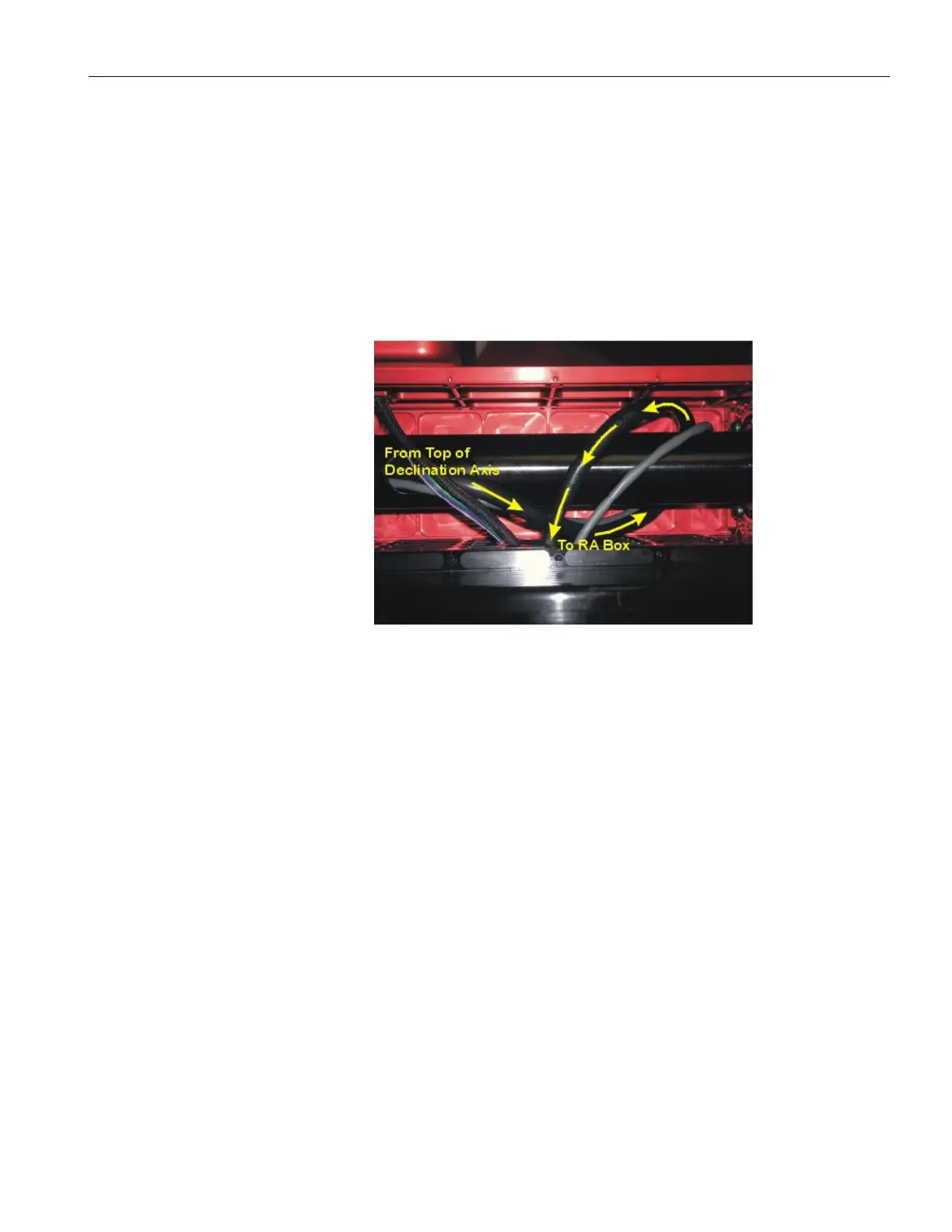
Snake the new cabling up through the mount. Be sure to add a loop around the
declination shaft so that the cable as sufficient slack to rotate with the shaft. See
photograph below.
Figure 37: Make sure to loop the cable around the declination shaft.
Assemble Mount
Replace the RA and Dec box panels and firmly snug each screw.
Interface to TheSky6 Professional Edition
See “XThe First NightX” on page X76X for details about setting up TheSky6 Professional Edition
to control the Paramount ME.
More Settings Dialog Box
The default settings for the Paramount ME’s control system allow operation right out of the
box; typically there is no need to make changes to these settings. However, the control
system is very powerful and offers many options, so the default setting of many functions
can be altered.



 To Next Page